Email in Jim2 is designed to be flexible, and to be merged into business processes.
Jim2's email was designed to manage corporate or group email, rather than personal email, ie. for an email address such as support@happen.biz, but not john.doe@happen.biz. However, depending on the business, it may be appropriate to direct personal email accounts into Jim2.
Before setting up email in Jim2, consider:
▪The email addresses outgoing email is to be sent from.
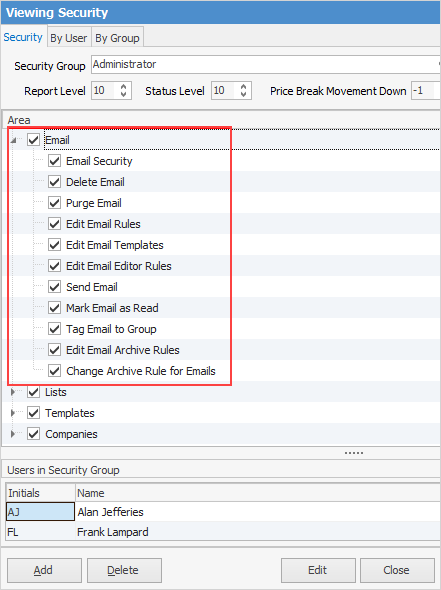
▪Security, meaning which users will be allowed to see what emails. In Jim2, email security manages access to email folders. There are also general security options that can be set up as well via Tools > Security.
▪What email accounts will be processed automatically by Jim2.
▪What actions are to be taken for received emails, and under what circumstances.
Security, automatic processing and actions will tie into (and possibly change) business practices. A suggested approach is to nominate a role for one or more people (depending on the business) to monitor incoming email to manage the creation of jobs, reply to/tag emails that will not have a job or quote tagged, etc.
Others within the organisation would run their live Job Lists and look for jobs/quotes/purchase orders, etc. displayed in bold type, indicating that there is an unread email tagged to the object.

Jim2 will not automatically mark an email as read. The exception to this is when replying to an email from within an object, in which case Jim2 will mark the email as read. A decision will need to be made as to when to consider that an email has been read. For example, if the receptionist reads an email that has come in and assigns that email to a job, the receptionist should not mark the email as read. The person responsible for the job should be the one to mark the email as read when they have taken note of or actioned the newly received email.
|

Disk space is a very important issue to consider. With emails being stored in the Jim2 database, storage requirements can escalate enormously, depending on the amount of emails sent/received, and if these emails contain attachments. There are also ramifications in terms of the time required to perform backups, and the increased storage required for backups.
If using one of the SQL Server Express editions, SQL Server will limit the size of the database. Refer to Microsoft documentation for the size limits for the various versions and editions of SQL Server.
It is very difficult to estimate the amount of disk space required because of the variation in email sizes and attachments. As an example, Happen Business grew its database by 4GB in just four months, after implementing email. |
Further information