Jim2 Email is very process oriented, and knows about things such as cardfiles, jobs, purchases, etc. which extends its CRM functionality.
Jim2 email is not only focused around who sent/received an email and its status (sent, deleted, etc.), but what area of the business that email is related to (sales, service, etc.) and also what objects it is related to (job, quote, purchase, cardfile, etc.).

This focused handling of email provides a very businesslike view of emails, and allows the creation of email queues – a service or support queue, for instance.
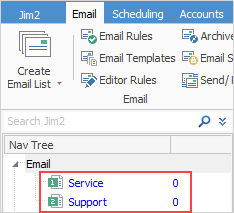
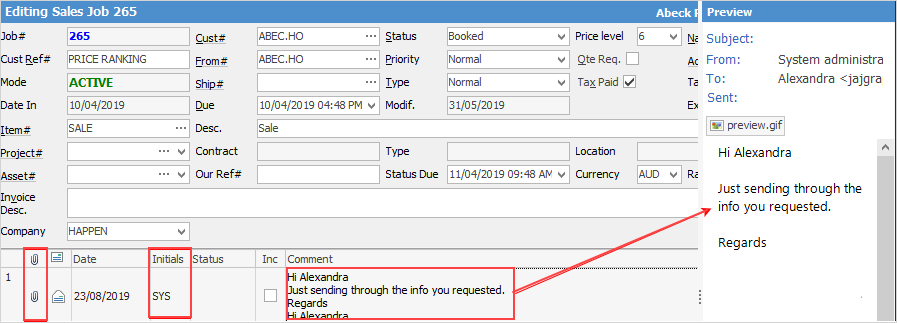
In addition, emails sent from Jim2 can be related to one or more objects (quote, job, etc.), and replies from that email are automatically related to (and can be viewed from) those objects. For example, all emails back and forth in relation to a particular job are displayed within that job. Jobs, quotes and purchase/expense orders can automatically be created from an email as well, enabling a very comprehensive ticketing system.
 |
Email groups are based on email security and email folders. Once email folders have been set up, email security allows groups to see those folders.
Emails within Jim2 are normally tagged to one or more email groups.
Tags can be automatically applied to emails when they are sent or received, or manually applied at any time. Emails can be tagged to one or a number of groups at the same time, for example to both Service and Sales.
Emails can also be moved or re-tagged from one email group to another. For example, an email that has been sent to sales@company.com, but is actually service related. In this case, the email can easily be untagged from Sales and re-tagged to Service.
Email groups and tags provide a means of identifying and filtering emails, and are used by email folders and lists (see below).
|
System email folders There are four global system email folders: Inbox, Outbox, Sent and Deleted. Since all emails within Jim2 will appear within the appropriate system folder, security on system email folders should be restricted to administrators. For example, all emails sent from Jim2 will appear in the System Sent folder regardless of who sent them or who the email was sent to.
Custom email folders As well as default system folders, create custom email folders. These are created via Email folder setup and are used to display emails based on certain criteria. For example, emails sent and/or received from a particular email address, tagged as Service and unread. |
Email lists are much like other lists within Jim2, with the exception that they must be based on an email folder. In essence, the folder is used to filter the email list. It is quite normal to have several named, live email lists. Email security is based on email folders, allowing only sales staff to view sales related emails, or accounts staff to see only accounts related emails, for example. |
Most lists in Jim2 allow users to filter the lists to see objects containing unread emails. For example, when running a Job List and a job in the list has an unread email associated with it, that email will appear in bold text in the list. This list can also be filtered by using the Read box in the list header: ▪Ticked will show all read emails only. ▪Solid black square will show all read and unread emails. ▪Unticked will show only unread emails.
As emails can be attached to finished Jim2 objects, it is useful to run a live list to capture these, otherwise they might slip past normal monitoring of Jim2 objects. For example, create a live Job List with Unread and Invoiced ticked. This will show unread emails that come into invoiced (finished) jobs. |
Emails are related to an object if sent directly from an object's Comment grid, or by selecting Related Email on the ribbon.
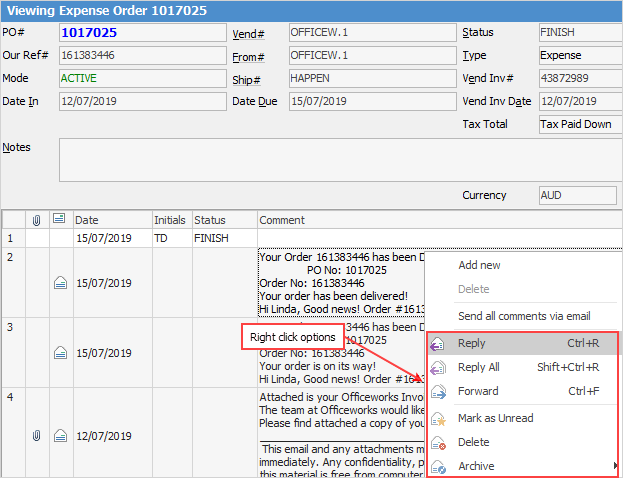
They can also be manually or automatically linked. For example, if an email arrives and it is a signed order, that email can be manually linked to the related quote. Replies to related emails sent from an object are automatically linked to that object. Emails can also be automatically related based on rules. For example, if an email arrives from a certain email address and contains certain text, it can be automatically related to a specific cardfile, job, etc. |
When receiving an email, predefined rules can be applied based on almost any criteria, and can apply certain actions to that email. The most common action is to tag that email to an email folder. Therefore, if an email is received at service@company.com, Jim2 could automatically tag that email as Service.
When sending emails, tags can be applied manually, or automatically via Email Editor Rules.
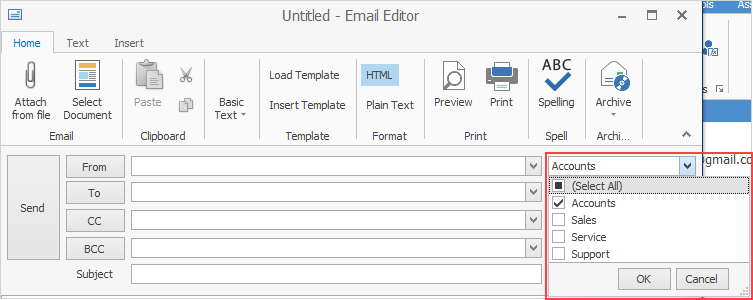 Example of manual tagging
Email Editor rules include features such as: if sending an email related to a service job, tag it as Service, or if sending a statement or invoice, tag it as Accounts. As mentioned above, emails can be tagged to multiple groups, and easily moved from one group to another. |
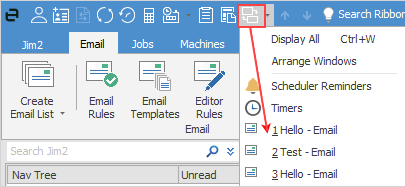
Because many emails can be open at the same time, Jim2 has an easy way of finding them. See which emails are currently open by using the Switch Windows icon in the Quick Access menu. |
 |
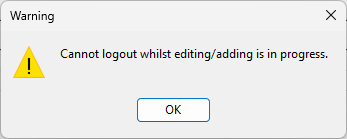
Any emails that are in Edit mode must be closed before logging off Jim2. If not, a warning message will appear.
 |
Email templates are used by the email editor, and are text and/or attachments that can be automatically or manually added to a new email. A new email can be automatically based on a template, depending on the type of email to be sent. For example, if emailing a statement, automatically use the Statement email template.
Email templates also support the use of macros to automatically merge text. For example, the macro {{Job.Customer.Name}} will be replaced by the customer's name.
Email templates also include a search function.
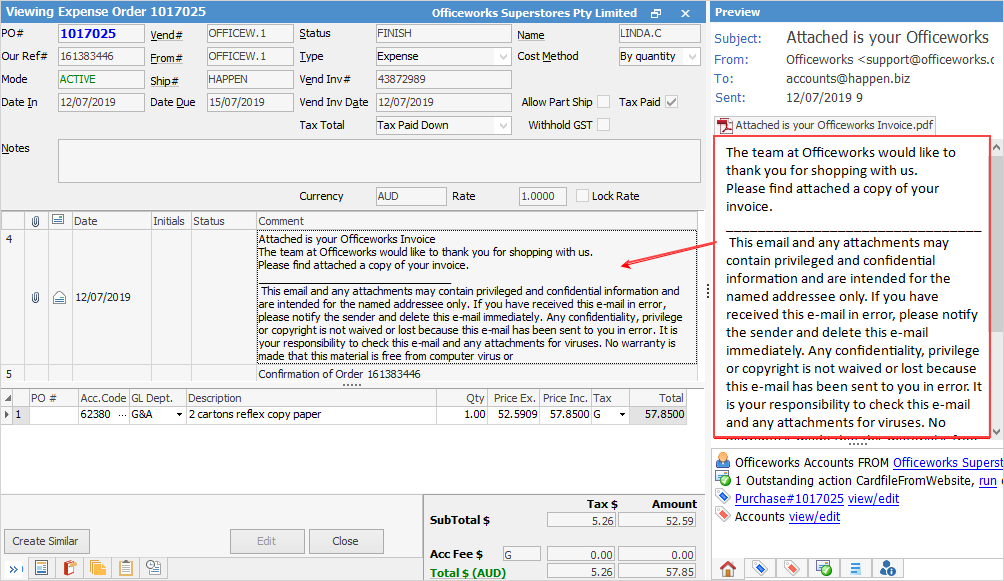
When an email is tagged to an object (either automatically via a rule, or manually) a summary of the email will appear within the Comment grid of the related object. The complete email will be displayed in the email preview pane, or can be double clicked and displayed within a new email editor screen.
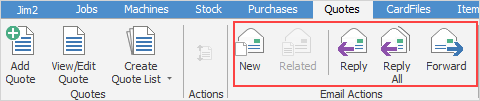
The image below shows the Email Actions group on the Quotes tab, however this group is accessible on all ribbon tabs, much like the Report ribbon group.
|
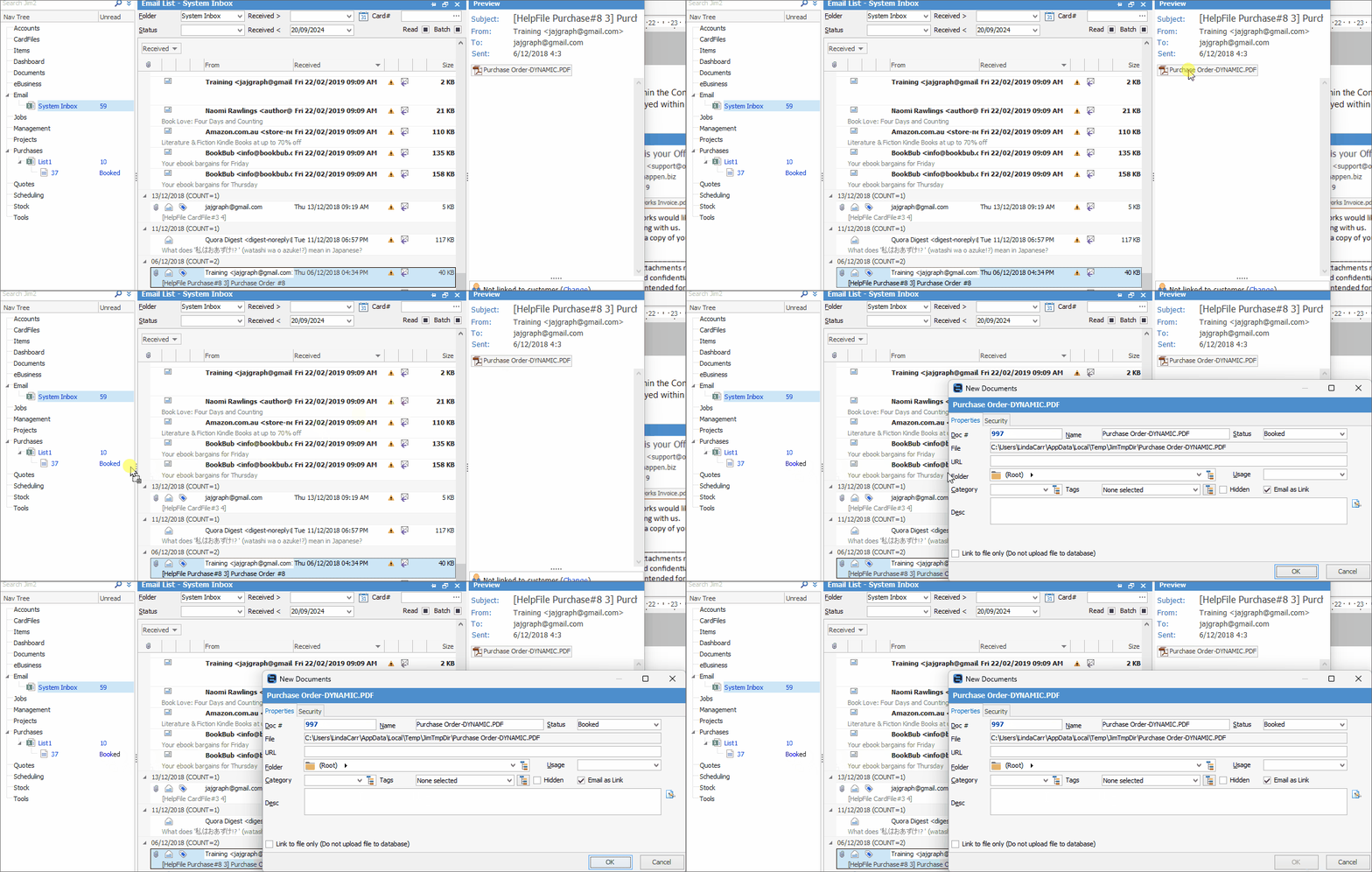
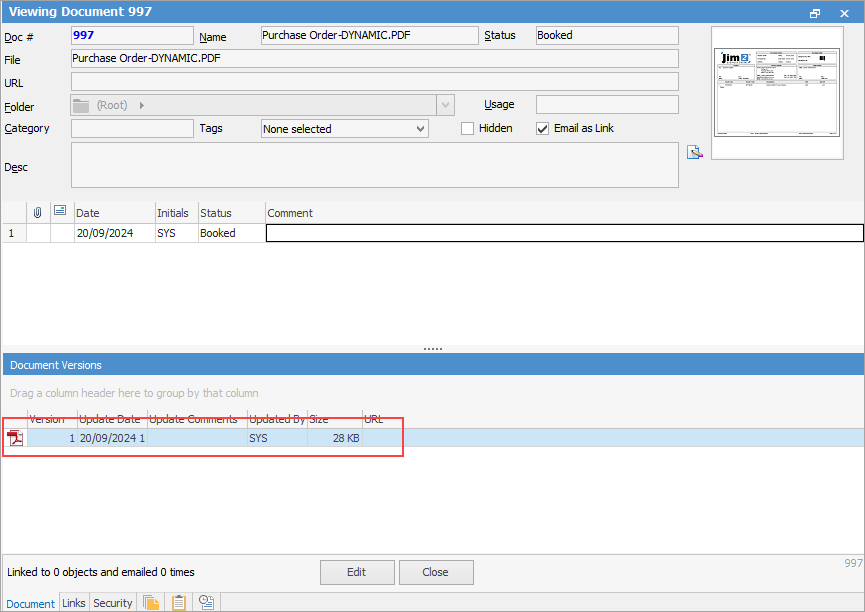
You can also drag attachments within emails directly from the preview pane onto a Jim2 object, ie. job, quote, etc. in the navtree.
 |
To open a hyperlink from within an email in Jim2, press and hold the Ctrl key, then select the hyperlink. |
Further information