
To add a stock adjustment:
1.On the ribbon, go to Stock > Stock Adjustments.
2.The Stock Adjustment list will appear. Click Add.
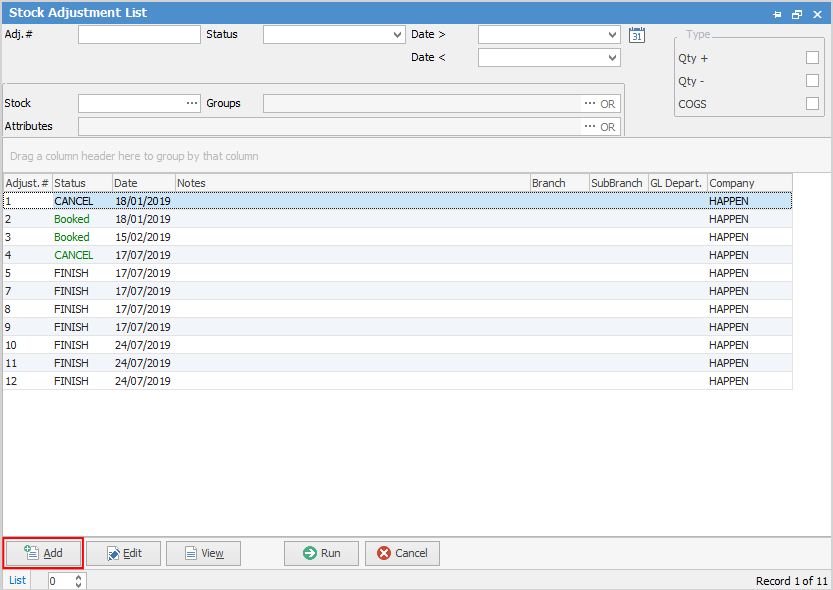
3.Select which Stock Adjustment is required:
Qty +
Qty –
COGS – or +

To enter a Qty + stock adjustment, open the Stock Adjustment form, and select the Type of Qty +.
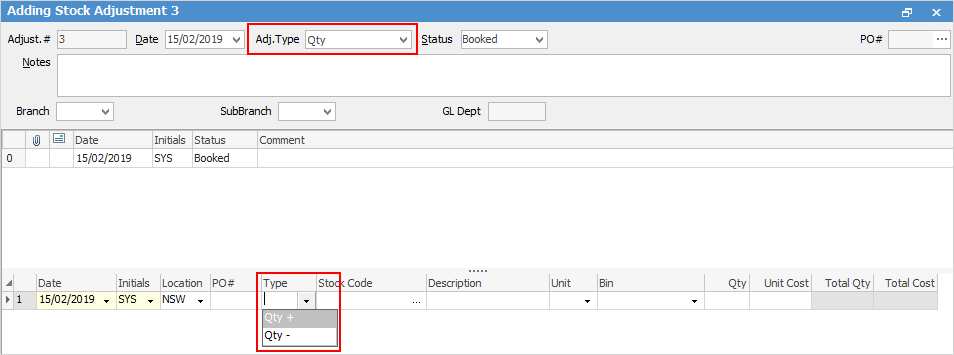
To add the stock, either enter the code into the Stock Code field or use the ellipsis [...] within that field to show the Stock Select grid.
Use either the Tab or Enter key to move off the Stock Code field and the Description, Unit and Cost will automatically be filled in. The unit measure can be changed. Enter the number of units required to increase this stock record by.
Once the status of this adjustment is changed to Finish, the movement of the stock will be completed, and a finished purchase order will be automatically created. |


To enter a Qty – stock adjustment, open the Stock Adjustment form and select the Type of Qty -.
To add stock, either: ▪enter the stock code, which will bring up the Stock Select grid displaying any purchase orders for this stock which have a balance remaining, or ▪click the ellipsis [...] within the Stock Code field to display the Stock Select grid and use Filters and Apply to locate the stock. 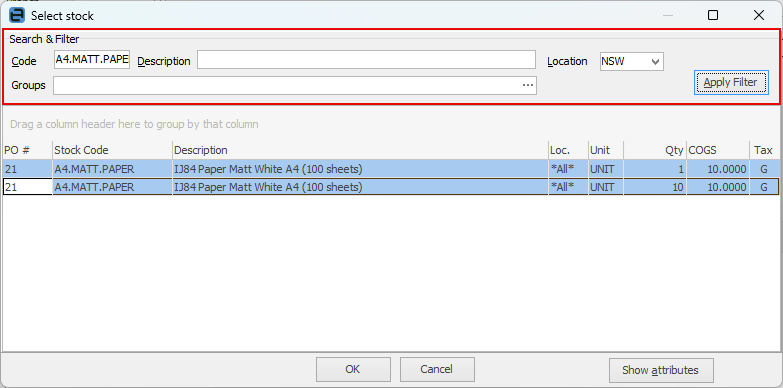 Once the stock code and purchase order to be reduced have been located, click OK. Use either the Tab or Enter key, to move off the Stock Code field, and the Description, Unit and Cost will automatically be filled in. Enter the number of units required to reduce this stock record and purchase order by. If you receive the message that there is not enough quantity, it will be because you need to select the appropriate PO # the stock originally came from. 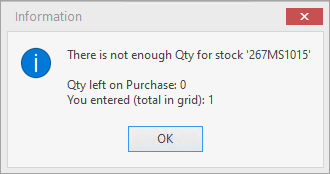
Once the status of this adjustment has been changed to Finish, the movement of the stock will be complete. |
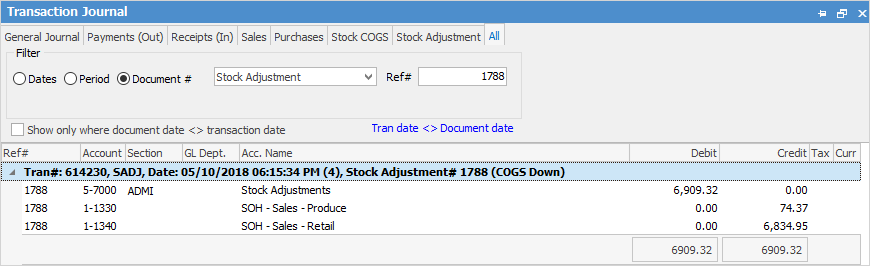
The COGS adjustment only affects stock where there is quantity on hand. The COGS adjustment reduces the value of the 1-XXXX Stock on Hand account and expenses the amount to the 5-XXXX Stock Adjustments general ledger account.
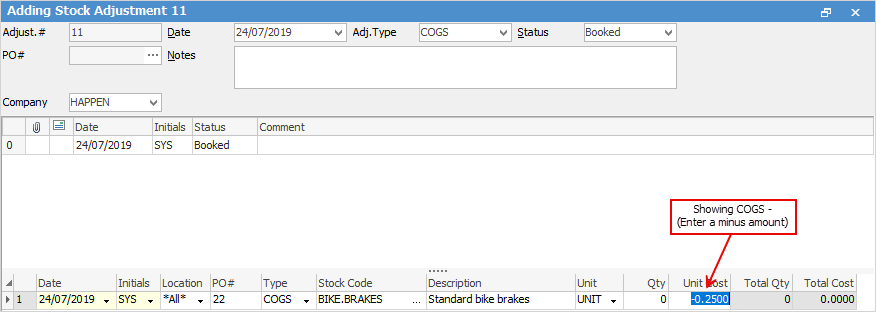
A COGS+ will increase the value of the stock, whilst a COGS- will reduce the value – when entering COGS- the amount will be entered with a - in front, ie -100.00.
To enter a COGS adjustment, open the Stock Adjustment form and select Type COGS.
Either a + or – COG adjustment can be entered.
The amount entered a value increase or decrease (excluding GST). Any quantity left on that purchase order for that stock will have their COGS changed to reflect the new value. For example, if you wish to lower the COGS by $10, you would enter -10.00.
To add stock, enter the code in the stock code field or click the ellipsis [...] within that field to display the Stock Select grid. This grid is the same as the Qty – which will show stock which has a purchase order with a balance remaining.
Use the filters to locate the stock/purchase order to update the COGS for. When moving off the Stock Code field, the Description field will automatically be filled in.
The Qty field will remain as 0.00 because a quantity cannot be entered in this type of adjustment.
Move to the COGS field and enter the amount needed to adjust these COGS by. The amount entered will be applied to each unit of that purchase order. Remember, if you wish to adjust down you will need to add a minus sign before the amount in the Unit Cost column.
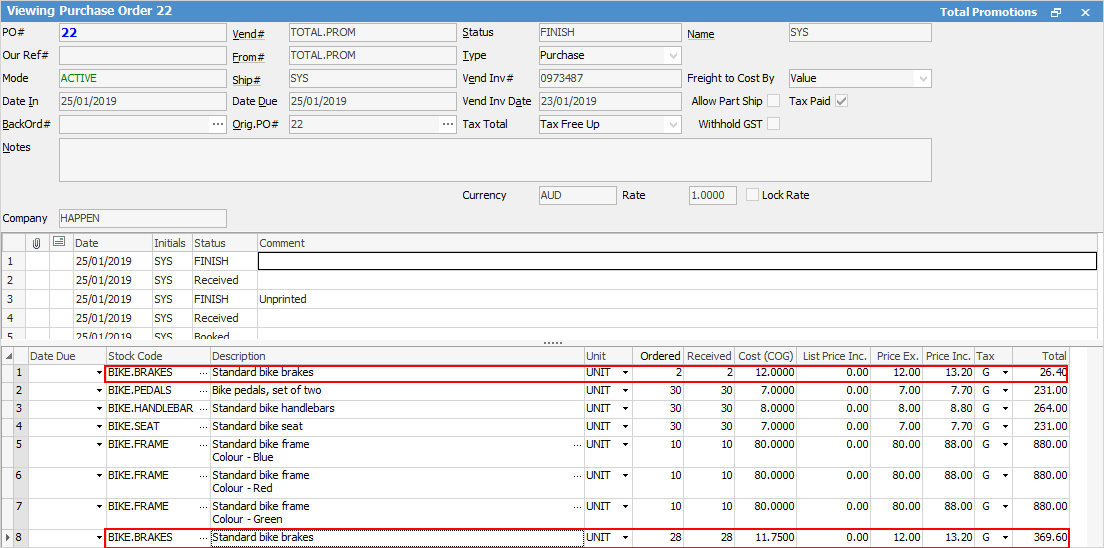
If some of the stock has been sold where the COGS needs to be adjusted, the original purchase order will show the stock line split into two. The first line is for stock that is sold. This quantity will not be adjusted by the COGS adjustment. The second line is for stock quantity that is not sold, showing the new COGS value.
This value change will be reflected in the Buying and Stock on Hand tabs within the stock record footer. Upon selling from this second line, the new COGS value will be moved from the Stock On Hand asset account to the related COGS account.
Once the status of this adjustment has been changed to Finish, the movement of the stock will be complete. |
The following explains the impact of a COGS adjustment on a stock record. The COGS adjustment only affects stock where there is quantity on hand.
The COGS adjustment reduces the value of the 1-XXXX Stock on Hand account and expenses the amount to the 5-XXXX Stock Adjustments general ledger account.
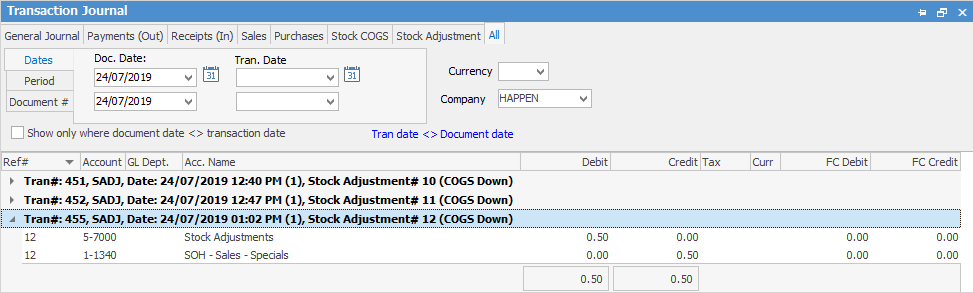
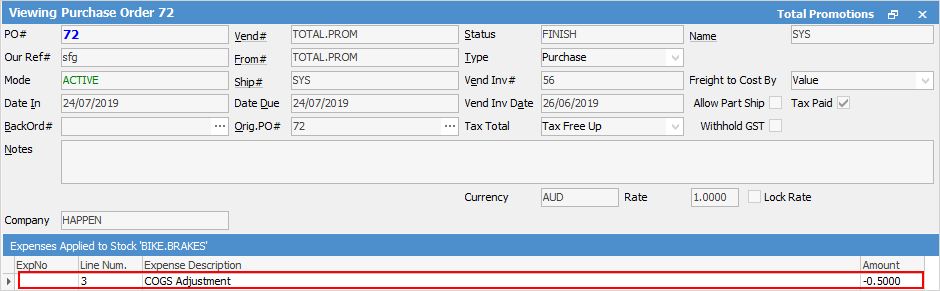
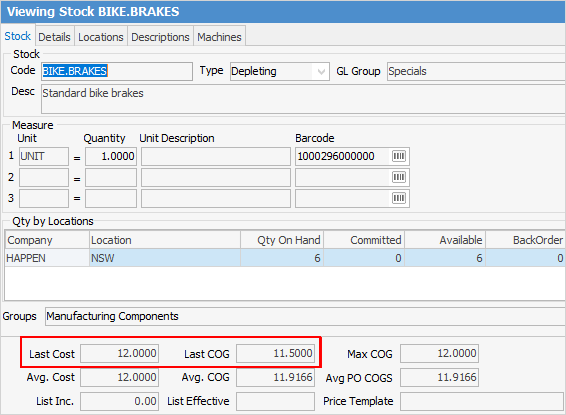
The example below shows the impact of COGS Adjustment on Qty 1 of stock code BIKE.BRAKES where the COGS was reduced by $0.50. (stock adjust on a particular purchase order).
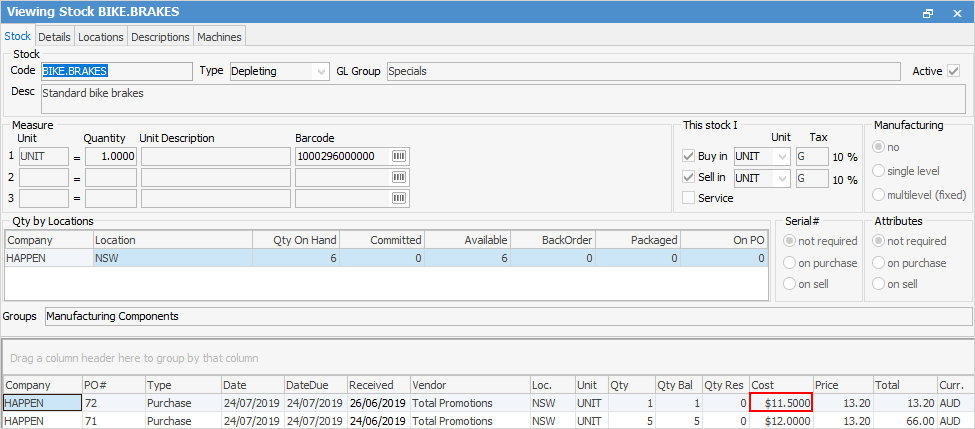
The COGS on the purchase order are reduced:
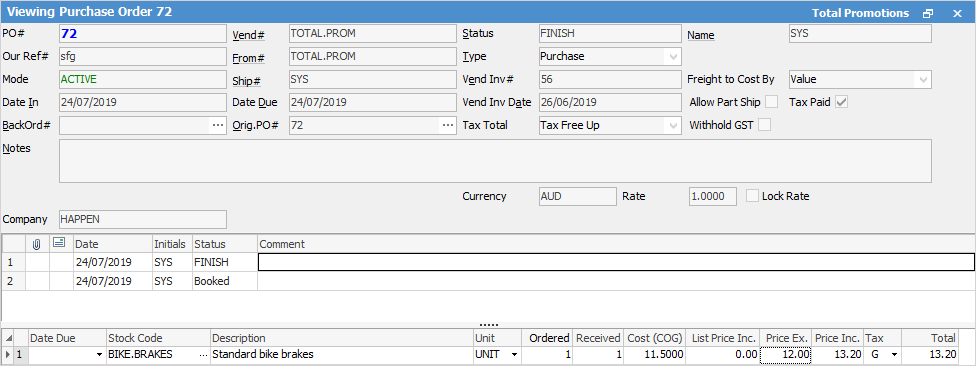
To see the impact of the COGS adjustment on the stock record, select the stock record line on the purchase order, then go to the Expenses tab at the bottom left of the purchase order.
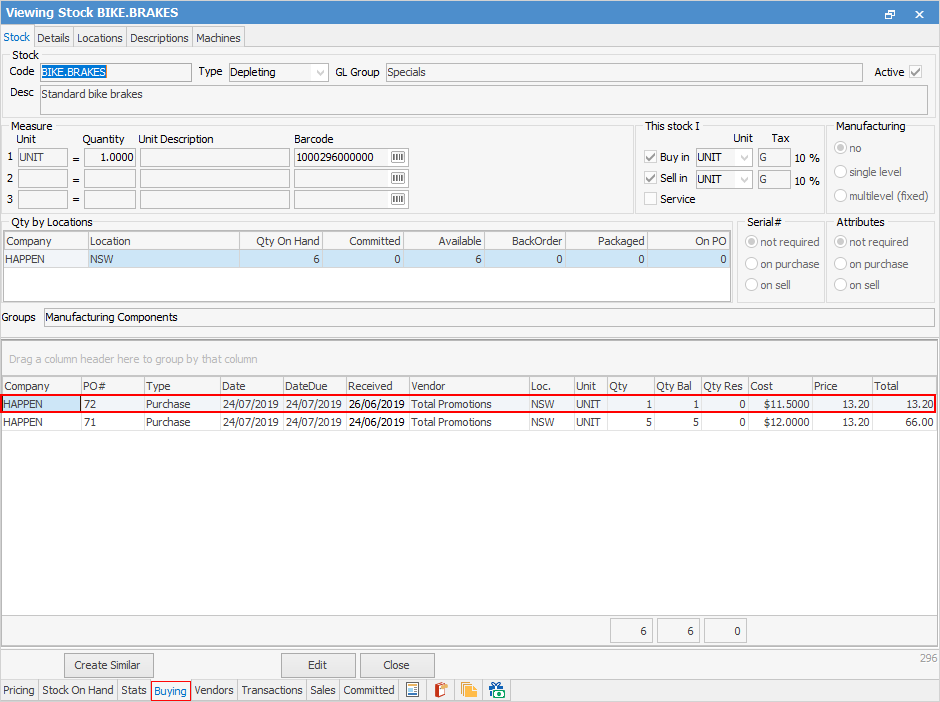
When viewing the Buying tab of the stock record, which purchase order has been impacted can be seen.
The Last/Avg Cost is what was on the purchase order, however the Last/Avg COGS shows the adjusted value of the stock
Individual stock adjustments can be previewed/printed/emailed from the Report area of the ribbon:
 |

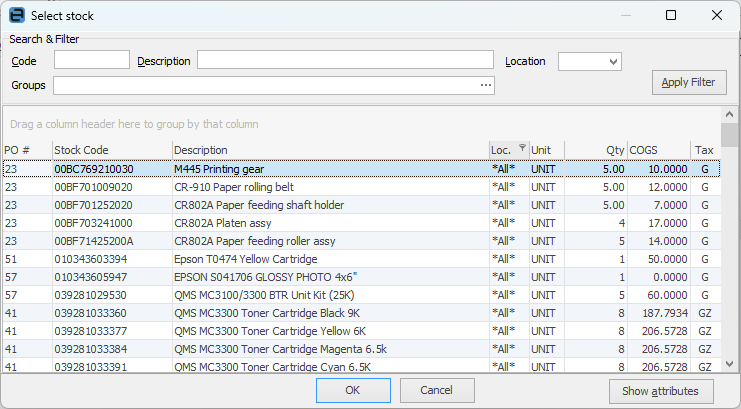
To add stock, click the ellipsis [...] in the Stock Code field, or enter the stock code which will bring up the Stock Select grid displaying any purchase orders for this stock which have a balance remaining.
Otherwise, click the ellipsis [...] within the Stock Code field to display the Stock Select grid and use the Filters and Apply to locate the stock.
Once the stock code and the purchase order have been located, click OK. |
Further information