
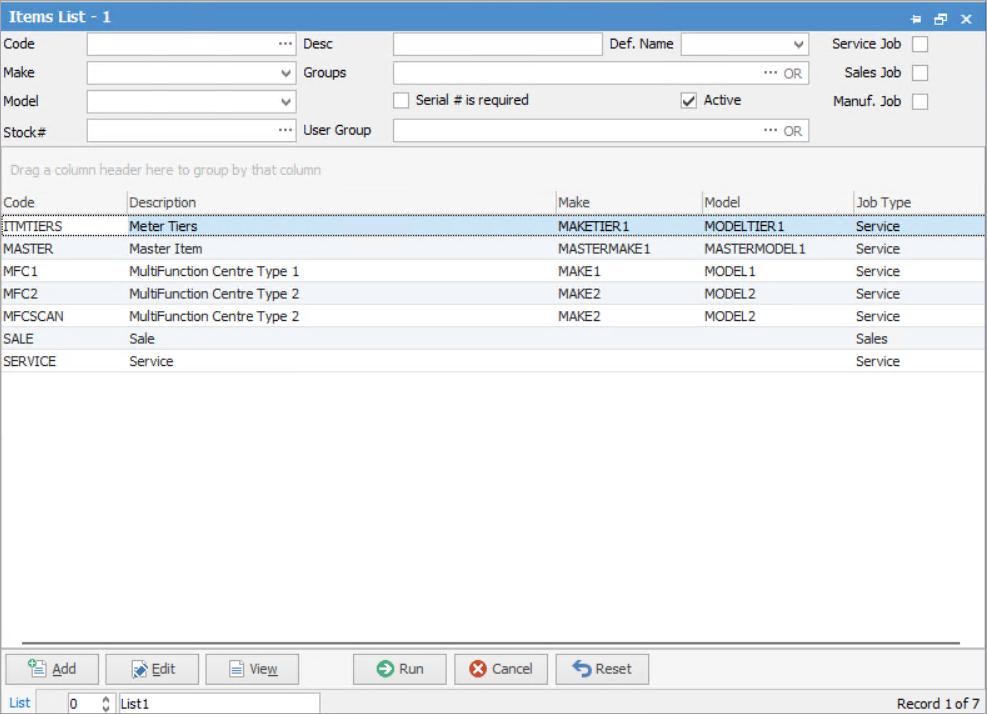
The fields and checkboxes, and their use are explained below.
See here for information on the use of the Reset button.
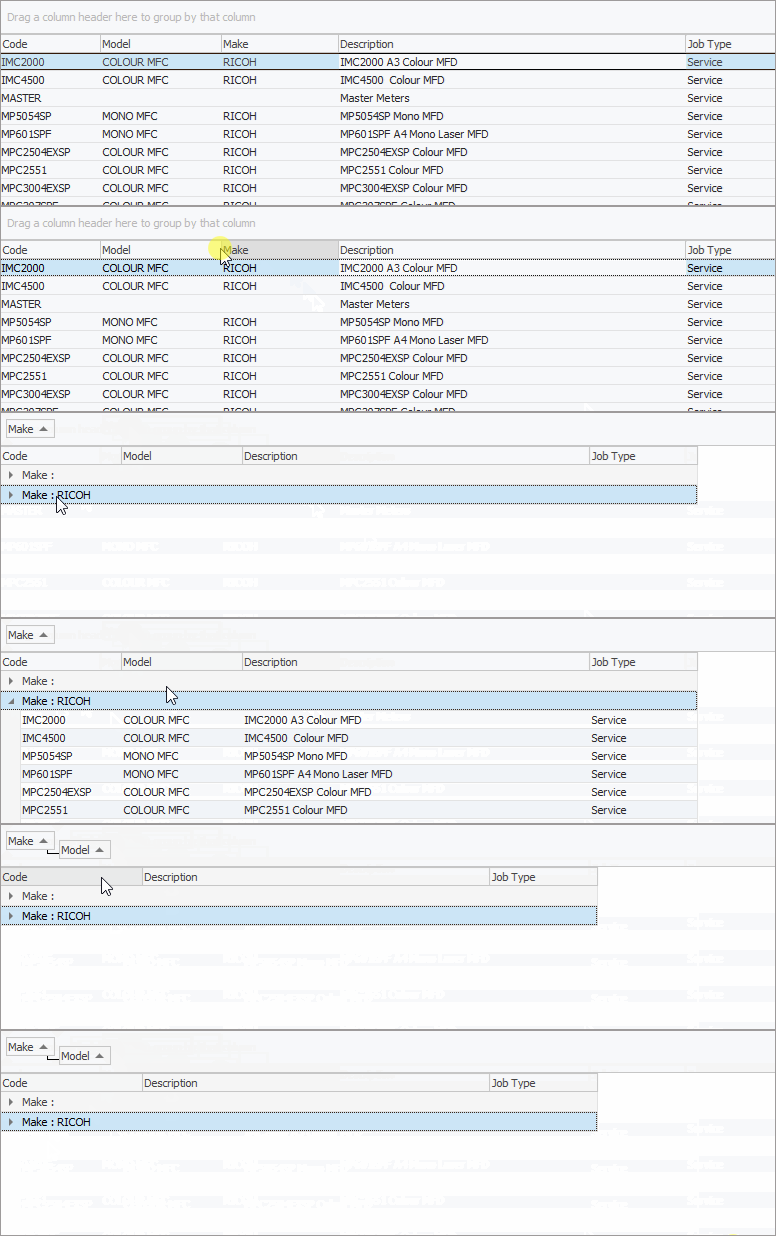
Sorting, searching and grouping are available as per other lists in Jim2. Select the column header in the grid to sort, then drag it to the Group By area to group.

Field |
Explanation |
|---|---|
Code |
Enter the code (or partial code) to display only those Items which match that criteria. Otherwise, leave blank to run a full list. |
Description |
Enter a description (or partial description) to find those Items which match that criteria. |
Make |
Shows only Items with this make. |
Model |
Shows only Items with this model. |
Stock# |
Select a stock code to filter by one particular piece of stock. Once a code is entered, hover over the wording Stock# and it will turn into a hyperlink, which will open that stock record. |
Groups |
Enter a report group or groups to display only the Items which belong to those groups. |
User Groups |
Enter User Groups for this Item. |
Def. Name |
Select a name to display only those Items which have this Default (user) Name on them. |
Serial# is required |
Tick this box to display those Items which have the Serial# is required box ticked on their Item records. |
Active |
By default, only active Items are shown. Since Items cannot be deleted (instead, they can be marked as inactive), untick this box to also include inactive Items in the search results, if required. |
Service Job. Sales Job. Manuf. Job. |
Ticking one or more of these boxes will include service and/or sales and/or manufacturing job Items in the search results. Ticking all three of these boxes returns the same results as ticking none. |
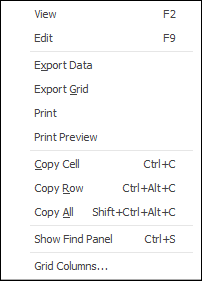
To view or edit any of the Items within the list, double click, or use the F2 function key on any of the fields relating to the Item to be displayed.
You can also view stock in the Items by using the report Items List - Stock in Item report in the ribbon.
|


Further information