On the ribbon, go to Tools > Setups > Jobs > Job Type.
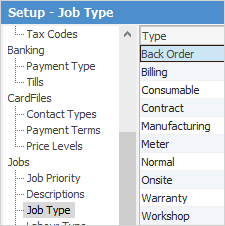
Add appropriate job types, for example:
Billing, Meter, Onsite, Workshop, Consumable
Define the default job types for:
Job Type |
Typical Name |
Application |
|---|---|---|
Billing Meter |
Billing |
Job to charge copy counts. |
Service Meter |
Meter |
Records copy count at time of service. |
Service |
Service |
Job to service the Asset. |
Consumable |
Consumable |
Job to supply consumables. |
The job types can be named whatever is desired. Job types identify a particular class of job. This can then be used for filtering within job lists and running reports.
Further information