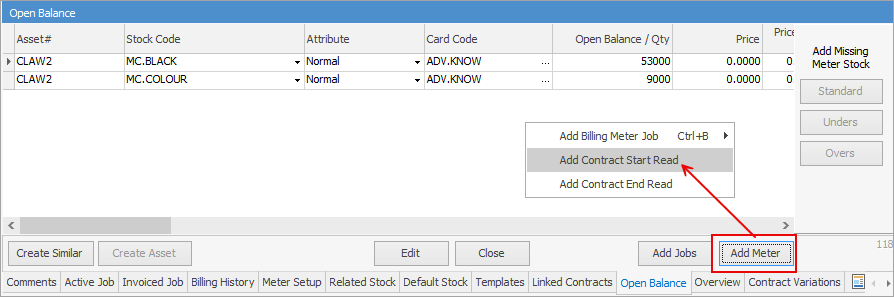
If you are on the v4.4 billing, these are actually entered via the Add Meter button on the contract:
If you are on the v4.3 billing engine, here is where to enter any opening balances for standalone and child contracts. This information is not entered on a master contract.
 |
Note: Once a contract has been billed, this will become read only. |
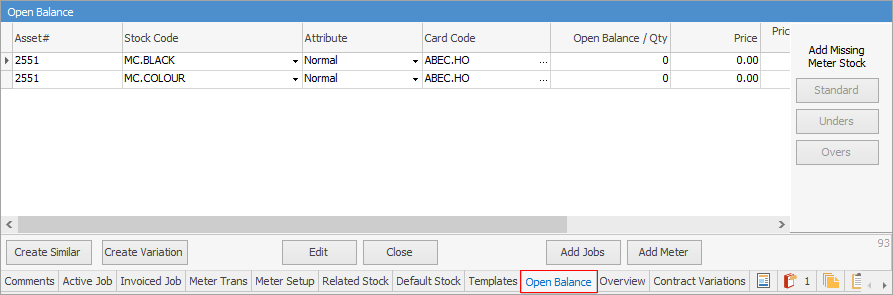
Field |
Explanation |
|---|---|
Asset |
The Asset number linked to this contract. |
Stock Code |
Meter stock code. |
Attribute |
Any attributes for this stock. The choices are Normal, Estimate and Tracking. |
Card Code |
Card code of the customer on the contract. |
Open Balance/Qty |
Enter the opening balance for each meter here. Once entered, this becomes read only. |
Price/Price Inc.GST/Total |
Pricing for this stock line, if required |
Read/Purchase Date |
Enter either the open balance read date or the purchase date. |
Period Start |
Enter the date this contract commences. |
Period End |
Enter the end date of the contract. |
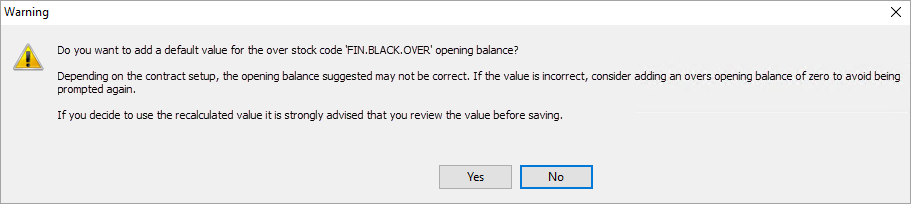
When adding Overs opening balances, a warning that the suggested value may be incorrect will appear:
Further information