
|
Note: The Scripting Engine is not accessible for Jim2Cloud customers at any time. |

As this is an area that requires advanced skills, this area does not explain this function in detail. Following is some basic information only.
|
Note: All information in this area is only relevant if on premises customers have permission to access the scripting engine. Scripts are written in DelphiScript (Pascal). This is also governed by Jim2 Security. Contact support@happen.biz if this or further information is required. |
Jim2 makes extensive use of scripting technology, providing unparalleled power to tailor to specific company and/or industry requirements.
Scripts can easily be imported, and instantly become seamlessly integrated into Jim2.
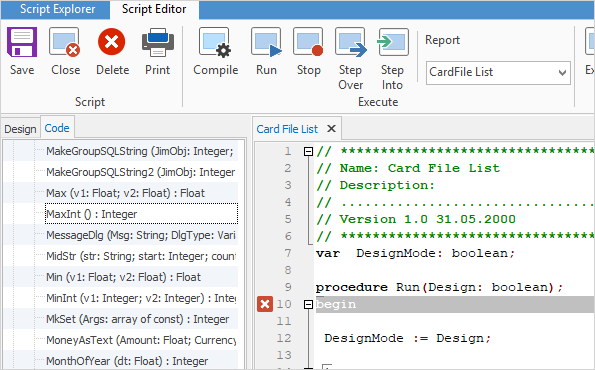
Jim2 provides an integrated, full-featured syntax, highlighting the language used.

All reports in Jim2 are linked to their relevant script. For example, the sequence of events that occurs when the Statement report is run within Jim2 is: 1.The Statement report is located within the Jim2 database and the linked Statement script is executed. 2.The Statement script displays the date selection screen (script form). 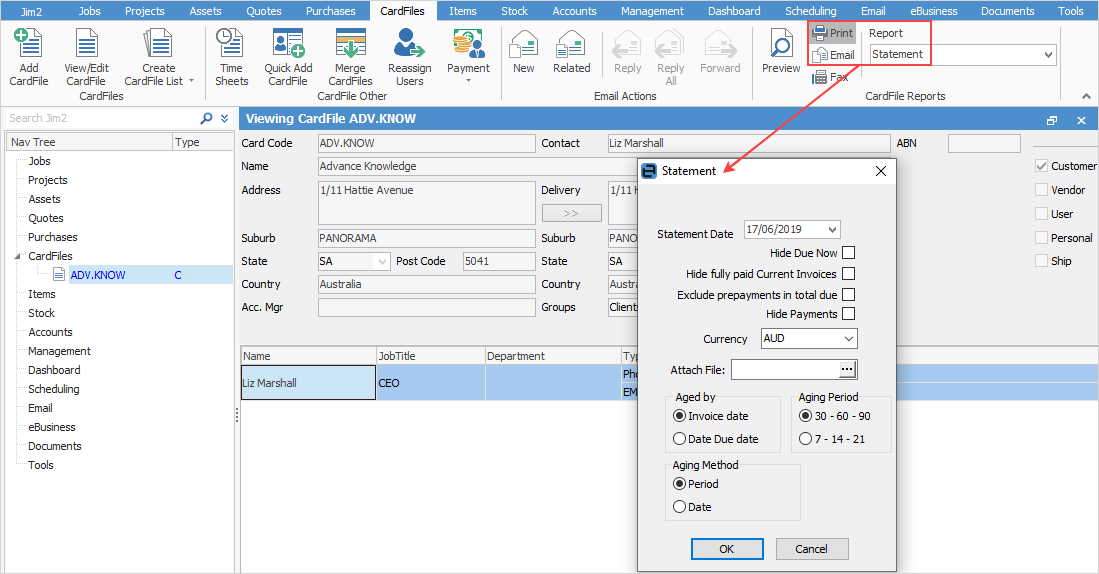 3.The user selects the required statement aging method. 4.Control is returned to the script, which then generates and runs several SQL queries in order to provide data in a format appropriate for the reporting engine. The script also has access to the form or object within Jim2 that called the script. In this example, the script accessed the debtor's card code, selected print method, and the currently logged on user's details. 5.The script then creates and connects the report's data pipelines, initialises the report engine and fires off the report. 6.After the report has been viewed, printed, faxed or emailed, control returns to the script, which then frees up any resources used, and returns control to Jim2.
All this is performed in seconds.
The same script can be used in multiple reports. For example, the Invoice script is the same for all invoice layouts – only the actual report or appearance of the data is different.
Scripts can be as basic or complex as required. For example: ▪The stock profit reports within Jim2 are good examples of complex functions that are entirely scripted. These reports include a powerful selection criteria form (script form) and create several SQL queries in order to generate the relevant data and grouping. They even provide cost estimates for stock sold in advance. ▪Scripts also allow Jim2 to easily interact with other software, such as Microsoft Word, Excel, Access and Outlook. Jim2 fully supports XML recordsets, the core technology used in B2B and B2C applications. |
Further information