
As this is an area that requires advanced skills, this Help File is not the appropriate place to explain this function in detail. Following is some basic information only. Contact support@happen.biz if further information is required.
Jim2 makes extensive use of scripting technology, providing unparalleled power to tailor to specific company and/or industry requirements.
|
Note: All information in this area is only relevant if on premises customers have permission to access the scripting engine. Scripts are written in DelphiScript (Pascal). This is also governed by Jim2 Security. Contact support@happen.biz if this or further information is required. |

All information in this area is only relevant if on premises customers have permission to access the scripting engine. Scripts are written in DelphiScript (Pascal).
Scripts can easily be imported, and instantly become seamlessly integrated into Jim2.
|
Note: The Scripting Engine is not accessible for Jim2Cloud customers at any time. |
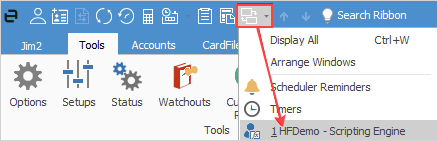
The Scripting Engine opens in its own window, and appears as a second icon in the Windows task bar. When open, it also appears under switch windows located in the Jim2 Quick Access Toolbar.
The fully featured scripting engine supports:
▪Multiple script editing
▪Syntax highlighting
▪Editor code folding
▪Debugger break points
▪Editor bookmarks
▪Code completion (Shift+space within the code editor)
▪Code helper palette (available functions, variables, types, etc.)
▪Tool palette (form component selection, etc.)
▪Object inspector with properties and events editor
▪Form structure
▪Unit Code, Design and Info tabs
▪Debug panel with Local Variables, Watches and Call Stack
▪Report selection (allows execution of script against selected report within the scripting engine).
Library scripts
Library scripts are used for scripted Jim2 functions, such as the creation of ABA files, and for common code to be shared across multiple scripts. They can be included in scripts via the object Pascal Uses Unit syntax.
Server side scripting
The script and report run on the server, rather than locally on the Jim2 Client. The main advantage of this is, if a script can run server side, the associated report is available via Jim2 Mobile, including:
Script Name |
Examples of related System Reports |
|---|---|
Statement |
CardFiles > CardFiles > Statement Debtors > Debtors > Statement |
Invoice |
Invoices > Invoices > InvoiceSale Invoices > Invoices > InvoiceSaleSimple Invoices > Invoices > InvoiceService Invoices > Invoices > InvoiceServiceSale |
Job |
Jobs > Jobs > Job Receipt Jobs > Jobs > Job-Onsite |
Job w/o Logo |
Jobs > Jobs > Job Jobs > Jobs > Manufacturing Job Jobs > Jobs > Job No Comment |

Typically, scripts are executed from the Jim2 Client by calling the script’s Run (DesignMode: boolean) procedure. When called from the report toolbar, DesignMode is false, and when called from within the Report Designer, DesignMode is true.
The scripting engine can be opened and used whilst still using the Jim2 Client. As such, scripts have direct access to the currently opened object (job, quote, etc.).
Server-side scripts require no user interaction, and have any report parameters (typically entered by the user via the script's associated form) passed to them via a JSON record.
A report that supports server side scripting is executed, calling the script’s RunServerSide (jsonstr : string) procedure. The variable jsonstr contains the report parameters. For example, the job script contains the following procedure:
procedure RunServerSide( jsonstr : string ) begin DesignMode := False ReportParams := JSON.Parse( jsonstr ) qJimJob := CreateComponent(self, ‘TFDQuery’) qJimJob.Connection := DM.JimConnection qJimJob.SQL.Text := ‘SELECT * FROM JimJob Where JobNo = ‘ + ReportParams.jobNo qJimJob.Open() if (qJimJob.EOF) then raise Exception.Create( ‘JobNo ‘ + ReportParams.jobNo + ‘ does not exist’ ) RunReport() end
Compiler directives A script can, and should be coded to support both Client side and Server side execution, noting that some resources available Client side (for example, the actual form and its properties) are not available Server side.
To handle both sides, the scripting engine supports compiler directives to include/exclude Client side and Server side code as required.
For example the Statement script contains the following code that uses the SERVER_SCRIPTING compiler directive:
{$IFNDEF SERVER_SCRIPTING} EmailSubject := ReportName + ‘ for’ + qCardFile.FieldByName(‘CardCode’).AsString + ‘ ‘ + qCardFile.FieldByName(‘Name’).AsString + ‘ for Date ‘ + ReportVar1 EmailSubject := EmailSubject + ‘ from ‘ + CompanyName {$ENDIF} |
Further information