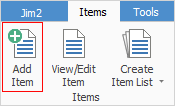
The Item object can be opened in either one of these ways:
▪on the ribbon, go to Items > View/Edit Item
▪right click on Items in the Nav Tree at the left of screen, then select View/Edit Item.
The following Item code screen will open.
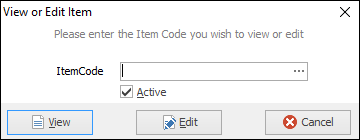
Enter the Item code and click either View or Edit.
If the Item code is not known, search for it in one of the following ways.
▪Start typing the Item code. Jim2's intuitive type will pre-empt the choice of Item codes from its database as each letter is entered.
▪Click the Item code ellipsis [...] which will bring up an Item list search screen. From here enter a search term, then select Run.
 |
Pressing F5 when the cursor is in the Item Code field will also open this search screen. |
Further information