
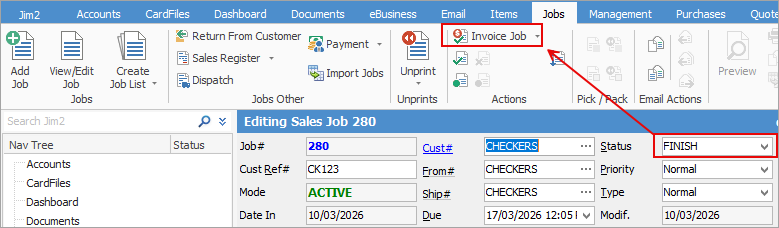
1.Edit and change the status of the job to Finish., then select the Invoice Job icon. This will open the Invoicing screen.
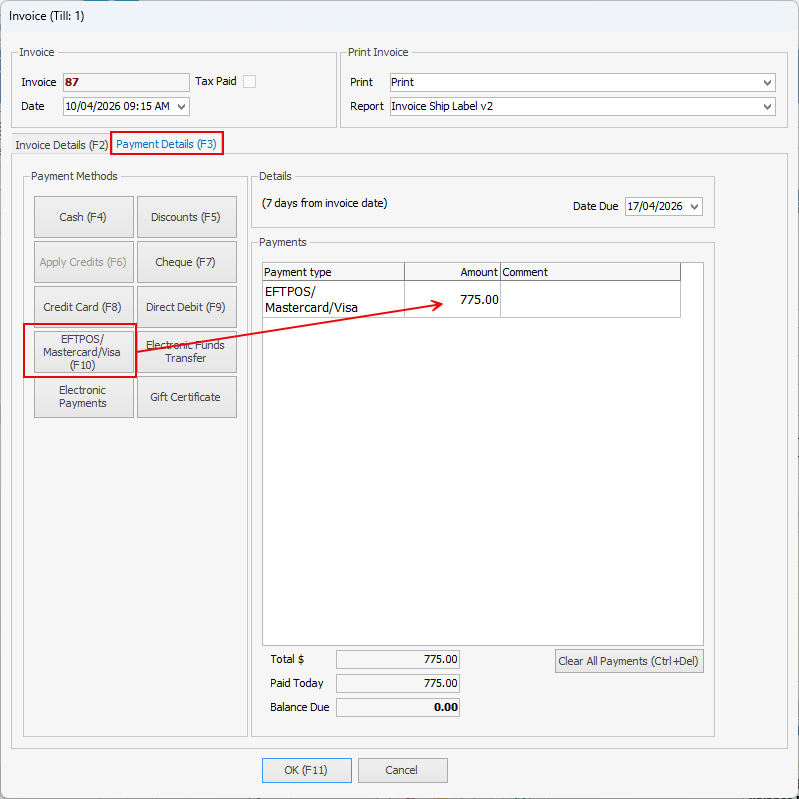
2.If the payment was completed on the same day, you can enter the payment at this stage.
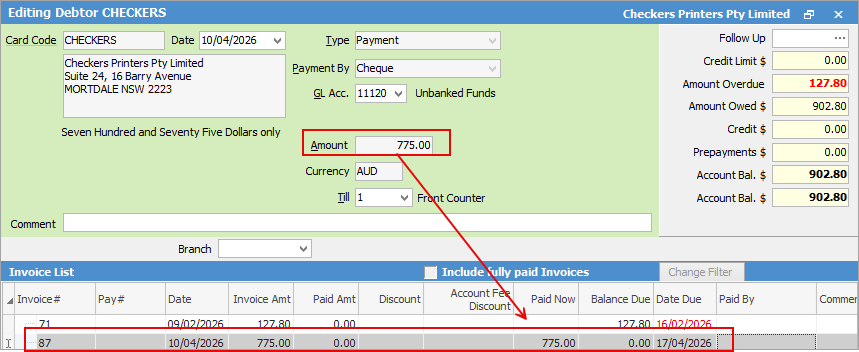
3.If the payment for the invoice was taken on a different day, you will need to complete the invoice first and then apply the payment on the Debtor account.
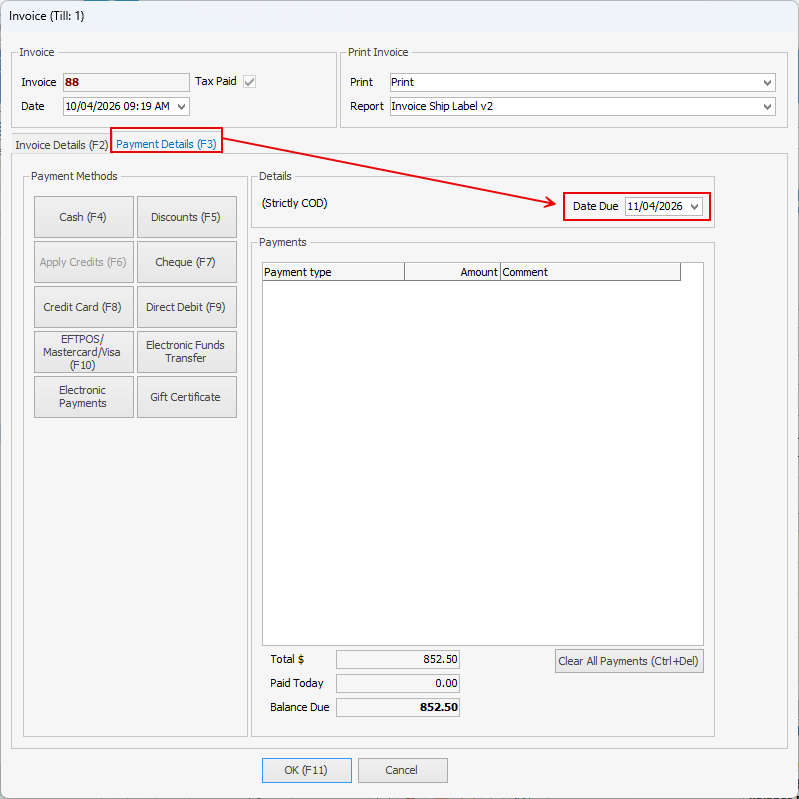
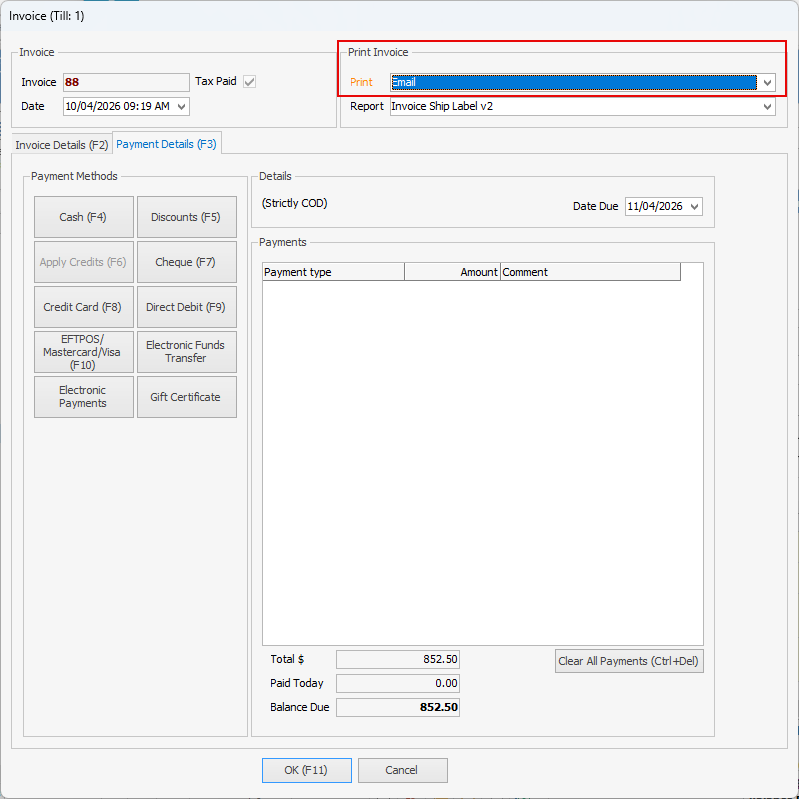
4.If the Cust# has payment terms set to COD, go to the Payment Details tab and change the Forward Date to the Date Due. If the payment terms are not COD, you can skip this step.
5.Once everything has been completed, click OK to finalise the invoice. 6.You can also email the invoice to the customer if required.
|
Further information