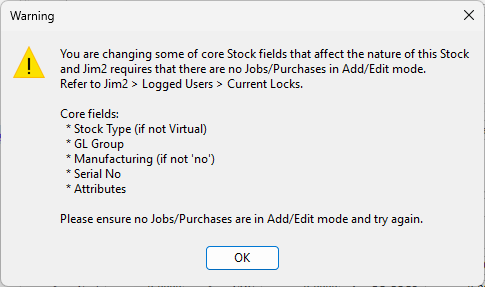
This requires that no jobs or purchase orders, etc. are in add/edit mode (or adding that stock code) whilst changing some of that stock's core fields.
 |
Locking will occur even if the particular stock code is not involved in a job, purchase, etc. at the time.
This type of amendment must be performed when there are no other users logged on. |

Stock is Serial On sell. Someone is adding a job using that particular stock and adding serial numbers – whilst this is happening there is an attempt to change the stock to Serial not required. |
The stock is being edited and someone adds a job with that stock and invoices it. Change the GL Group and finish editing the stock. This will have consequences on Accounts.
The only way to be 100% sure is that, on saving the stock, nobody is adding/editing at the time (eg. no locks) and there are no stock transactions for the stock. |
Further Information
Jim2 Server Scheduled Backup Fails