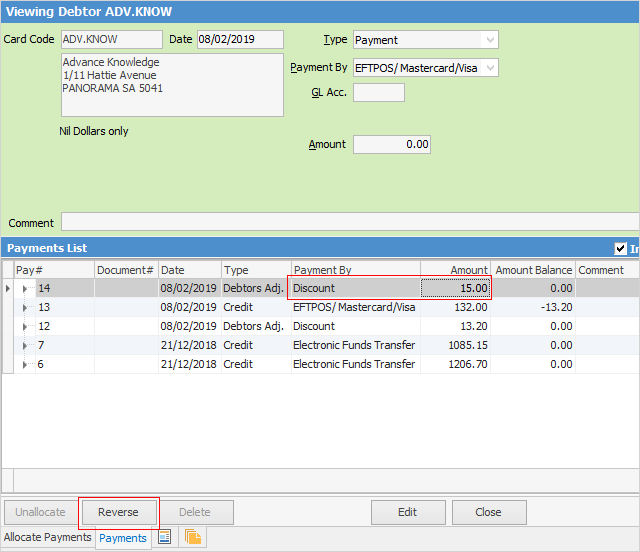
1.Open the debtor form and remain in View mode.
2.Go to the Payments tab on the debtor's record.
3.Locate the discount or account fee to be reversed.
4.Click Reverse.
5.A message will appear to confirm this action.
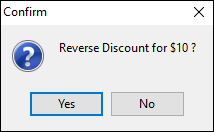
6.Click Yes.
7.Now the discount or account fee will not be shown, and the invoice balance has been changed.
|
Reversing a discount or account fee must be performed in View mode. It cannot be performed in Edit mode. |

Further information
Enter a Payment Against Multiple Debtors
Enter Discounts and Account Fees
Debtor Payments Including Commission