This explains how to create an adjustment for situations where the amount to be adjusted is a debit.

1.Add a debtors adjustment up to offset a credit. 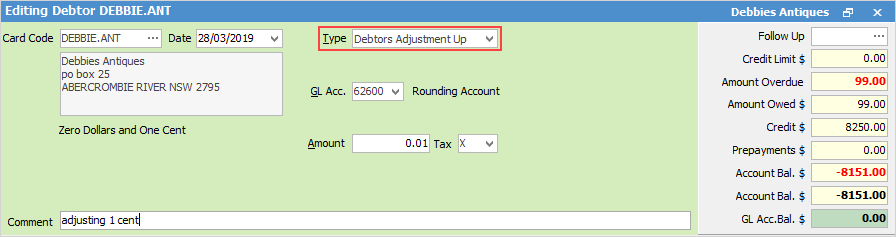 2.Select the 6-xxxx Rounding Account and use tax code X, as writing off a small rounding credit balance does not required GST reporting. 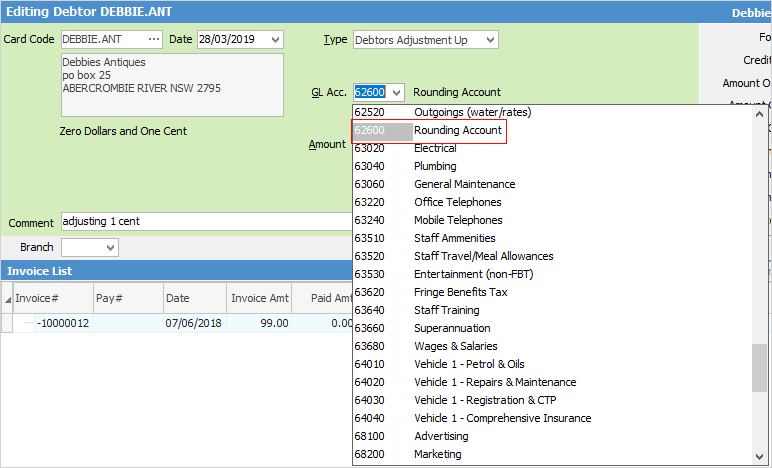 3.Enter a comment and click Save. 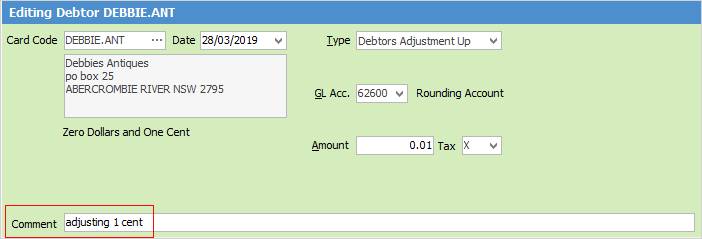 4.As a result of the above procedure, an invoice for one cent has been created, to which a credit can now be applied. 5.The last step is to add a Payment By – Credit to apply the one cent credit to the one cent invoice (the Select Credits/Prepayment screen will open). Select the one cent credit, then click Save. 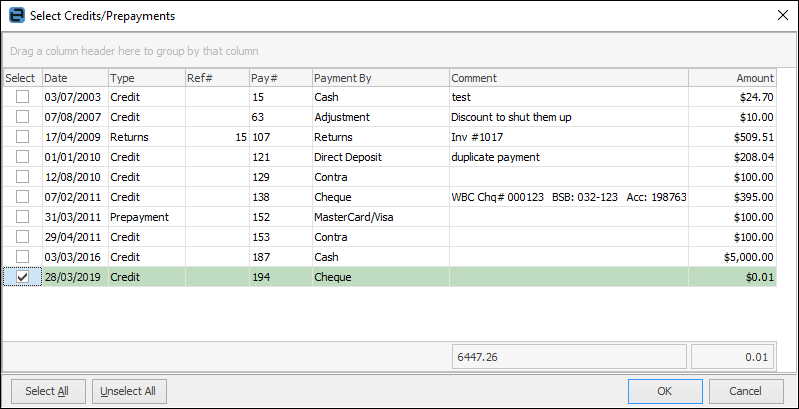 |
1.Open the Debtor record and click Edit. 2.From the drop down options in the Type field, choose Discount. 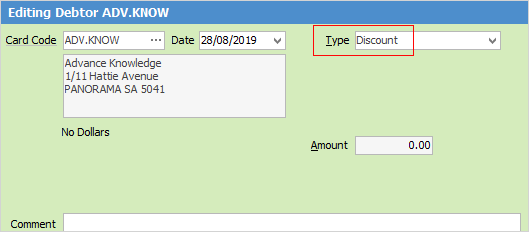 3.Enter the amount (in this case, .01) in the Discount field of the line where the Balance Due is 0.01. 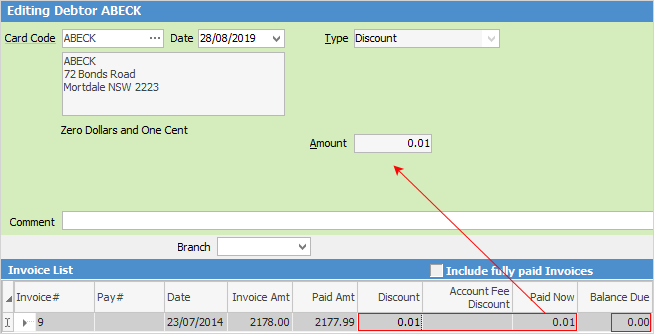 4.Press Enter to record the discount. The Paid Now field will show 0.01 and the Balance Due column should show 0.00. 5.Click Save & Close. |
Hyperlinked fields
The following Items fields provide hyperlink access to view associated information. Hovering the cursor over the wording to the left of the field will display the label name in blue if it is hyperlinked. Click on the label and choose the option to view. Card Code – will open the cardfile of the code entered here.
 |
Some letters in the field names within the header are underlined, eg. Type. Using Alt+ the underlined letter will jump to the field beside that heading. |
Further information
Enter a Payment Against Multiple Debtors
Enter Discounts and Account Fees
Debtor Payments Including Commission
Move Unknown Payments to Debtor