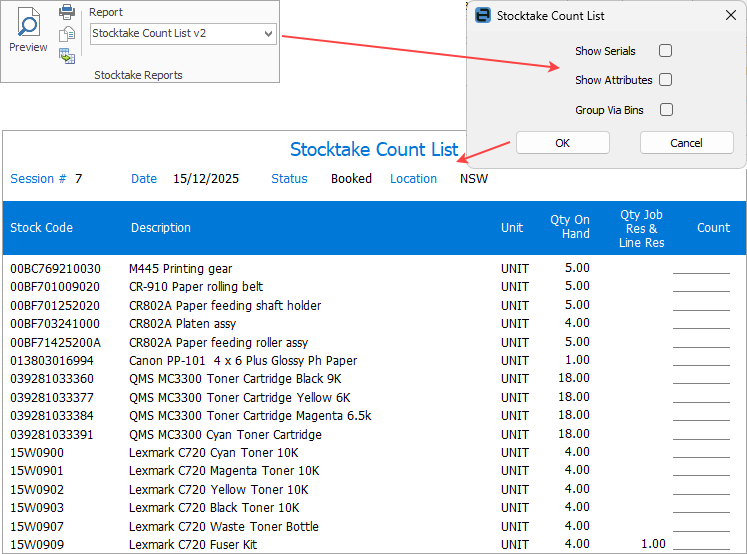
From the Report Toolbar on the ribbon select the report named Stocktake Count list.
Click Print. A screen will appear, offering additional information to include on the printed sheets. Select accordingly, or leave blank depending on the type of stock being counted.
Click OK.
Hand out printed report and complete manual counts.
|
Make sure that zero quantities (ie. none in stock) are entered as zero (0). Any stock found that is not already on the count sheet should be manually added to the sheet, including stock code and quantity. |

Further information