|
Each stock record form has up to 11 tabs in the footer area, the exact number depending on the stock type (Labour, Applies, and Journal Stock display less tabs).

The tabs that are common to many objects are explained below.
|
|
|
|
|
This tab displays any documents attached to this stock, eg. a signed delivery note.
|
|
|
This tab will display all watchouts related to this stock, and allows addition of new watchouts.
|
|
|
This tab will display all notes related to the stock, including the contact that the note is related to. New notes can be added here.
|
|
|
This tab will display all tasks (appointments, phone calls, to do's, etc.), related to this stock, as well as allowing adding new tasks.
|
|
|
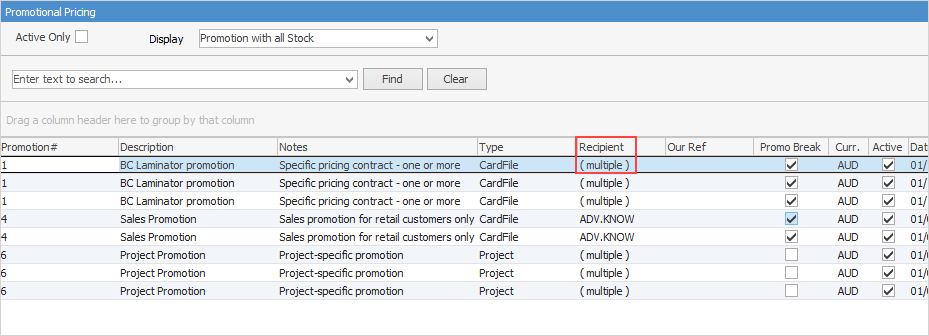
If this stock is part of promotional pricing, this tab will show which promotions are related. Unticking Active Only, will show all promotions, including those that are finished.
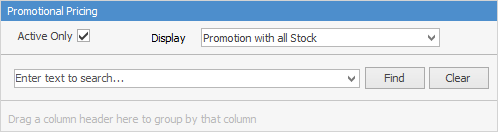
Narrow the information down by choosing either to Display Promotion or Promotion with all Stock.
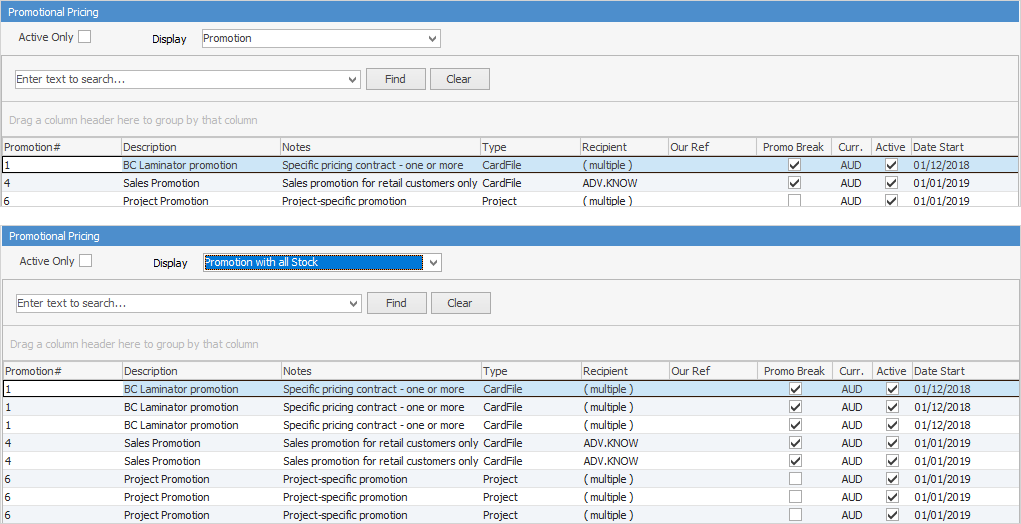
Not all fields are showing in these images
The number on the right side of the icon denotes the number of active promotions applicable to this stock.

|
|
|
Promotion#
|
The promotion code number.
|
Description
|
The description as it appears on the promotion.
|
Notes
|
Displays the notes entered on the promotion.
|
Type
|
The Jim2 object type, ie. specific pricing.
|
Recipient
|
Lists cardfiles, price levels, etc. that relate to the promotion. If there are many cardfiles, it will show (multiple).
|
Our Ref
|
Our reference as appears on the promotion, if used.
|
Promo Break
|
Shows whether Promo Break is used or not.
|
Curr.
|
Shows the home currency.
|
Active
|
Ticked means that the promotion is currently active, unticked means the promotion has finished.
|
Date Start
|
Start date of the promotion.
|
Date End
|
End date of the promotion.
|
Vendor
|
Vendor supplying the stock.
|
The fields below show only when Display Promotion with all Stock is selected.
|
Branch
|
Branch (if branches are enabled).
|
Stock Code
|
Stock code related to the promotional pricing.
|
Qty +
|
The promotion quantity plus.
|
Price Ex.
|
Ex GST price for that stock code.
|
|
Further information
Stock Security
Consignment Stock
Consignment Stock for Customers
Kitting v Packaging v Manufacturing
Kitting
Packaging
Promotional Pricing
Stock Adjustments
Stock Attributes
Stock Flow
Stock List
Create a Stock List
Stock Preview Pane
Stock Pricing
Order of Pricing
Stock Procurement
Stock Reports
Stock Transfers
Stocktake
Tabs in the Header
Warehouse Management
Add Stock
Add Service Stock
Add a Document to Stock
Add Groups to Stock
Add Images to Stock
Add Multiple Stock Records
Add Vendor Codes
Backfill Stock Sold in Advance
Buy and Sell in Different Measures
Buying your own stock
Change a Serial Number on a Stock Record
Change Stock GL Group
Create Similar
Deactivate a Stock Code
Deactivate Stock in Bulk
Donations of Stock
Export a Stock Report to Spreadsheet
Generate Backdated Stock on Hand Report
Handle Warranty Stock
Import Vendor Pricing
Merge Stock Codes/Supersede
Move Stock from Depleting to Asset
Print Shelf Talkers
Print Stock Reports
Sell Stock in Advance
Set up Pricing
Stop Users From Giving Discounts
Track Serial Numbers
Unallocate Stock
Update Existing Stock Pricing
Update Existing Vendor Pricing
Update Lead Time on Vendor Tab
Update Stock Procurement Data
Update Stock Records
Use Stock Select
Use Your Own Inventory
View or Edit Stock
Write off Stock
Use Gift Card for Purchases
|