Stock Preview Pane

Back Top Prev Next Print

The preview pane is a quick way to see transactions against that stock code.


quality

Note: The security level for the preview pane can be changed via the Scripting Engine to allow/hide certain areas of the Preview pane. The default security level for Stock is 5. As a default, the scripting engine is not available. This is to protect from potential issues with the database. This is also governed by Jim2 Security.
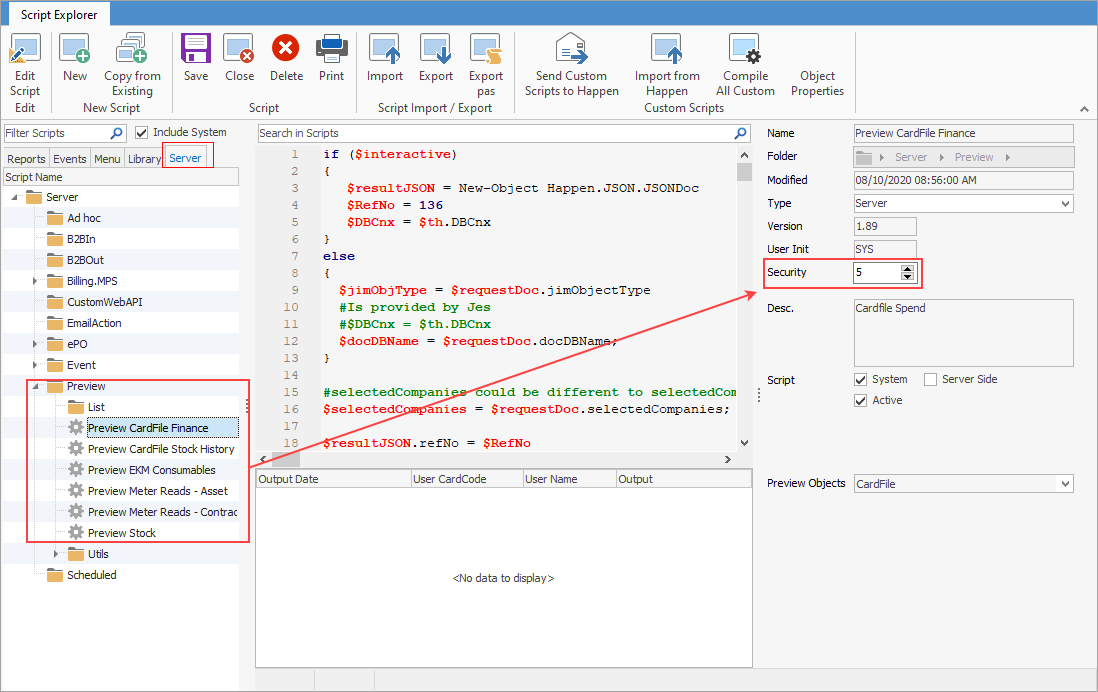
 

Previewsecurity


Furthermore, user security must match what is set up here.
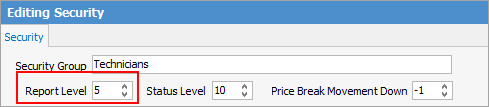
 

reportlevel


info

Note: Level 5 and above will show the preview pane. Level 4 and below will not.


When in a stock record, the preview pane will display on the right hand side of the screen.


Select the Preview Pane icon on the bottom right of the status bar to show/hide the Preview pane:
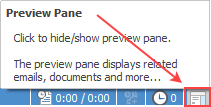
 

showpreview


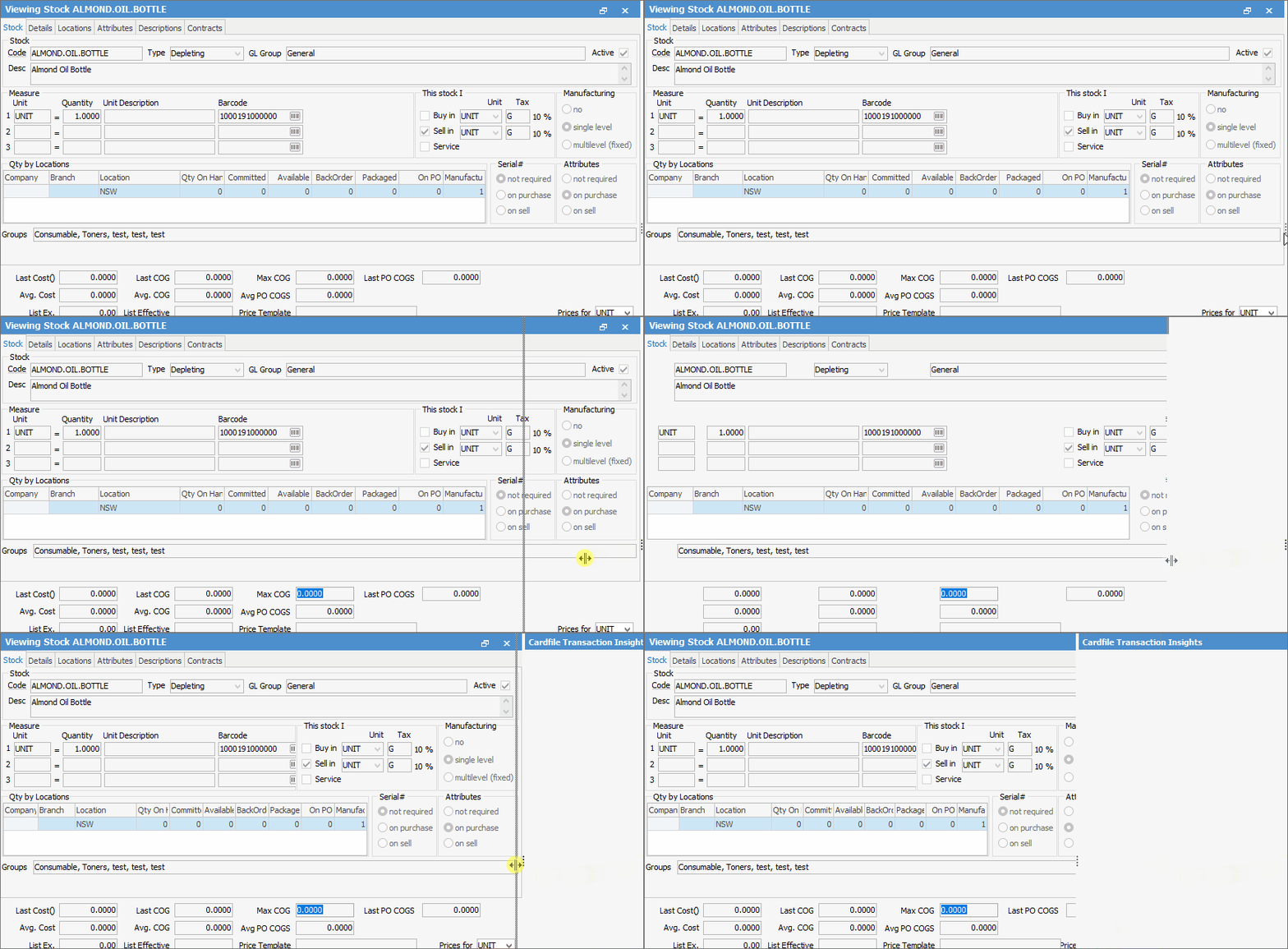
If the Preview Pane does not appear, click on the 3 vertical dots at far right and drag to the left, or double click for it to appear:
 

preview


info

Note: If the preview pane does not populate, it will need to be refreshed. This can be done in a number of ways:

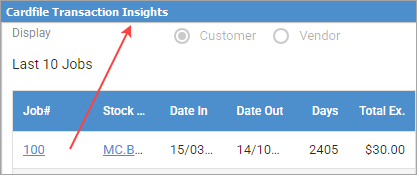
Double click on the blue bar at the top.
dcpreview

Open another object with preview then go back to the original object.


StockPreview


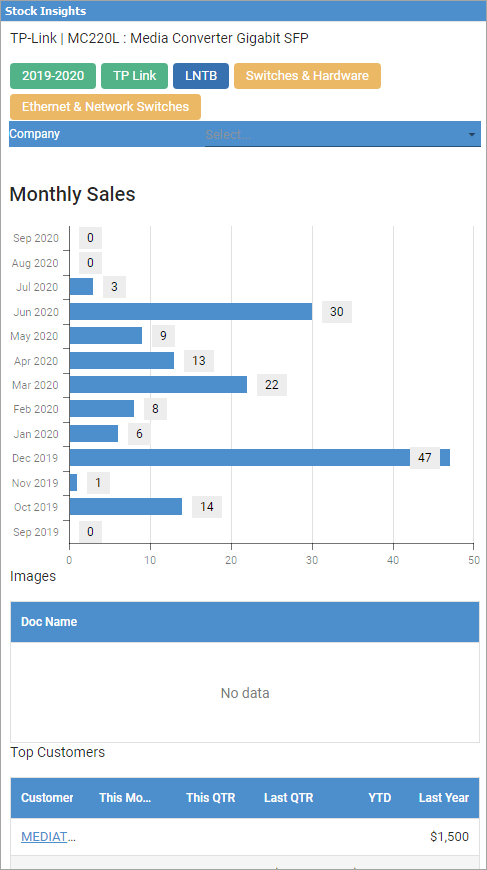
This area displays the following for the stock record:


Area

Explanation

Top

This area will show all groups the stock belongs to.

Company

This will display the company for the user if Multi-Company is in use.

Monthly Sales

Provides information on sales over a twelve-month period in graph format

Images

Displays an images associated with this stock record

Top Customers

Lists top customers who bought this stock, along with pricing for this month/quarter, last quarter, year-do-date and last year – excluding GST.


Further information

Stock Security

Consignment Stock

Consignment Stock for Customers

Kitting v Packaging v Manufacturing

Kitting

Packaging

Promotional Pricing

Stock Adjustments

Stock Attributes

Stock Flow

Stock List

Create a Stock List

Stock Pricing

Order of Pricing

Stock Procurement

Stock Reports

Stock Transfers

Stocktake

Tabs in the Footer

Tabs in the Header

Warehouse Management

Add Stock

Add Service Stock

Add a Document to Stock

Add Groups to Stock

Add Images to Stock

Add Multiple Stock Records

Add Vendor Codes

Backfill Stock Sold in Advance

Buy and Sell in Different Measures

Buying your own stock

Change a Serial Number on a Stock Record

Change Stock GL Group

Create Similar

Deactivate a Stock Code

Deactivate Stock in Bulk

Donations of Stock

Export a Stock Report to Spreadsheet

Generate Backdated Stock on Hand Report

Handle Warranty Stock

Import Vendor Pricing

Merge Stock Codes/Supersede

Move Stock from Depleting to Asset

Print Shelf Talkers

Print Stock Reports

Sell Stock in Advance

Set up Pricing

Stop Users From Giving Discounts

Track Serial Numbers

Unallocate Stock

Update Existing Stock Pricing

Update Existing Vendor Pricing

Update Lead Time on Vendor Tab

Update Stock Procurement Data

Update Stock Records

Use Stock Select

Use Your Own Inventory

View or Edit Stock

Write off Stock

Use Gift Card for Purchases