Set up email via these links: Email Options and Email Setup. You will need to set up incoming and outgoing emails for each company.
Email rules, accounts, tags and templates are shared across all companies. Email editor rules are based on individual companies as per below.
|
Note: The system reports pull the cardfile email contact from both company and branch cardfiles. Ensure you have an Email contact type within all company and branch cardfiles. If you only have, say, Email Accounts in a branch cardfile, the report will pull the Email contact from the default company cardfile instead. |



Email Editor Rules define a number of defaults to use based on the type of email, ie. emailing debtors statements. These rules work for all users of Jim2. There are no specific rules for specific users.
A great example of when to use an email editor rule is when emailing the debtors statement report. The requirement in this case is: when emailing the statement report, use the Statement email template, tag the email as Accounts, and send using the accounts@ email address. This can easily be accomplished using the Template by Report email editor rule type after selecting the appropriate company in the header.
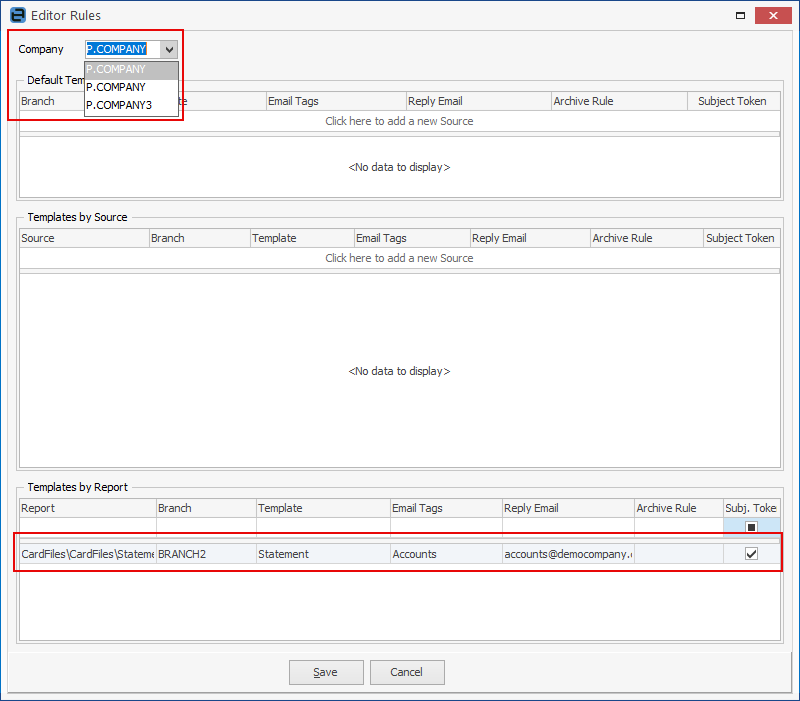
Company level editor rules Email Editor Rules support the different companies allowing for different templates, tags, reply email and archive rules to be set at a company level. The rules also support branches. The Branch column will only be available for selection if Branches is enabled via Options. Branch can be left empty if branch selection is not required.
Email subject tokens Jim2 uses email tokens in an email's subject to allow automatic identification of incoming email responses for associating emails with a Jim2 object, ie. job, quote, etc.
Tokens can be disabled via Email Editor Rules for outgoing emails where a token is not required, for instance, when a reply is not expected.
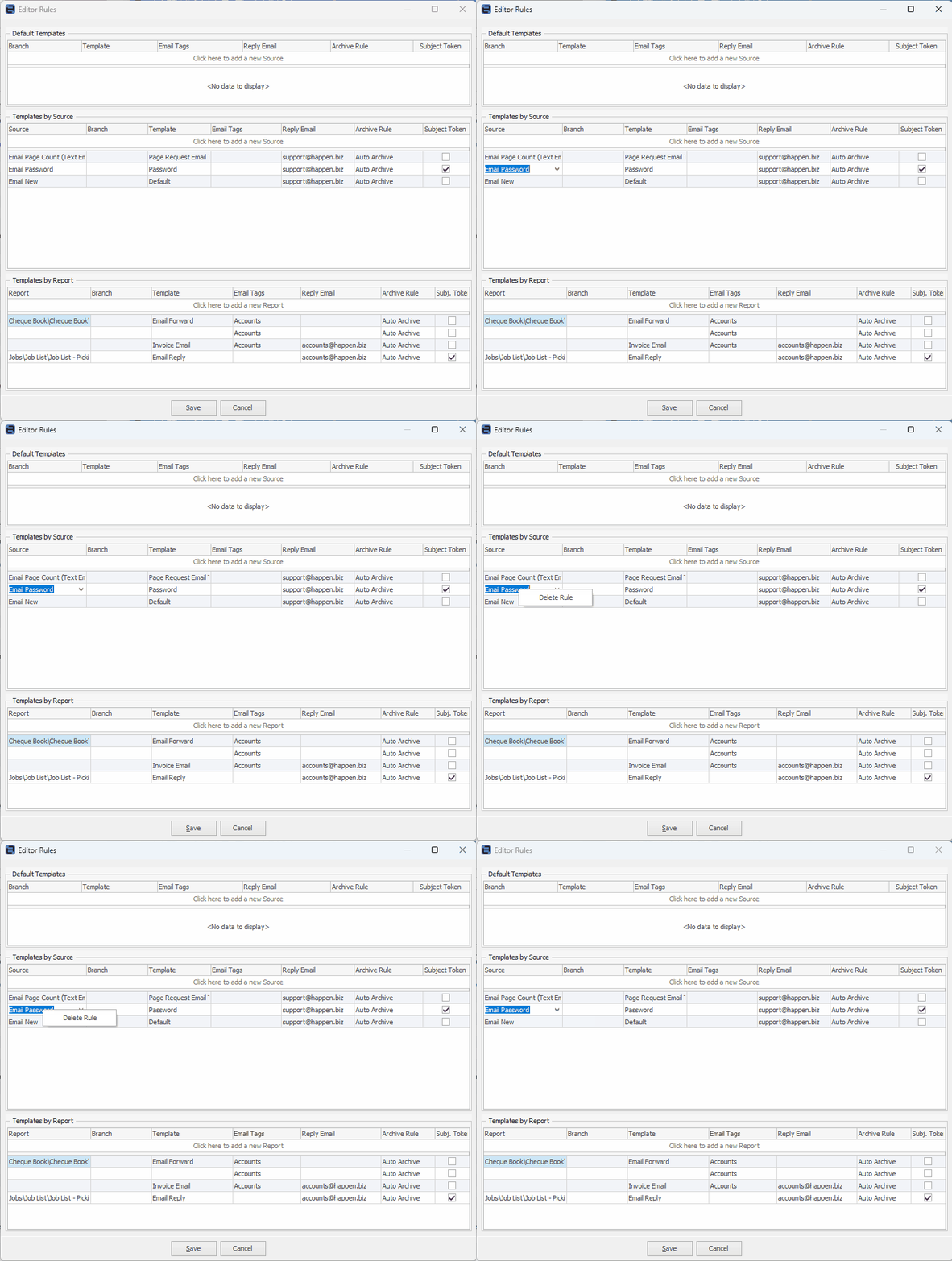
Email Rules can be deleted by clicking within the field, then right click and select Delete Rule.
 |

Further information
Multi-Company Stock Locations Setup
Multi-Company Company Accounts