There are two areas where user security can be edited.
1.Via the general Tools > Security and via the User tab on a cardfile.
2.Via Tools > Security on the ribbon.
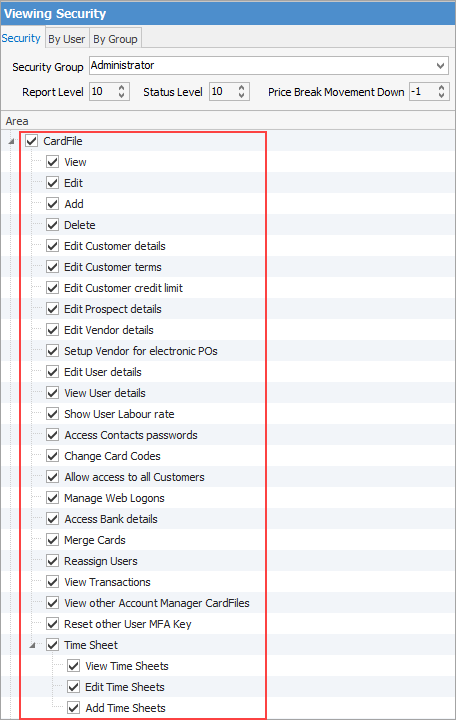
In this area of Security (in Tools), allow/disallow what users/groups can perform. All these settings are self explanatory. See Security for more information.

Maintaining many users with various roles and their related security groups can be challenging. For example, a user is in a sales role, but also does basic accounts and a bit of purchasing.
Rather than creating a custom security profile for this staff member, add multiple security groups to their cardfile to define their security access. The merging of these multiple security groups creates their effective security group. See Effective User Security Groups for more detailed information.
|

After setting up security and adding users to security groups, what users can and can't do can be further filtered here using User Tags.
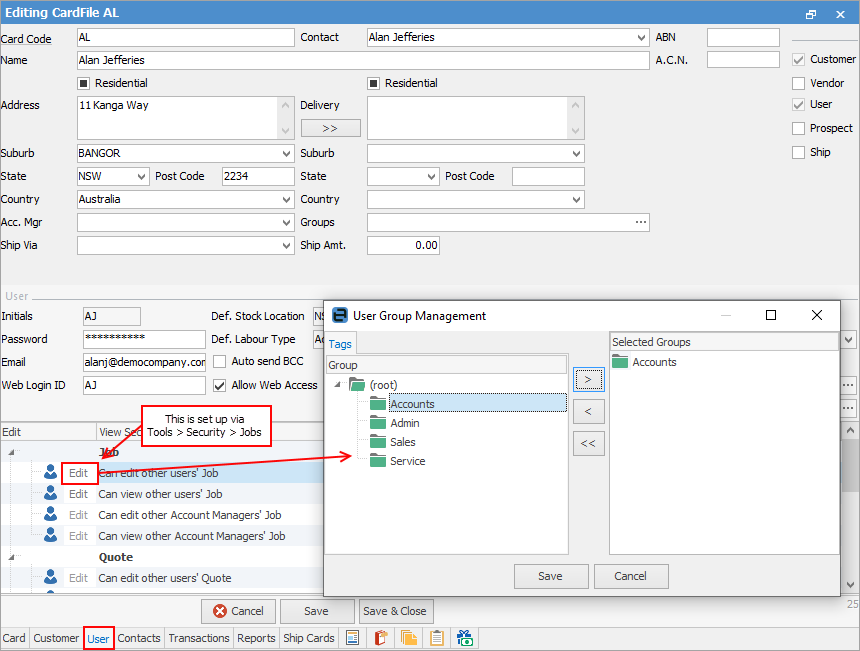
For example, user security for Job in the image above: ▪cannot edit other users' jobs – if the user does not have rights to edit other users' jobs via Tools > Security, they will not be able to change it here ▪can view other users' jobs – the user can view other users' jobs, but can only see them if the Name on the job is a user within the selected groups or the user's own user group(s).
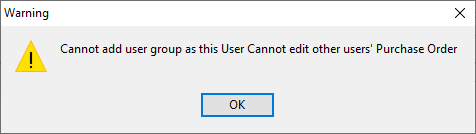
When attempting to edit an area that is not allowed, the following warning will appear.
 |
Further information