Open a CardFile and tap Edit
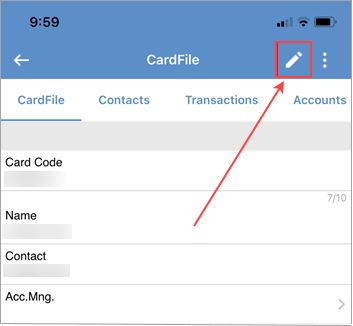
The pen icon will change to a tick icon.
Tap Contacts.
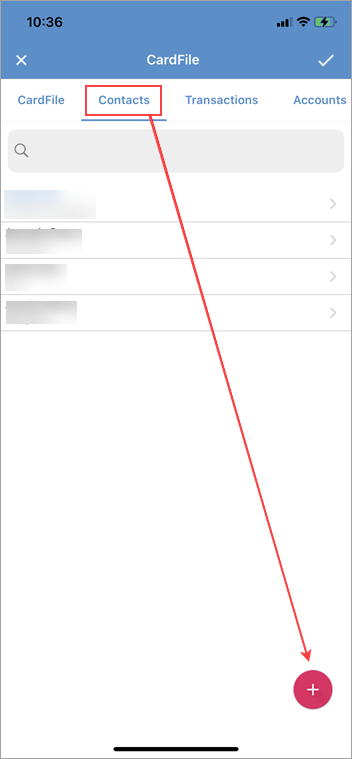
Tap the + sign at the bottom right.
Enter new contact details:
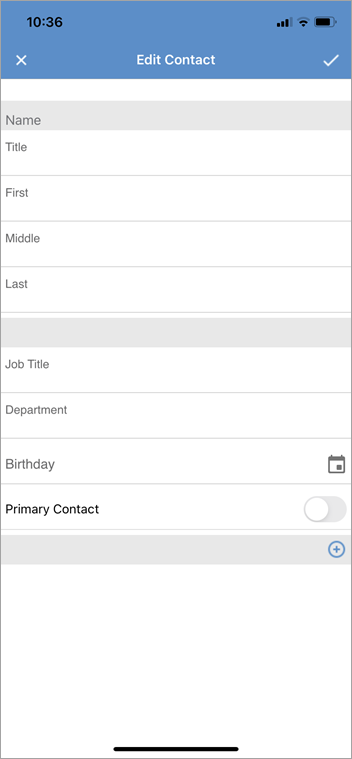
|
Watchouts do not currently work with Jim2 Mobile.
Jim2 Mobile will auto log off after 20 minutes of inactivity. |

Further information
Add Documents and Images to Jim2 Mobile v2
Add Service Meter Reads to Jim2 Mobile v2