To delete a template, open the template and untick Active.

If the template is linked to a Project or Projects, this also suggests that it may have been linked to a Project type in Template Rules.
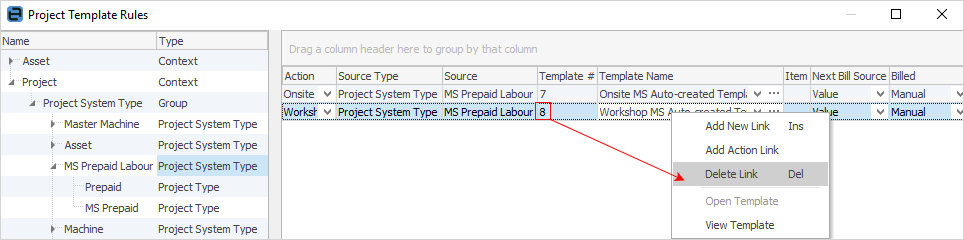
If this is the case, go to Projects > Template Rules on the ribbon, locate the Project that the template is linked to. Click Edit, then highlight the action it is linked to, right click and select Delete Link.
Further information
Generating Jobs Using Project Templates
Non-Billing Template Setup and Usage
Project Template Creation Example 1
Project Template Creation Example 2