Add a new stock record, and select Type Packaging from the stock type drop down list.
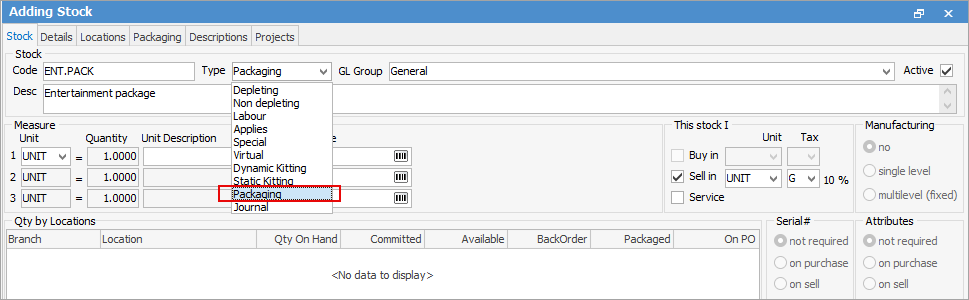
Fill in the Stock GL Group, stock description, pricing and stock group as normal. Go to the Packaging tab to add the contents to a package. This is the default stock for this package.
|
Note: Whilst you can choose a Stock GL Group here, the actual Stock GL Groups affected will be the individual stock's GL groups. |


In this case there is a depleting stock and a depleting stock with a serial number on purchase. Regarding pricing in kits, please see Creating a Kit for the rules regarding price setups, etc.
Further information