A new stock code with the stock type of Kitting (either Static or Dynamic) must be created first.
In this example, a kit called SONY.ENT.PACK with a GL Group of General, and a stock type of Dynamic Kitting is being created. When the Type Dynamic Kitting is selected, an extra tab named Kitting will appear in the header. With Kitting stock, it is not possible to select Serial# or Attributes on purchase. The checkboxes This Stock I Buy in and Manufacturing are also greyed out, because kitting stock cannot be manufactured.
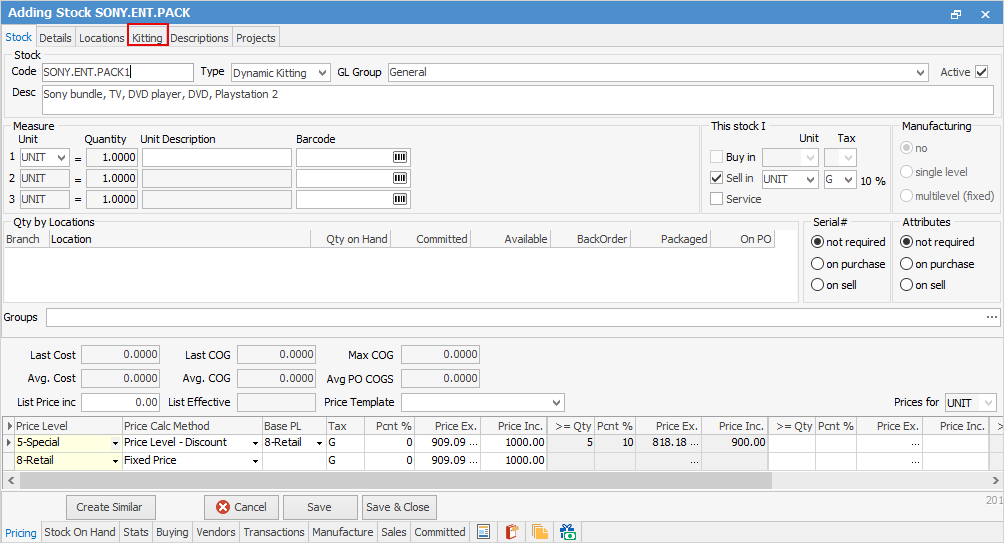
Below is the Kitting tab where various stock codes are entered that belong to the kit. It is also possible to delete and drag/drop extra stock codes into the bundle during the sales job.
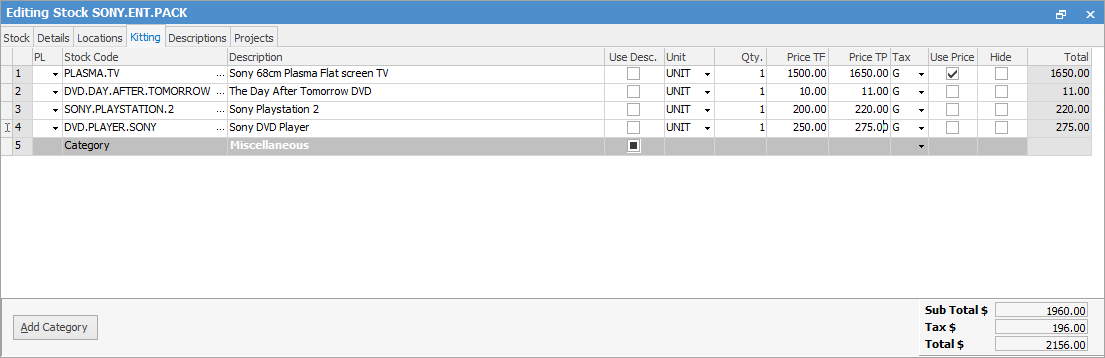
There are several ways of calculating the total kitting price but the fundamental rule is that prices must be entered for the stock components to begin with (on the individual stock records) using the price levels required to sell at. Jim2 needs this information to calculate the proportioning of the kit, ie. to know that the plasma TV is many times more expensive than the DVD. This way, when the price of the overall kit is changed, Jim2 can adjust the prices of the components sensibly.


Select a price level to correspond to a price entered for that stock line, ie. select the same price level as on the stock code. For example, Retail or Wholesale, and Jim2 will total up the price of the kit using that price for the stock line. Ticking Hide will mean that line of stock will be hidden on the invoice.
|

In this SONY.ENT.PACK kit, the TV is selling for $1500 within the kit. Use Price needs to be ticked. If both the PL (price level) and Price TF columns are populated (with Use Price ticked), the Price TF price will override the PL.
 |
When entering an overall price, this price will override both price level totals and use price totals. Even though the price is set up on the Kitting stock record, like other stock in Jim2, prices can be set on the fly on the sales job. Once this is performed, save the stock.
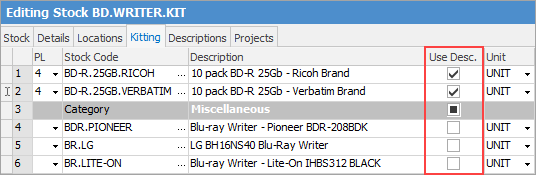
If the Use Esc. box is ticked, when the kit is added to jobs/quotes, it will use the stock description entered in this grid instead of the one from the stock itself.
 |
Further information
Multiple Tax Codes in Kitted Stock