Following explains how to update kit prices in bulk:
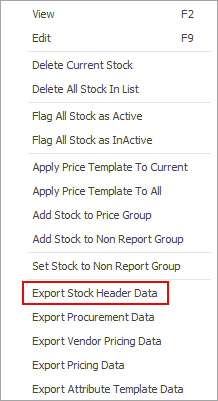
1.Run a stock list filtered by your kitting stock codes, then right-click and select Export Stock Header Data.
2.Save the resulting spreadsheet on your computer, then open in Excel.
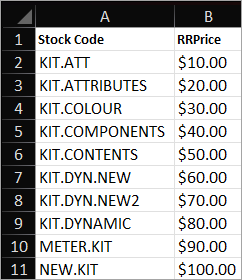
3.You can remove all columns except for Stock Code and RRPrice, and delete any rows for kits you don't want to update.
4.Make the required adjustments to the RRPrice figure, then save your updated spreadsheet.
5.Import the spreadsheet via Import Data > Stock (Header only) – mapping should be automatic in Step 3.

6.At Step 4, after selecting Load data to grid from source at bottom left (if you receive any warning, please ignore), you will need to click Synchronise at bottom right.
7.Once the test is successful, complete the import on Step 5.
Further information
Multiple Tax Codes in Kitted Stock
See Stock Costs in a Dynamic Kit