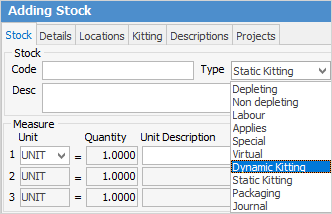
There are two different ways in which stock can be kitted – Static and Dynamic. The most common choice is Dynamic as you have more control over the contents of the kit than you do with a Static kit.
 |
Note: Stock that is Kitting type does not have stock on hand. All transactions and reporting are against the kit contents, rather than the kit itself and are based on the individual stock GL groups. |

A static kit is used when bundling a number of separate stock codes into a single kit with its own stock code. When added to a sales or service job, this kit cannot have its contents edited or deleted (unless it has been allowed via Security on jobs). The contents of the kit can be changed by editing the kit stock code and changing the stock within the Kitting tab in the header. An example of a static kit would be a 2m hose with fitting either end which is a standard hose and would never be changed. |
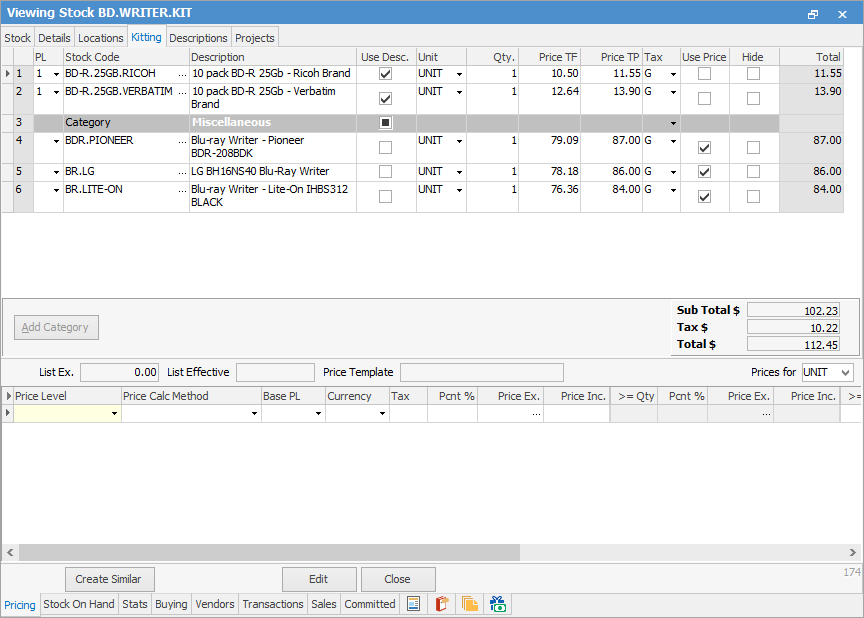
With this type of kit, different stock is added in the same manner as for static kitting, however you can place stock of a similar type into categories by using the Kitting Configurator. In the example below, two different brands of blank discs and three different brands of Blu-ray writers have been added to the dynamic kit called BD.WRITER.KIT.
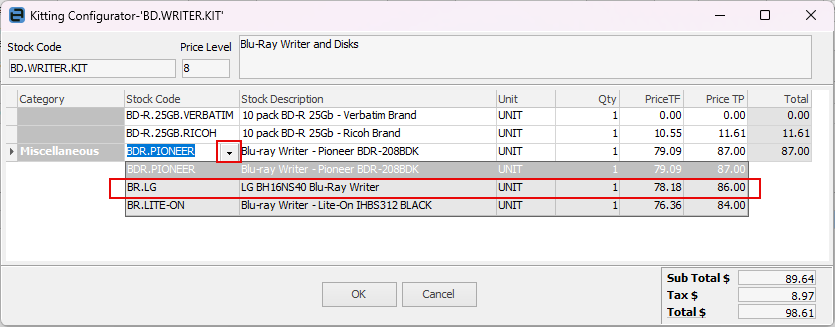
When this kit is added to a new job, the Kitting Configurator pops up to allow choosing which stock from the kit to add to the job. In the example below, both brands of disk have already been selected, and the LG Blu-ray writer is in the process of being selected.
After choosing the stock and clicking OK, the kit appears in the stock grid of the job, as shown in the example below.
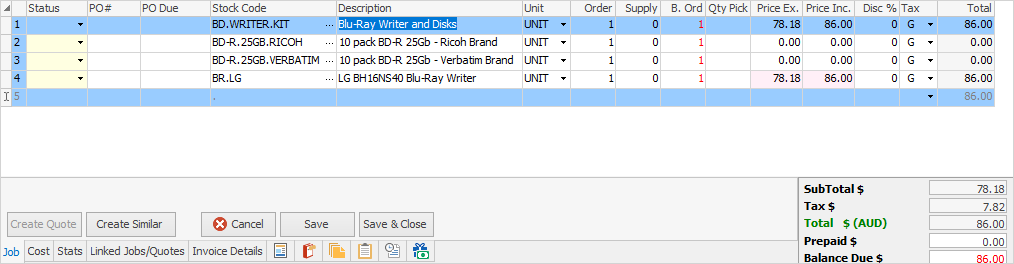
Dynamic kits also allow for adding extra stock within a job, then dragging that stock up into the kit.
 |
Another form of Dynamic Kit is creation of a Dynamic Kit stock but not entering any stock into the Kitting tab, by ticking Summary Kit under the Details tab in the header.
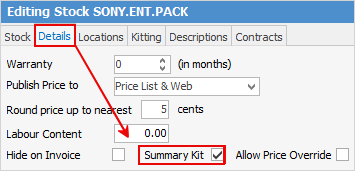
The Summary Kit feature is to allow users to have no connection between the quantity in the kit header and the quantities of individual stock within the kit. This way, have 5 product lines with, say, a quantity of 4 each, and a header quantity of 2. Altering the header quantity to 1 does not alter the product line quantities – it will leave them as 4 each.
This is useful when the header quantity is a nominal/summary figure (eg. 1 job or 1 install) but the underlying stock lines need their own real quantities that shouldn't move when that header number changes. |
Further information
Multiple Tax Codes in Kitted Stock