There are a number of ways to manage kit prices.

Kit stock price
If Use Price is unticked, Jim2 will use the price that is entered on the individual stock records.
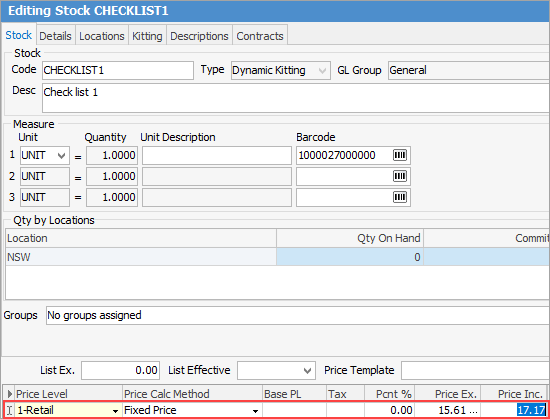
Stock price level
If a price level is set on the kit (PL column), this will override the information at the top in the Kitting tab, as long as Use Price is not ticked.
 |
Note: If price levels are set up with no pricing entered, so the kit will always display as $0 for all stock within the kit. |
If Use Price is ticked on the kit contents stock, it will remove the price level, so if you wish to have the price level set, the Use Price box needs to be unticked.
If there is no price level set on the kit, Jim2 will capture what has been set in the Kitting tab of the Stock header. If Use Price is not ticked and a price level has been set, Jim2 should recalculate the sell price when loading the kit.
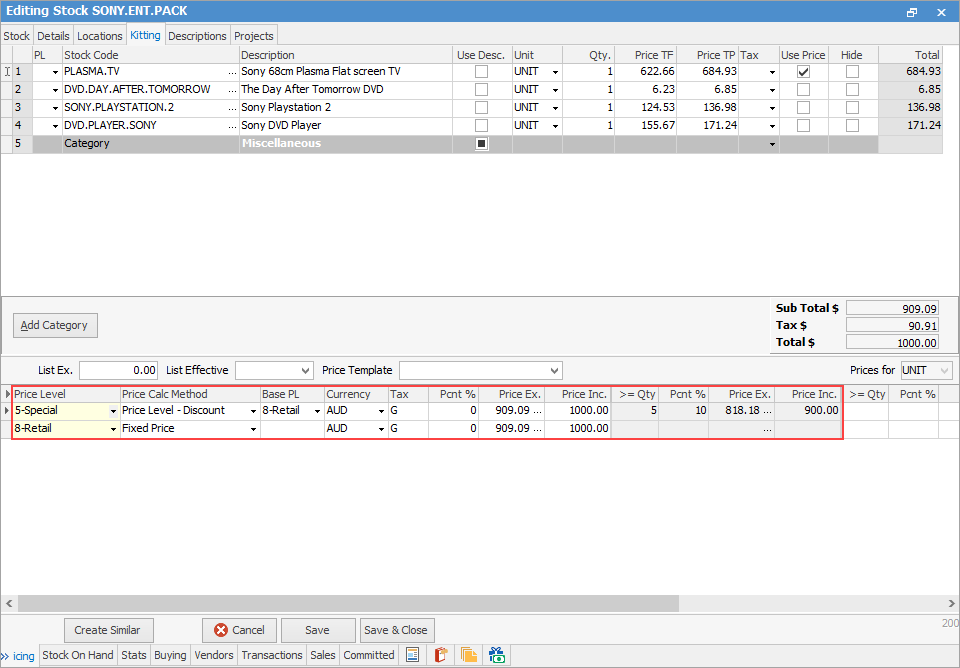
Kit price level
|
Note: The price level on the job must be the same price level as set on the Kit. |
Further information
Multiple Tax Codes in Kitted Stock