Returning kits is like returning anything else in Jim2.
Create a Return From Customer, enter the invoice number and either click the ellipsis [...] in the Stock Code field to select stock, or click Add All Stock.
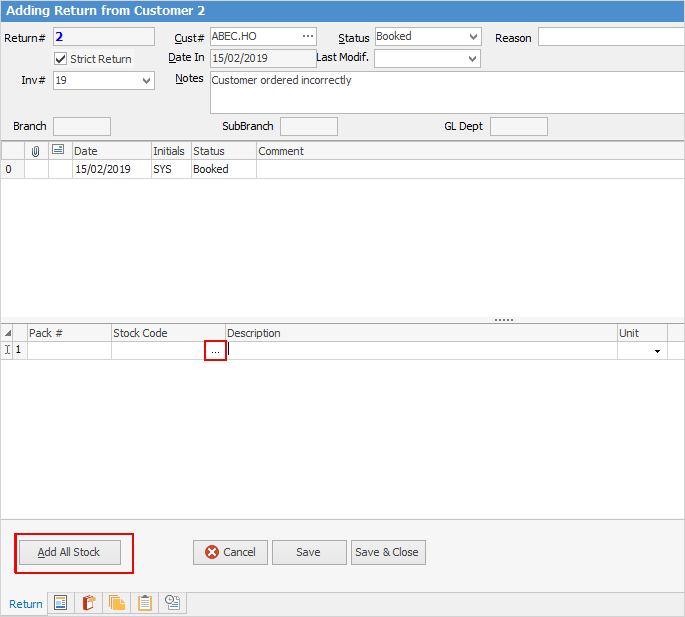
Click Add All Stock and Jim2 will populate the grid with all stock from that invoice.
Click the ellipsis [...] in the Stock Code field and the Stock Select screen appear.
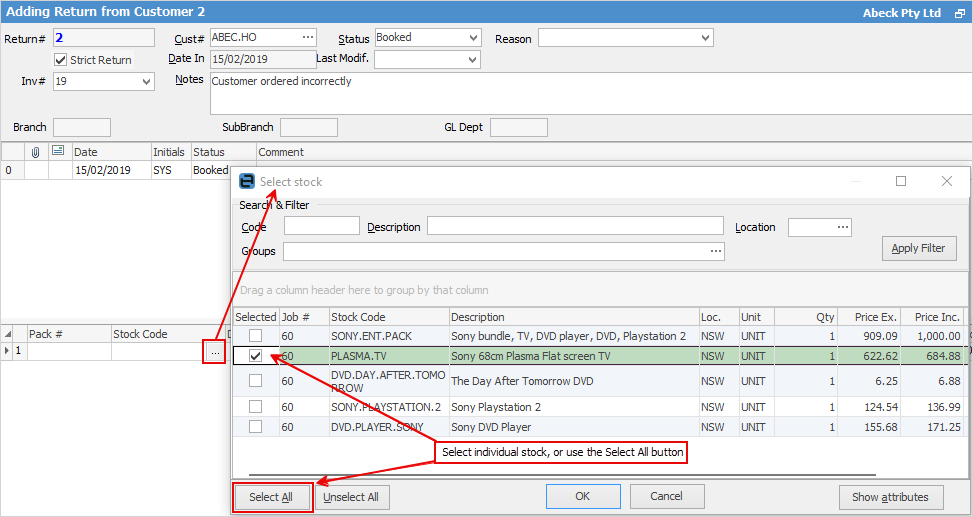
Jim2 will return a list of stock sold on that invoice.
When in kits Jim2 will list the kit as well as the components, to provide the choice of returning either the whole kit or just a portion of the kit. It makes no difference in the RFC at all, as Jim2 calculates the kit value based on kit components, and the kit shell itself has no value. However for sales and reporting purposes, it is best if returning a whole kit to select the kit shell as well as the kit components. To return one SONY.ENT.PACK, select the kit and component lines:

then manually adjust the quantities to match.

From here, change the status of the Return, then save and finish.
Further information
Multiple Tax Codes in Kitted Stock