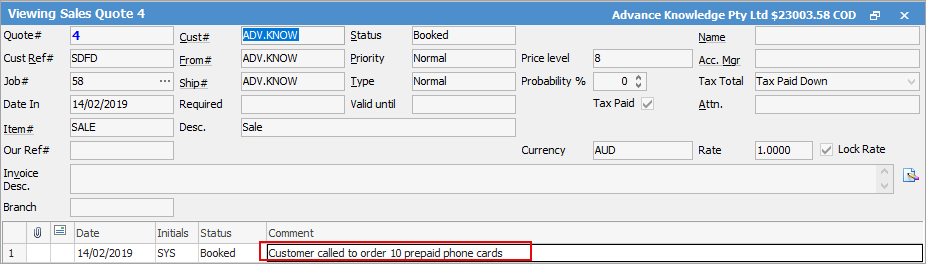
The second section of the Quote form contains a grid for recording relevant user comments on the quote record, along with storing all emails relating to the quote. Because these comments form part of the record for each quote, any additions by a user are automatically time/date/initial stamped for accuracy, and provide an excellent quality record of events. As a result of this, the comments cannot be reordered within the grid.
 |
Note: Maximum character limit of 7950 within the comments. |
Comments within the Comment grid are normally for internal use, and as such will not form part of the quote report that is provided to the customer.
There is also a security setting that stops users from being able to edit other users' comments. This does not stop them from adding a comment and changing the initials within that comment to someone else.
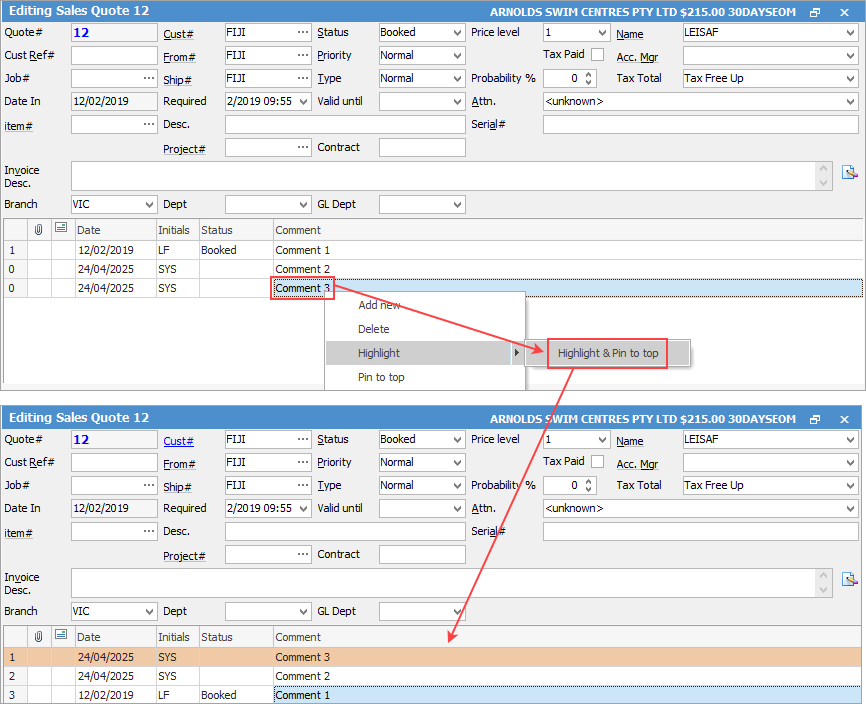
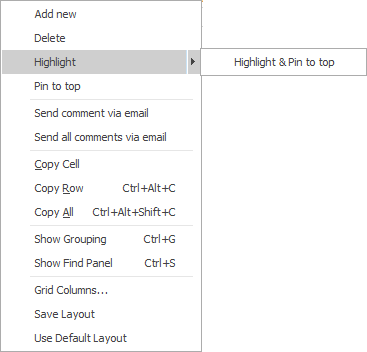
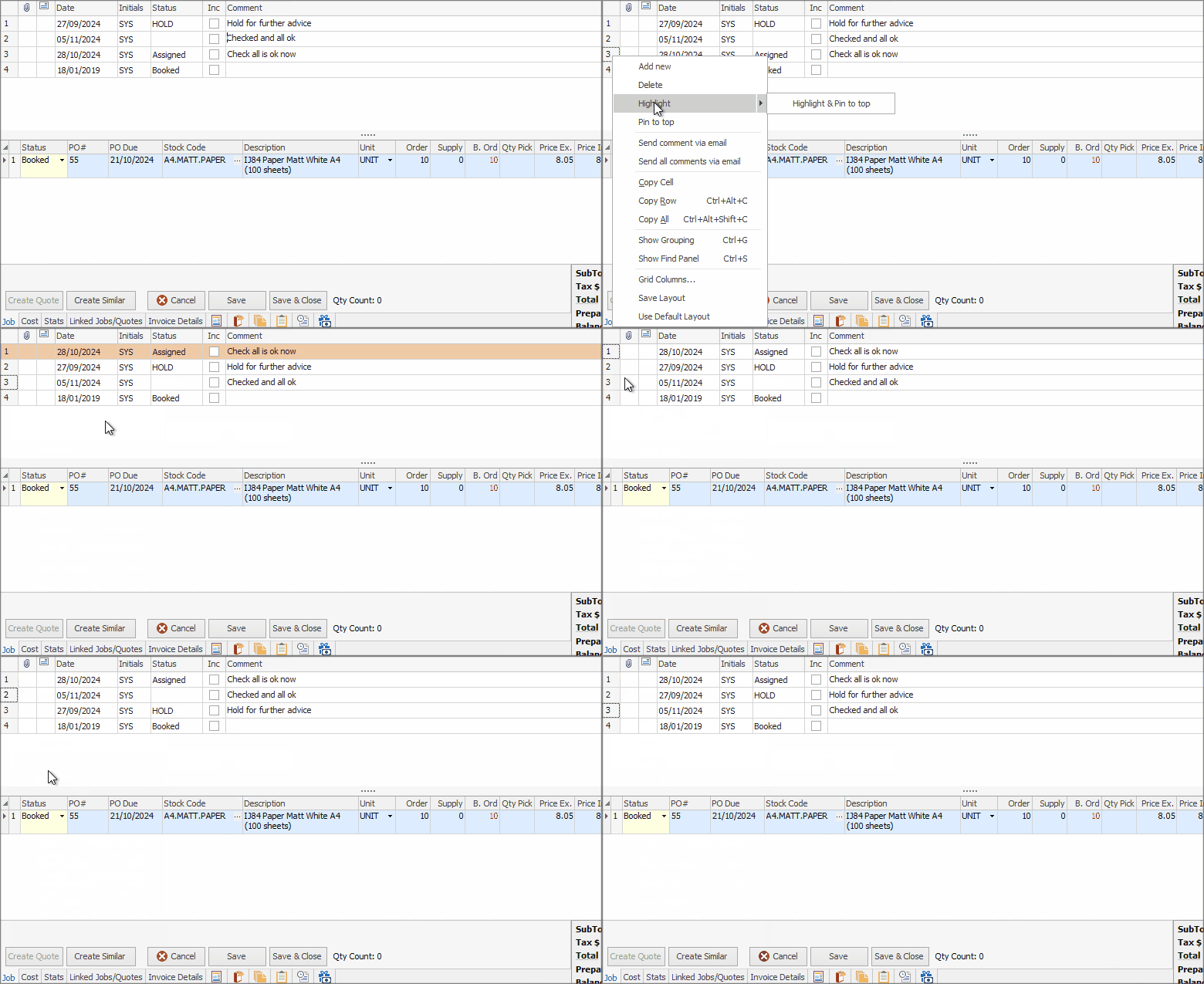
In Edit mode, you can click on any comment line and select Highlight & Pin to top. This will bring that line to the top of the grid and colour the background orange.

Field |
Explanation/Purpose |
|---|---|
|
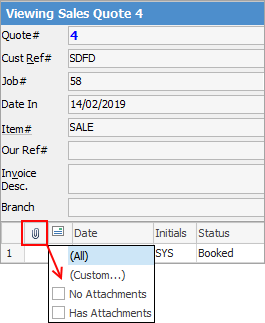
Will show if there are attachments or not. Select the paperclip and select Has Attachments allows you to view only linked emails that include an attached file.
 |
|
Emails, ie. replied, forwarded, read, not read.
Note: If the Comment field is blank, it will remain blank on sending the email. To see the email, position the cursor in the Comment field and the email will show in the preview pane. |
Date |
The date the comment was added. |
Initials |
The initials of the user that added the comment. |
Status |
The status of the quote. |
Inc |
When this field is ticked, show comments on website. When a customer goes to the job on the website, this comment will show. |
Comment |
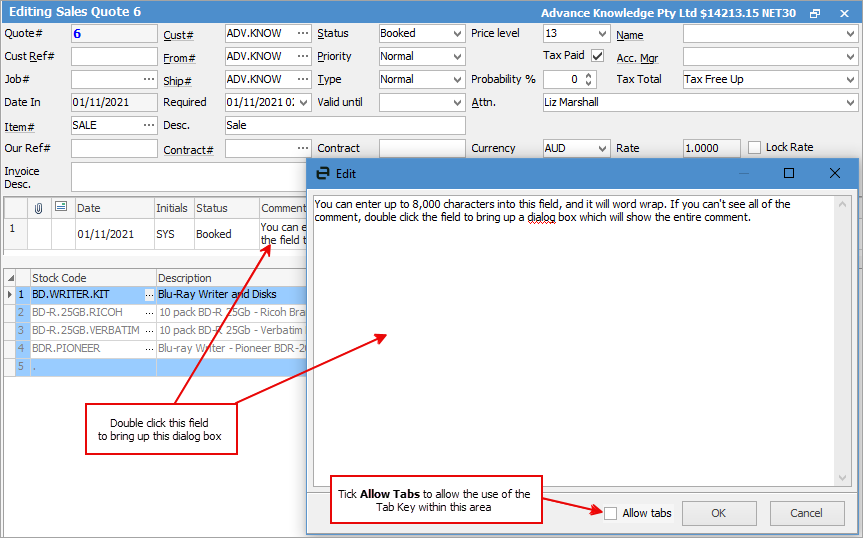
Enter any comment in the Comment field – it is a multi-line text with word wrap (limited to 8,000 characters). Double click this field (in Edit mode) which will bring up a dialog box showing everything within the field. This field can also have information entered in it.
 |


|
A date/initial comment line will be added to the Comment grid whenever the status of the quote is changed. Conversely, if a comment with a status is added to the Comment grid, Jim2 will ask the user if they would like to change the status of the quote.
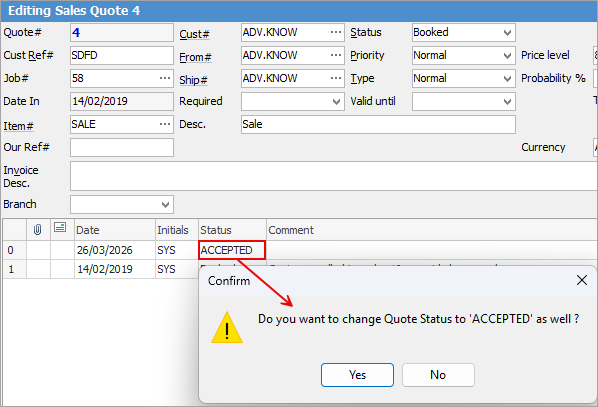
You can order comments based Status to bring those comments to the top of the grid. |

Filters 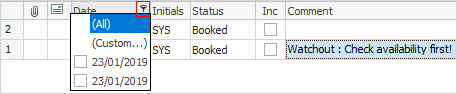 |
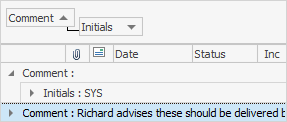
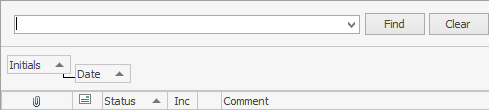
Within the Comment grid, hover over a heading (excluding the Comment heading) and the Filter image ( ) will appear. Select the filter to see a list of available filters to help refine the search. This is particularly useful when there are a lot of comments within the grid. These filters will only show comments within the grid specific to the filter chosen.
Filter |
Filter Choices |
|---|---|
Attachments |
All, Custom, No Attachments, Has Attachments. |
All, Custom, Comment, Email Replied, Email Forwarded, Email Read, Email Not Read. |
|
Date |
All, Custom, then shows all dates within the grid. |
Initials |
All, Custom, then shows the initials of all users within this field. |
Inc |
All, Custom, False. When this field is ticked, show comments on website. When a customer goes to the job on the website, this comment will show. Unticked = don't show. |
Status |
All, Custom, then shows all statuses within this field. |
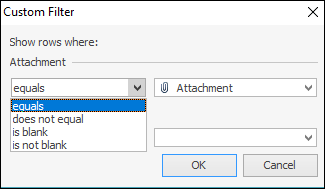
The Custom Filter choice allows defining the search further:
1.Enter the Comment grid by either: ▪Using the F3 function key on the keyboard, or ▪Position the cursor in the Comment field. 2.Enter any comment in the Comment field as it is a multi-line text with word wrap (limited to 8,000 characters). Double click this field (in Edit mode) which will bring up a dialog box showing everything within the field and to allow entering information in this field.
A time/date/initial comment line will be added to the Comment grid whenever the status of the quote is changed. Conversely, if a comment with a status is added to the Comment grid, Jim2 will prompt the user if they would like to change the overall status of the quote.
Add comments at any time to the Comment grid by moving to the top comment in the grid and using the Insert key from the keyboard. Such comments need not necessarily have a status, but are automatically time/date/initial stamped.
|

Spell checker is usable within key text entry areas such as the Comment grid and Labour Entry screens. Note that all spelling options are at a user level.
Autocorrect options can quickly be adjusted whilst within the spell checker by right clicking within the Edit screen:
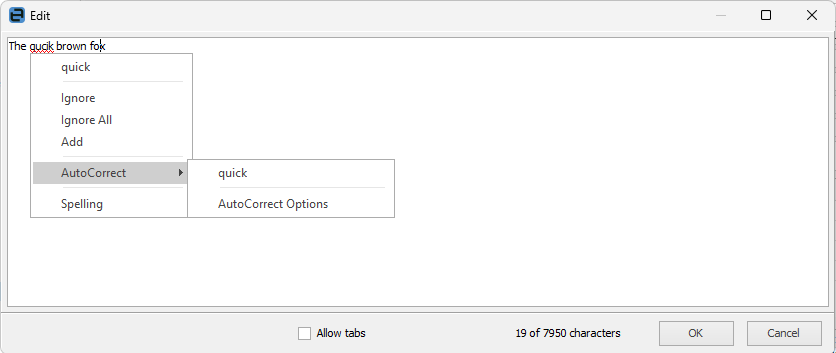 Right click options within Comment grid
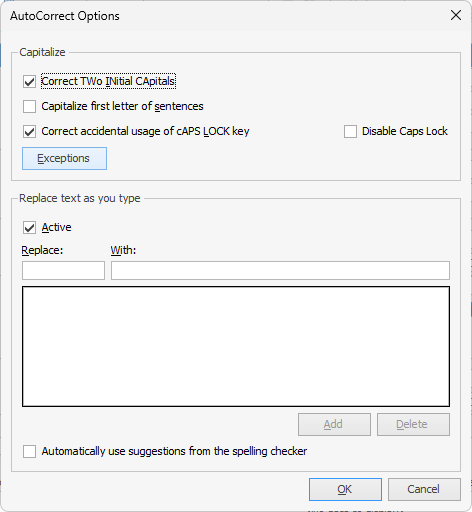
Among the Autocorrect options is the ability to turn on or off the auto-complete function.
|
Further information