
Open the master contract, then click Create Similar. A selection screen will appear.
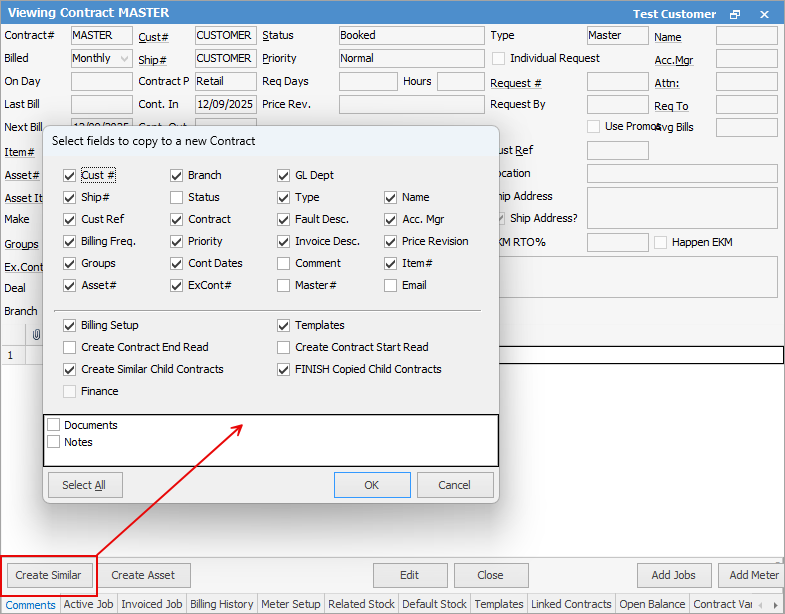
Choose which fields of that are to be duplicated on the next master, and select OK. The newly created master contract will use the next system contract number available.
Further options: ▪Billing Setup and Templates will include the original setup in the new master ▪Create Similar Child Contracts will add child contracts to the new master, based on the old one ▪FINISH Copied Child Contracts will finish the original child contracts automatically ▪Create Contract End Read will enter the end read on the original contract ▪Create Contract Start Read will enter the start read (based on the end read of the original contract) on the new contract. |
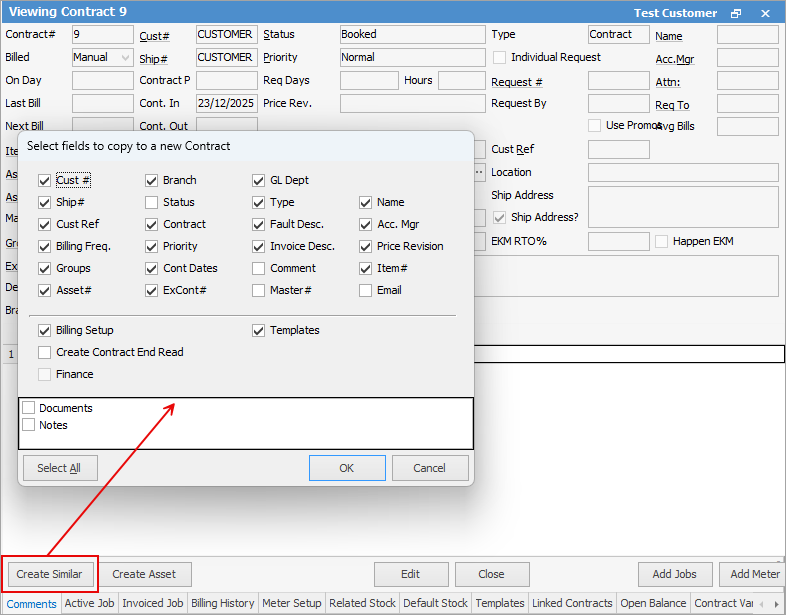
Make choices based on what you would like to appear on the new contract, similar to creating a similar master. The new contract will use the next available contract number in the system. This will allow you to copy billing setup and templates across, if desired.
Now, new master has been created that will be similar to the first. Edit the fields as normal.
|


|
Note: If the Next Bill date is after the 28th of the month, you will be required to enter a value in the On Day field as well. This will allow Jim2 to correctly deal with shorter months when advancing the next bill date. This also applies to the meter setup. |
Further information
Assets Swaps and Early Billing