This information relates to both Progress Claims and Donations, but can be used in various ways, eg. an insurance excess, or for progress payments on a job.
Below explains progress claims, however the GL groups and GL accounts can be named Donations instead of Progress Claims when entering donations.
Using Journal stock allows invoicing progress claims against a project (job or series of jobs), then reversing the value of the progress claims on the final invoice. This will show the remaining balance owing against the final invoice (project), while recording all the costs and income against the correct general ledger accounts.

Note that report progress claims as either income or liability. The Stock GL Group defines whether the value is deemed income or liability. |
1.On the ribbon, go to Accounts > General Ledger and add a new income general ledger account (4-XXXX Progress Claims) and COGS general ledger account (5-XXXX Progress Claims). 2.On the ribbon, go to Tools > Setups > Accounting > Stock GL Groups and add a new stock GL group, Type – Non depleting, Journal and call it Progress Claims – Income. Link this stock GL group to the new 5-XXXX Progress Claims and new 4-XXXX Progress Claims accounts, and save. 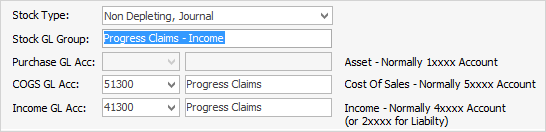
|

1.On the ribbon, go to Accounts > General Ledger and add a new Liability general ledger account (2-XXXX Progress Claims) and COGS general ledger account (5-XXXX Progress Claims). 1.On the ribbon, go to Tools > Setups > Stock GL Groups and add a new Stock GL Group, Type – Non depleting, Journal and call it Progress Claims – Liability. Link this Stock GL Group to the new 5-XXXX Progress Claims and new 2-XXXX Progress Claims accounts, and save. 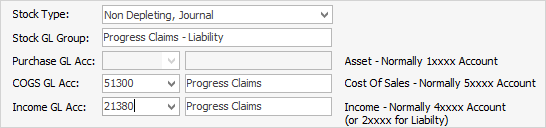 |
1.Add a new stock record, eg. PROGRESS.CLAIM.I (Income), or PROGRESS.CLAIM.L (Liability), Type – Journal. Select the new Stock GL Group and enter information in the Description field, eg. Progress Claim #1, use tax code N as you will use tax code G on the final invoice. This stock record can also be assigned to a stock group. 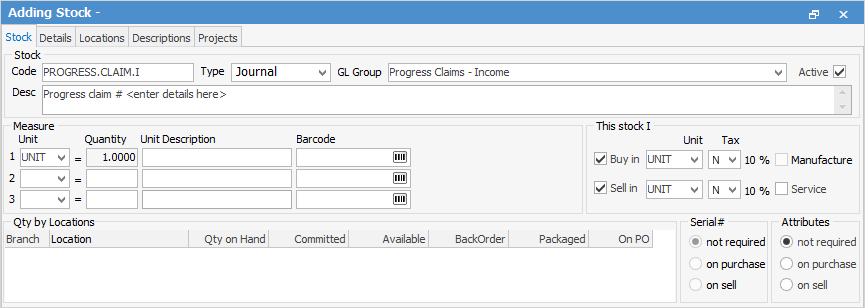 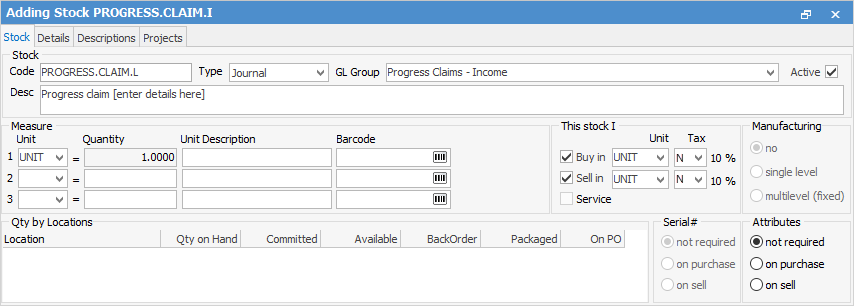 2.For each progress claim, add a sales or billing job, add the PROGRESS.CLAIM stock and description, quantity 1, and whatever amount being charged on the claim. Use the Cust.Ref# field to enter the customer's purchase order to tie all the jobs together. 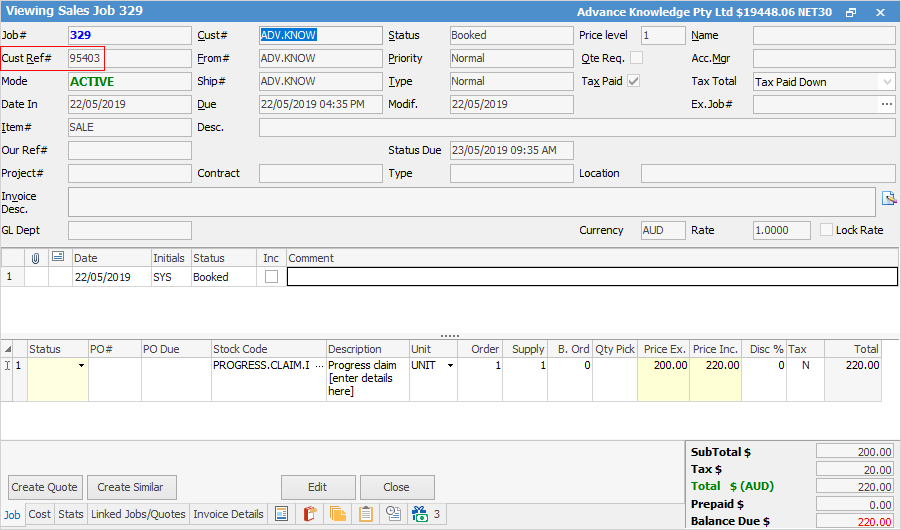 3.On the final job, add the PROGRESS.CLAIM stock as the last line of stock, quantity 1 and put a negative value against it so the overall job total is the balance owing after deducting the previous progress claims, then invoice the job. 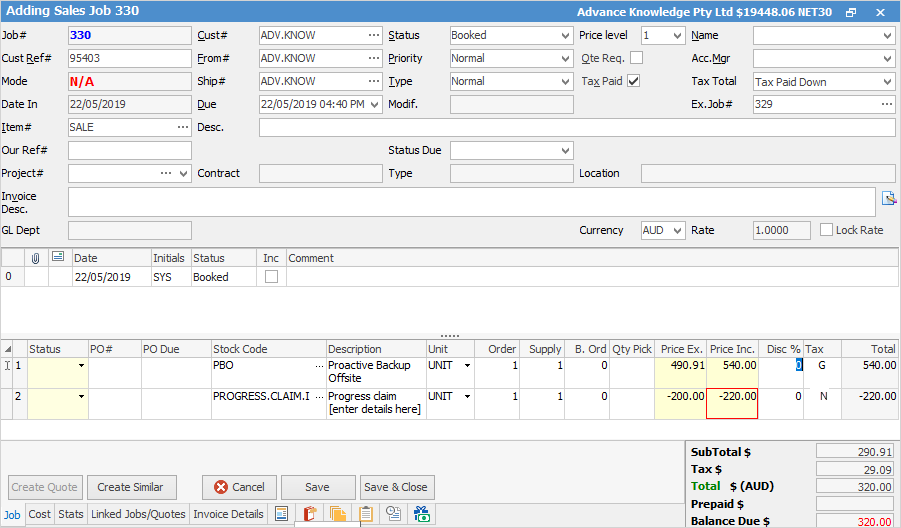 4.The overall sale will report as usual, but there will also be a reversing entry against the income account in the linked Progress Claim GL Group account.
|

Further Information
Invoice COD Customer Without Taking Payment
Receive Payments when Invoicing