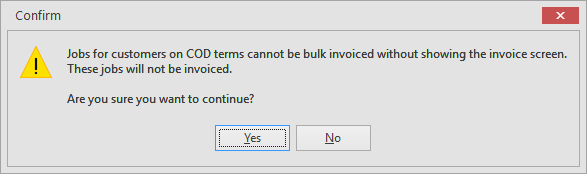
When batch invoicing customers on COD terms, and Show Invoice screen option is unticked, you will receive a warning that those jobs will not be invoiced.
1.Run a Ready job list that includes COD customers along with customers on other payment terms, then click Invoice Job in the ribbon.

2.Untick Show invoice screen, then click Invoice.
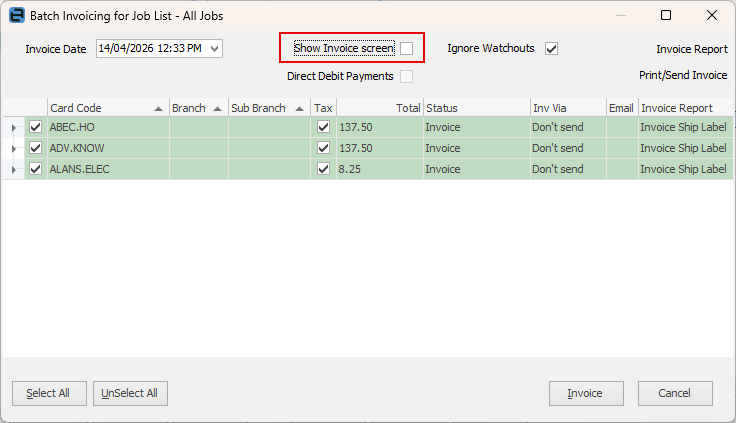
3.A warning will pop up in relation to the COD customers.
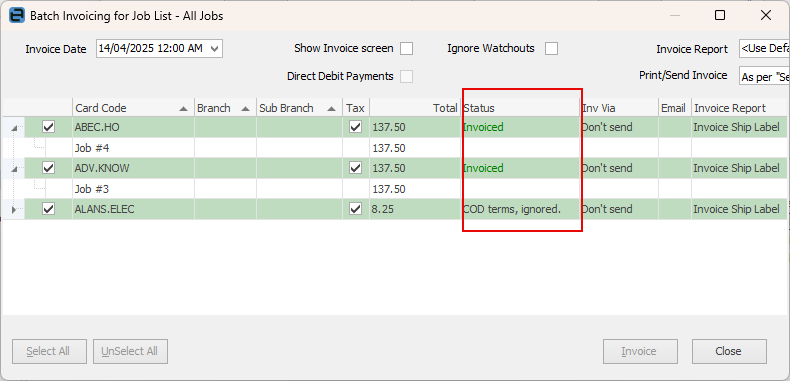
4.After invoicing it should show Invoiced for 7 day customers and COD terms ignored for COD customers.
 |
Note: COD jobs with total value of 0 will be processed as usual. |
Further information
Invoice COD Customer Without Taking Payment
Raise a Tax Invoice for Progress Claims
Receive Payments when Invoicing
Send Multiple Invoices in One Email
Unprint an Invoice and Reverse Payment