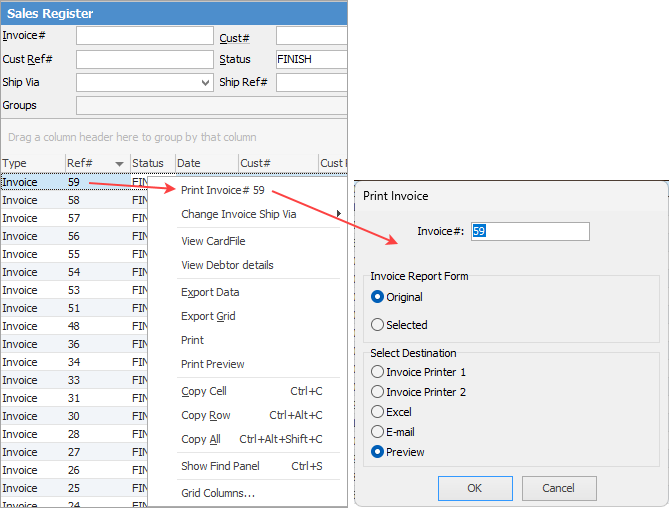
On the ribbon, go to Jobs > Sales Register and run a filtered list of invoices, or enter a single invoice number in the header.
Right click on the invoice you wish to save and select Print Invoice and ensure Preview is also selected:
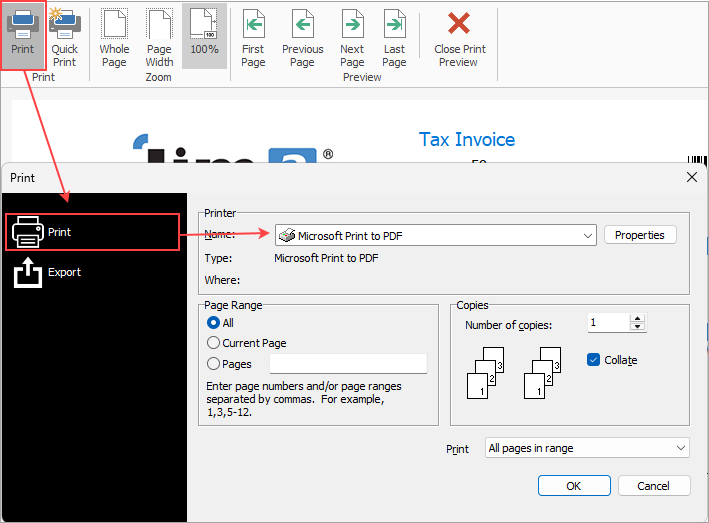
Once the preview appears, you can select Print at top left, then select Export and choose PDF as the type. This can then be saved to your computer.
Further information
Invoice COD Customer Without Taking Payment
Raise a Tax Invoice for Progress Claims
Receive Payments when Invoicing
Send Multiple Invoices in One Email
Unprint an Invoice and Reverse Payment