An invoice adds vital accounting information to the company records in terms of stock, profit, debtors and turnover. Jim2 gathers the information from invoices (as well as purchases, returns to vendors, returns from customers and payments) and creates entries in the Transaction Journal which updates the general ledger.
|
It is preferable to process a Return From Customer to offset an invoice, then re-invoice if necessary. Unprinting an invoice should be used as a last resort and users should consider all ramifications of proceeding with an unprint.
Unprint is only suggested for recently created invoices with minor errors. |

|
Unprinting aged invoices can impact on GST BAS reporting. |

The following circumstances will not allow un-printing of an invoice:
▪A return from customer has been entered for that invoice.
▪The related period is closed.
▪The invoice is in a previous financial year (this is calculated using information in Options, not the current date).
Jim2 will produce a warning for users attempting to unprint an invoice if the invoice is in a previous BAS/GST period.
1.On the ribbon, go to Jobs > Unprint.

2.The Unprint Invoice screen will be displayed. Enter the invoice number to be unprinted, and select OK. If the invoice has been paid, you can also choose to reverse the payment. If the payment is reversed, it will be removed from unbanked funds. If the payment is not reversed, it will automatically be unallocated and saved as an unapplied credit.
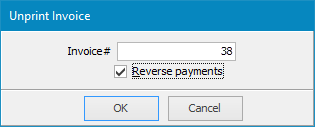
3.The unprint invoice warning screen is displayed with details of the invoice, checking that this is the invoice to re-edit or cancel. If the details are correct, select Yes.
4.You may first receive a warning as per below which you should carefully read and respond:
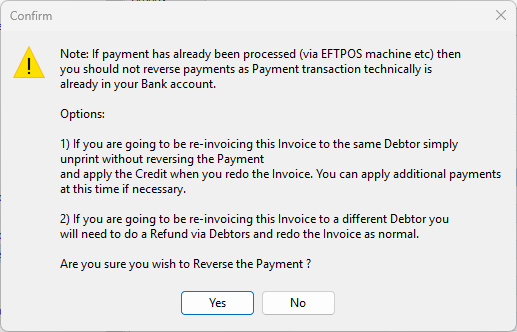
Once you click Yes, the following will appear:
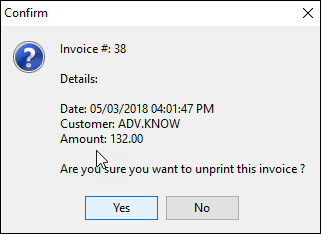
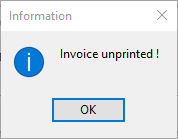
4.A confirmation will be displayed – select OK. The general ledger, stock and debtors records will now be updated by Jim2.
|
When an invoice has been unprinted, the job will revert to Ready. Make the job Active before editing it. |
Further Information
Invoice COD Customer Without Taking Payment
Raise a Tax Invoice for Progress Claims