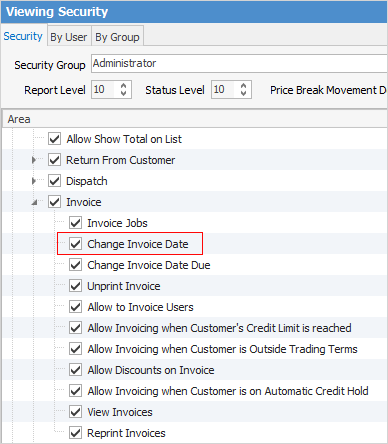
Prior to performing the step below, check that the user has Security rights.
On the ribbon, go to Tools > Security > Jobs >Invoice and ensure Change Invoice Date Due is ticked.
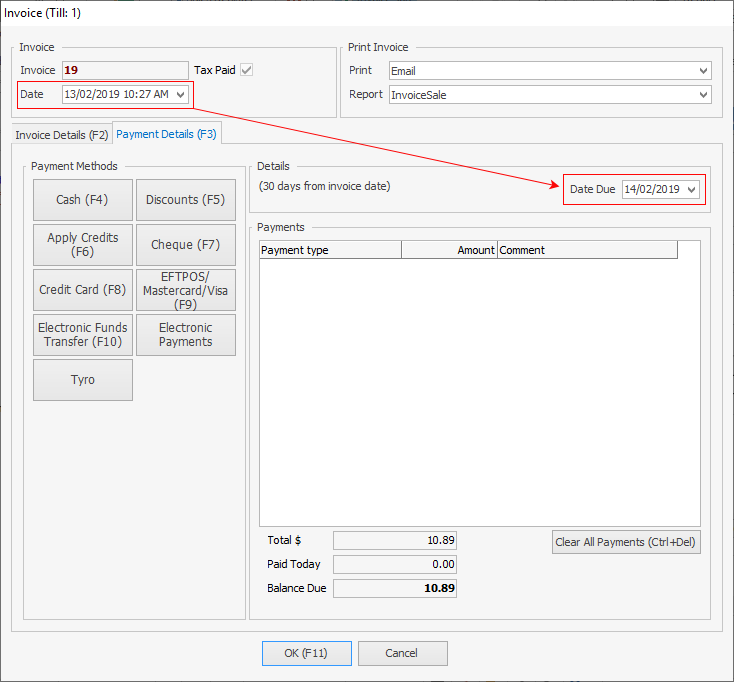
A COD invoice requires payment before invoicing. This means that the payment due date on the invoice must be changed (within the Invoice screen), ie. to a future date.
 |
The word Print will change colour to indicate that the option chosen here differs from what the default is set to on the customer cardfile.
 |
Further Information
Raise a Tax Invoice for Progress Claims
Receive Payments when Invoicing