
Jim2 Stock Procurement allows management of stock levels based on history, usage and fixed minimum quantity levels. Stock Procurement works by first calculating which stock needs reordering, then automatically creates the purchase orders and stock transfers needed to meet those requirements.
|
Note: Users must have security rights to view jobs, add purchase orders and stock transfers for Stock Procurement to be available to them. This is done via Tools > Security. |

Jim2 Stock Procurement will take into account excess stock levels available in other locations that could be transferred, rather than purchased. Stock Procurement is particularly useful when applied to best selling stock codes.
|
Stock Procurement will only work with depleting stock. |
Stock Procurement has three parts:
1.Add/edit stock locations to meet the requirements of Stock Procurement.
2.Edit the relevant stock codes.
3.Utilise the Stock Procurement feature to produce the required purchase orders from suppliers, or transfers between stock locations.
|
Note: Stock Procurement is not automatic. You need to run the Stock Procurement session to see what you wish to order, at which point you can order all in one go, if required. |
Stock Procurement calculations review:
▪The nominated minimum quantity required of the stock code (per location).
▪The sales history of that stock code over a nominated trading period (per location).
▪The quantity of that stock code (in that location) required for jobs.
▪The nominated minimum reorder quantity for that stock code (per location).
▪The nominated lead time for supply of that stock code.
|
Any quantities coloured red in Stock Procurement signify that the amounts are more than are actually needed. This usually occurs where the reorder quantity on the stock is high, ie. typically ordering more than Jim2 thinks is needed. |
Once Stock Procurement has been run, quantities can be reviewed and purchase orders and/or transfers created. Once these purchase orders and transfers have been created, they will need to be managed in the same way as all other purchase orders and transfers, including sending the purchase orders and using statuses.
Some of the more advanced options include filtering stock procurement results to define stock groups, vendors or stock descriptions.
|
If stock on jobs is reserved at job level, it will not be included in Stock Procurement.
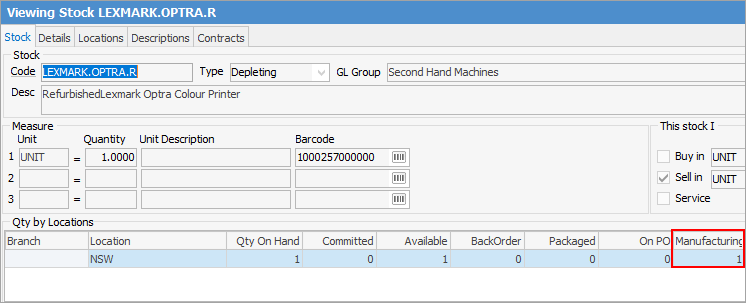
It will include the quantity of stock being manufactured when calculating order quantities.
When completing a Stock Procurement – Transfer Only, it will include linked stock and line-reserved stock in a transfer, however when you attempt to complete the transfer Jim2 will indicate that there is no stock available for the transfer. |
Further information