Following will show how to set up and use quote templates to quickly create quotes with customer-specific stock codes. By creating a template quote for each customer, users can efficiently generate new quotes and selectively copy the required stock items.
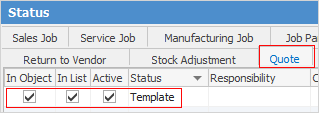
On the ribbon, go to Tools > Status and add a new status called Template in the Quote tab.
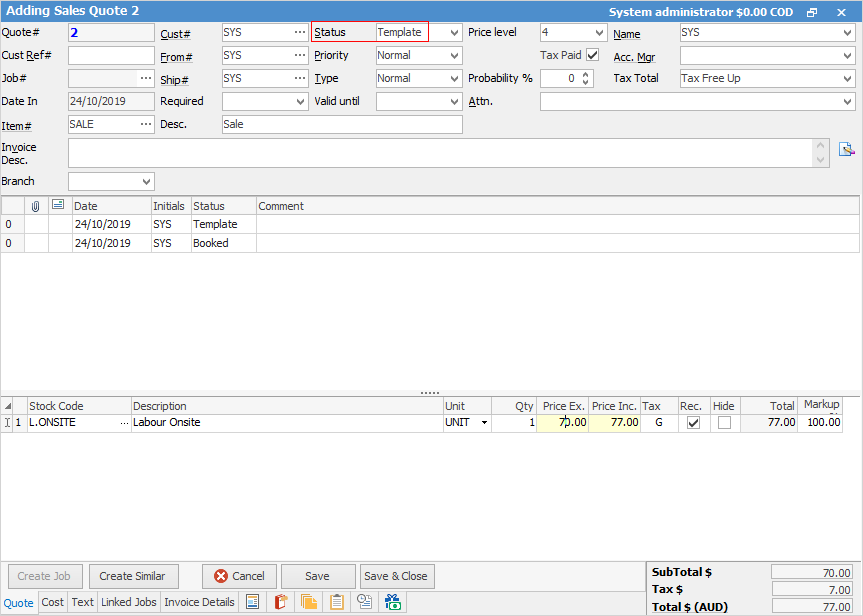
Create a new quote for each customer and enter all required fields. Select the status of Template. You can also add all relevant stock codes for each customer.
 |
Note: A Cust# must be entered, however this can be changed at any time. |
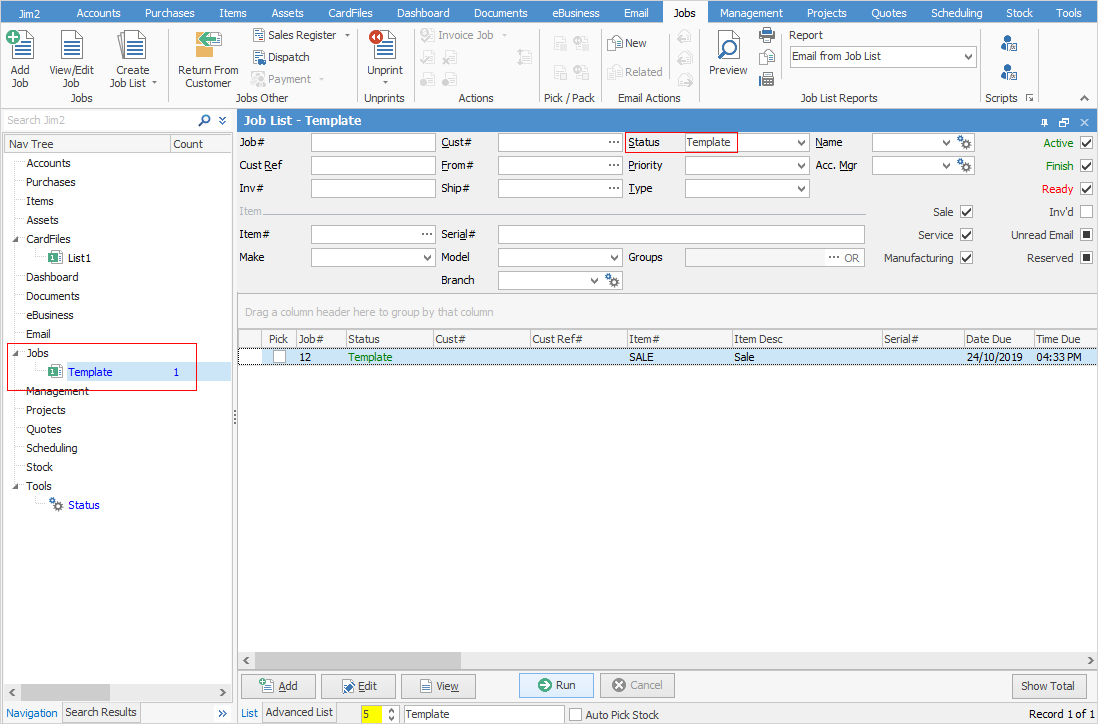
Create a quote list using Template in the Status field, name it and pin it. You can publish the lists if desired.
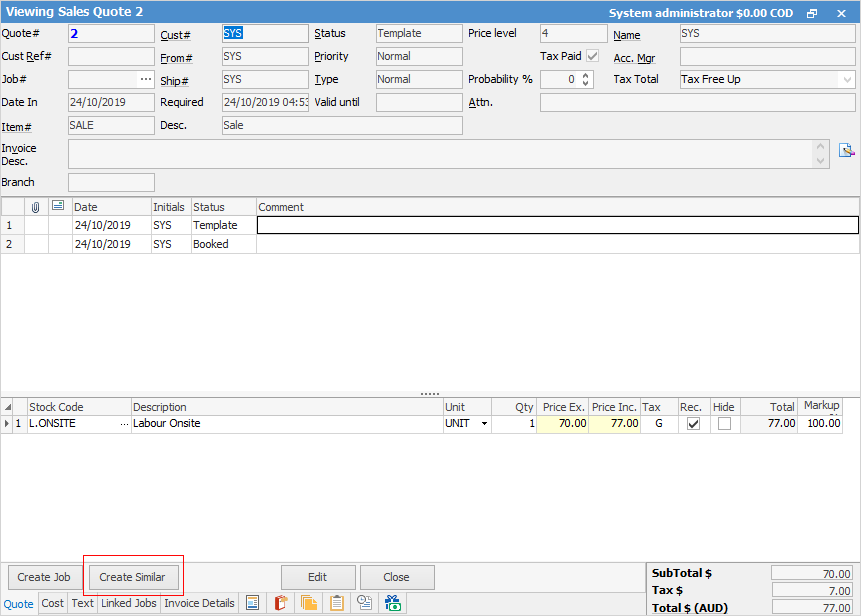
To produce a recurring quote, open the Template job and click Create Similar.
|
Note: Do not tick the Stock checkbox. If ticked, all stock lines will be copied automatically, removing your ability to select individual items.
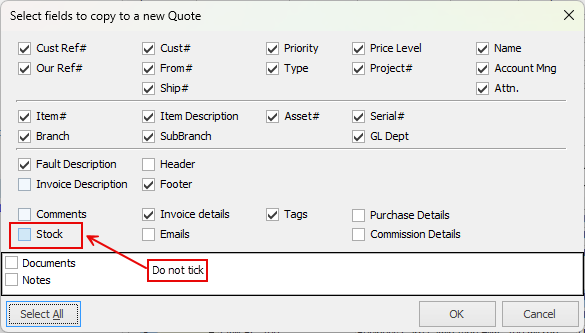 |

On the new quote, click Copy/Move/Merge in the ribbon.
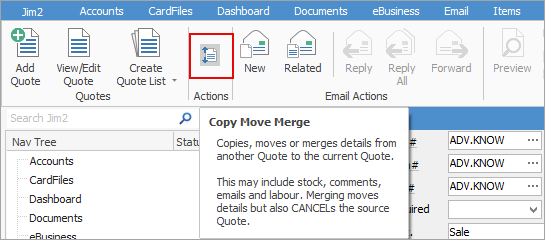
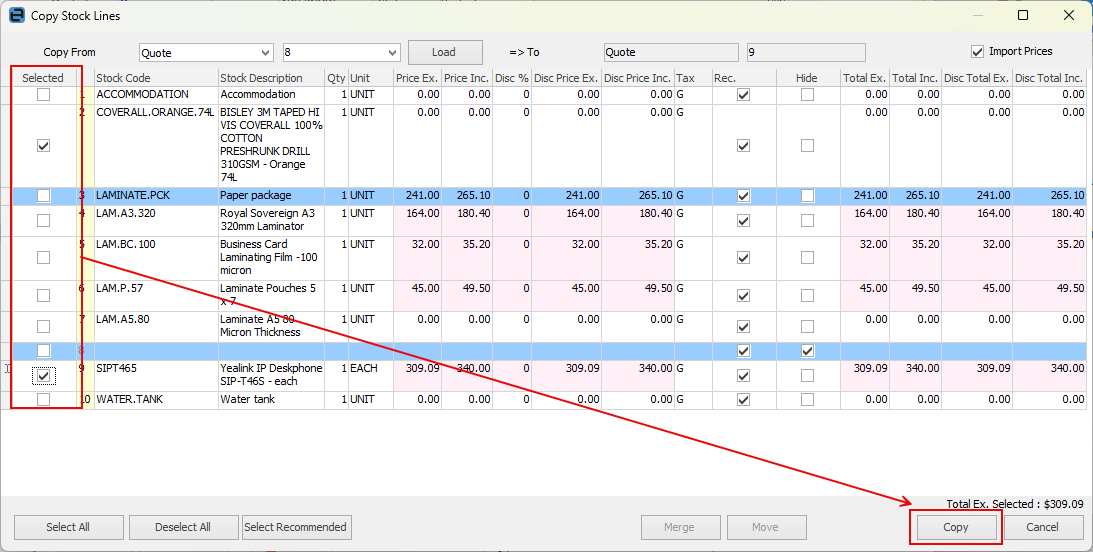
Select Copy From Quote and select the Template quote number, then click Load to display the available stock:
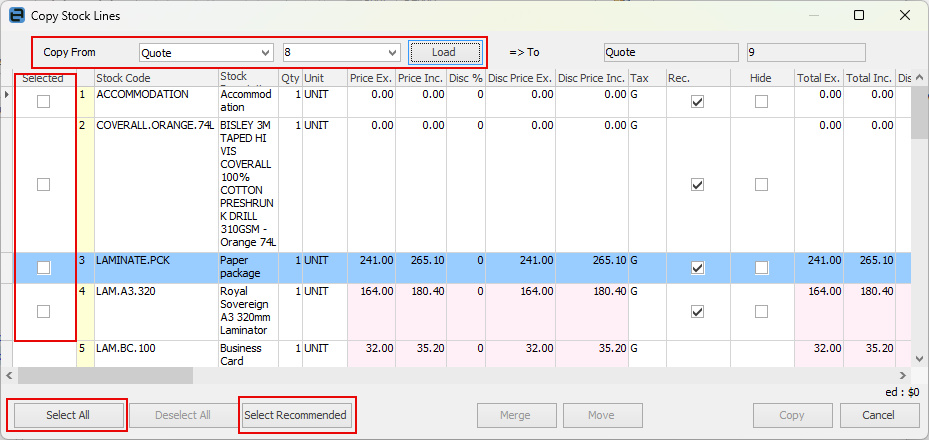
You can either tick each stock individually in the Selected column, or choose Select All. If you choose Select Recommended , this will copy only stock that is flagged as Recommended in the quote template:
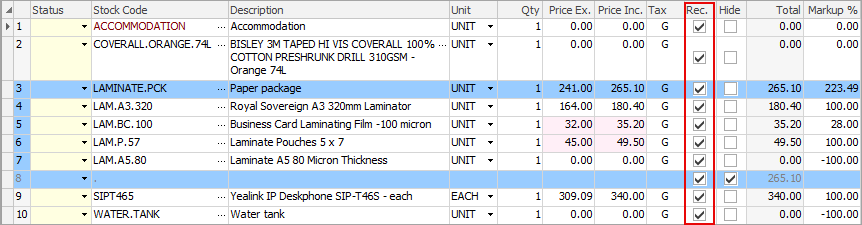
Once you have made your selection, click Copy to add the selected stock to your new quote:
Further information
Create Quote from Previous or Similar Quote