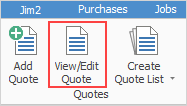
1.View or edit a quote by either:
▪Clicking View/Edit Quote on the ribbon, or
▪Right clicking on Quote in the Nav Tree and choosing View/Edit Quote.
|
If the quote number is unknown, use the search features of the quote list in Jim2 to find the quote. Double click the quote to view/edit from the resulting list. This will bring the quote into View mode only. To edit that quote, click Edit at the bottom of the Quote form. |

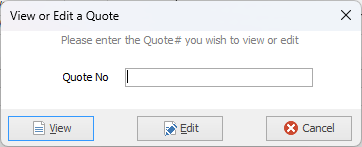
2.A screen will appear where enter the quote number. Click either View or Edit, depending on the function to be performed.
|
Clicking Cancel will not cancel the quote selected – it will only cancel the choice to view or edit that quote. To cancel a quote, the quote needs to be in Edit mode and the status of Cancel applied. Jim2 will time/date/initial stamp the cancellation and log the history of the cancellation. |
Further information
Create Quote from Previous or Similar Quote