A Retention is an amount that you have already earned and invoiced, however your customer is allowed to withhold payment for a period of time. It is not a discount, penalty or bonus – it is a portion of the payment that is temporarily held back until certain conditions are met, such as project completion, final sign-off, or the end of a warranty period.
When a retention is applied, Jim2 recognises the full value of the invoice as revenue, however, the portion that is being withheld is separated from general debtors and tracked as retention receivable. This ensures your financials clearly show what you are owed now as opposed to what will be collected later.

Invoice value: $55,000 and retention value: $10,000 1.Set up account and journal stock for retention amounts: Create a Retention GL account. This should be set up as an Asset GL account. 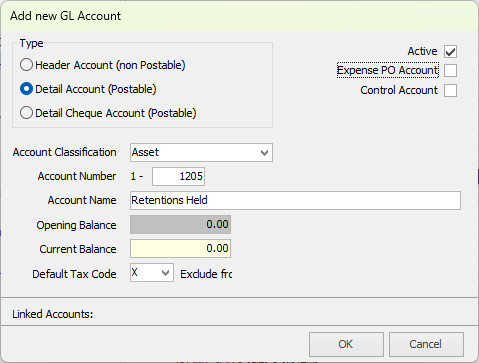 Create a stock GL group called Retentions Held, or similar. Link the stock GL group to the Retention GL account created above. 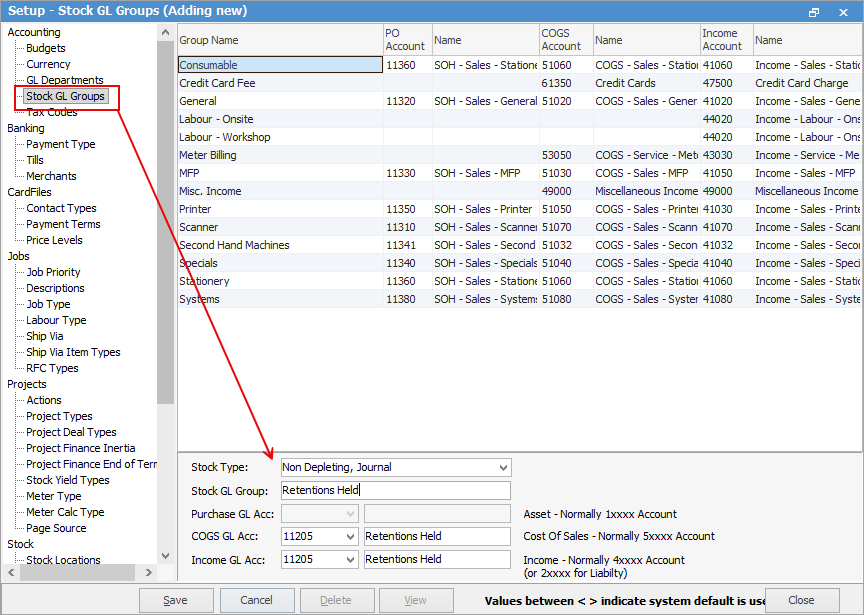 Create a journal stock code called Retention Held, or similar. Assign the journal stock code to the Retentions Held stock GL group. 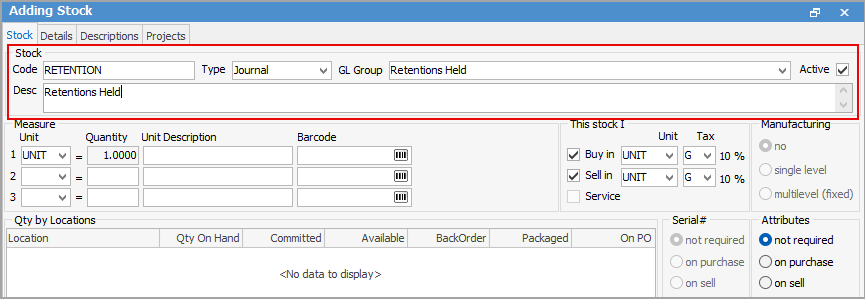 Create an Item called RETENTION to use within jobs. 2.Invoice the job including retention: Create a job for the full value of $55,000, and add the Retention Held journal stock code to the job as a negative value of -$10,000 using tax code G. 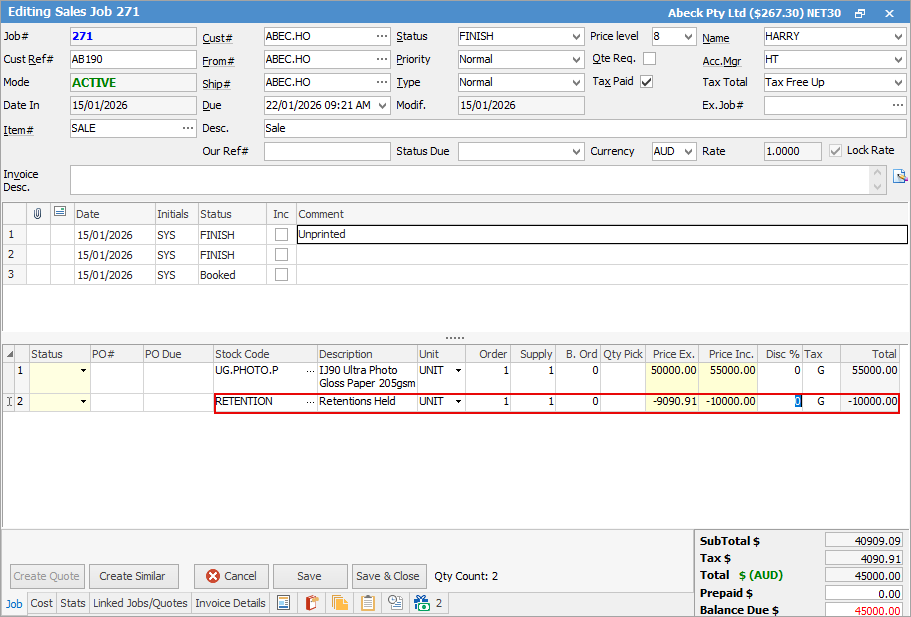 Invoice the job. Jim2 recognises the full invoice amount as income, but the retention component is separated and tracked via the journal stock process. 3.Receive payment for the non-retention portion: 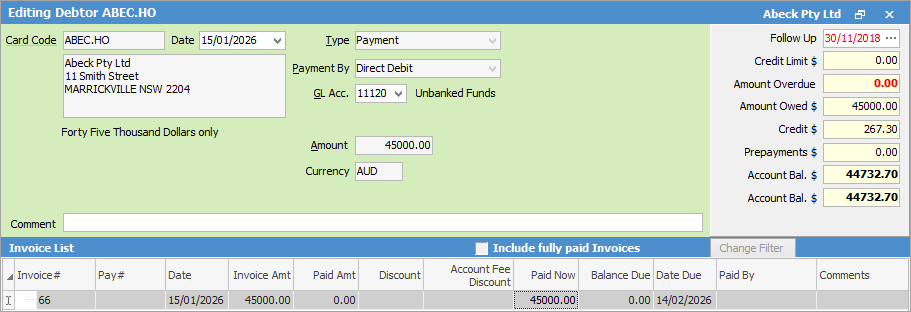 When the customer pays the non-retention portion of $45,000, this clears the outstanding balance relating to the initial invoice. The retention balance is now sitting in the Retention GL account excluding GST as GST is not payable on the retention amount until it becomes due. 4.Create a job for the retention amount: You can create a job for the retention amount straight away with the due date that is required, and perhaps add a status to show that it is pending. Allocate the Retention Held journal stock code to this job, and apply tax code G. 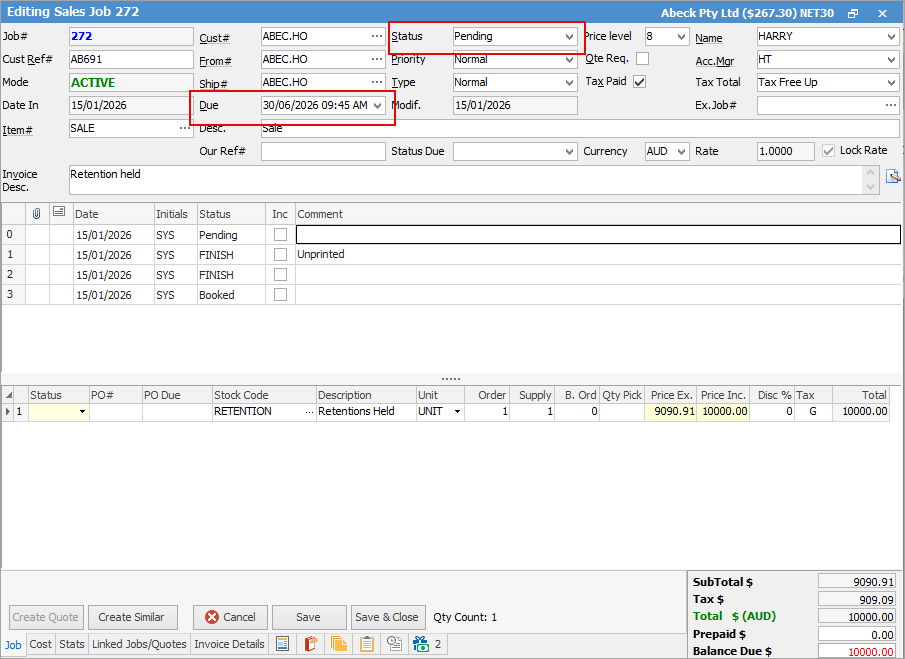 When you invoice, this moves the balance from the Retention GL account back into Accounts Receivable, making the retention amount visible and collectible as normal debtor revenue.
Summary ▪The full invoice value is recorded as income. ▪Retention is tracked separately as an asset until payable. ▪GST on the retention is only applied when it becomes due. ▪When due, the retention is moved back into debtors and collected as per usual.
|

Further information
Factor a Procedure with 3rd Party Debtor Finance
Give a Customer a Permanent Discount