The following outlines a couple of ways to add a fee for late paying customers.

Go to Tools > Options > Job > Invoice and decide which way you wish to calculate the account fee. ▪Stock Total – If ticked, the account fee is calculated on the total value of the stock on the job ▪Sub Total – If ticked, the account fee is calculated on the sub total of the job, including any freight added on the Invoice Details tab. 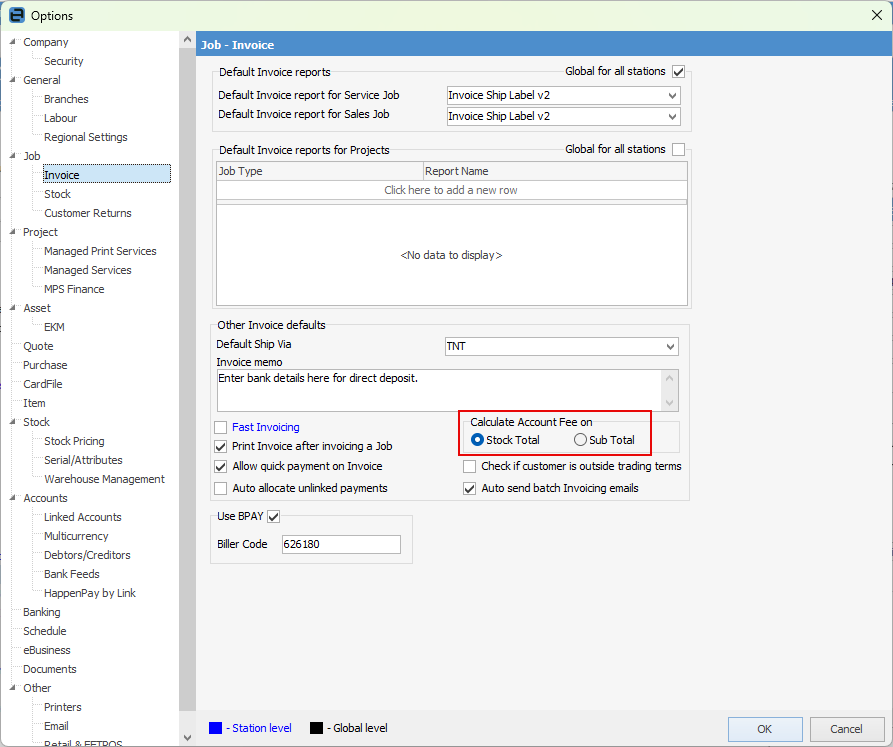
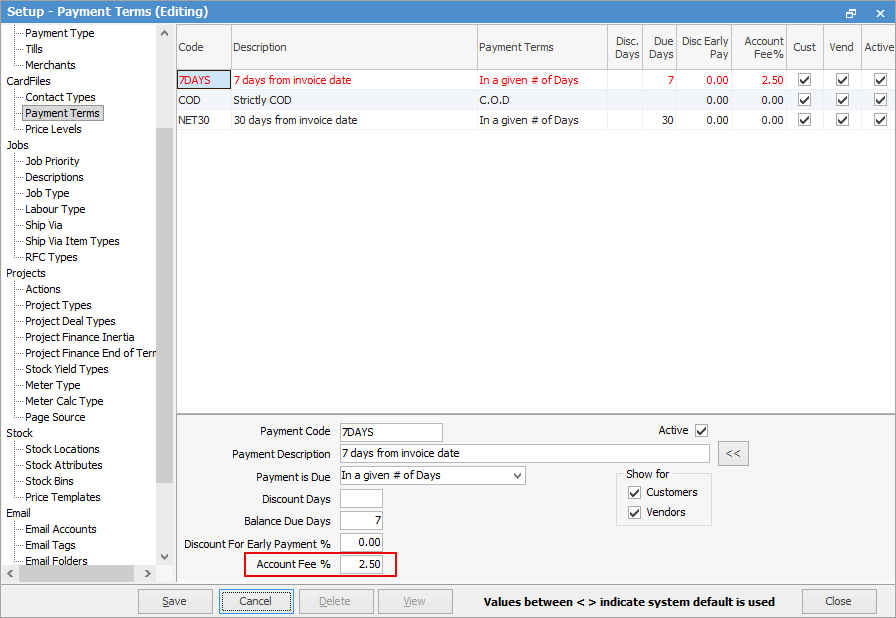
Via Tools > Setups > CardFiles > Account Fee you can enter a percentage in the Account Fee field to apply to all invoices based on the Payment Term selected:
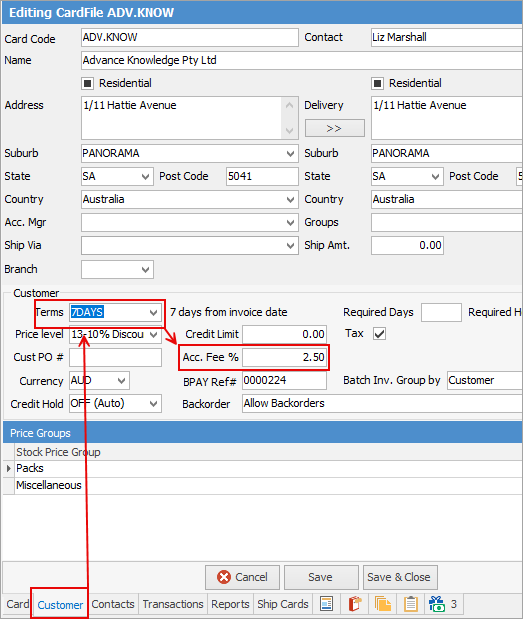
All customer cardfiles using this payment term will show the account fee that is selected above on their Customer tab:
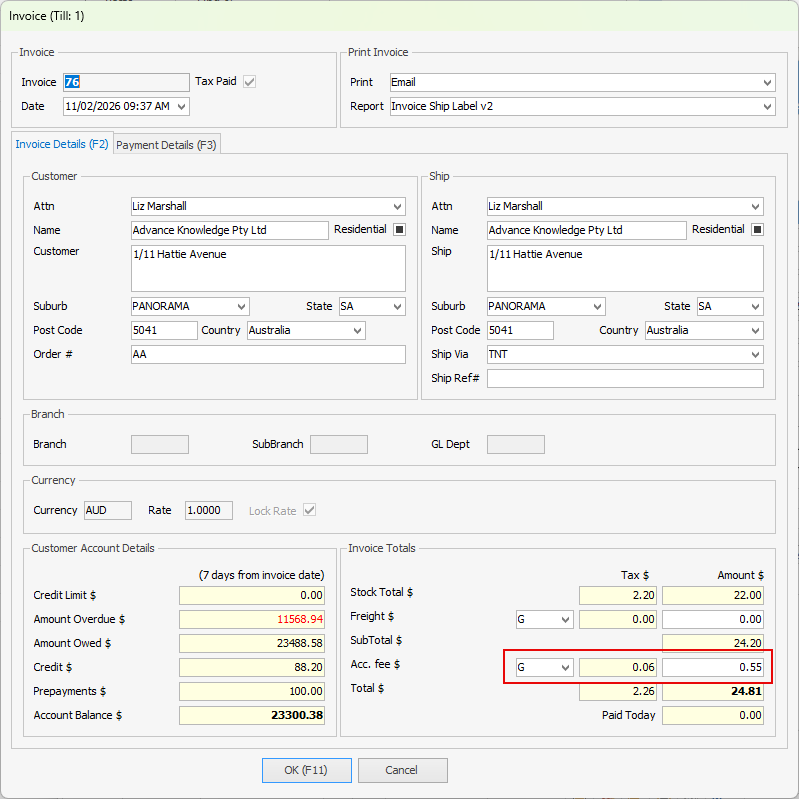
When invoicing, the account fee will be added if the invoice is outside the payment terms:
 |
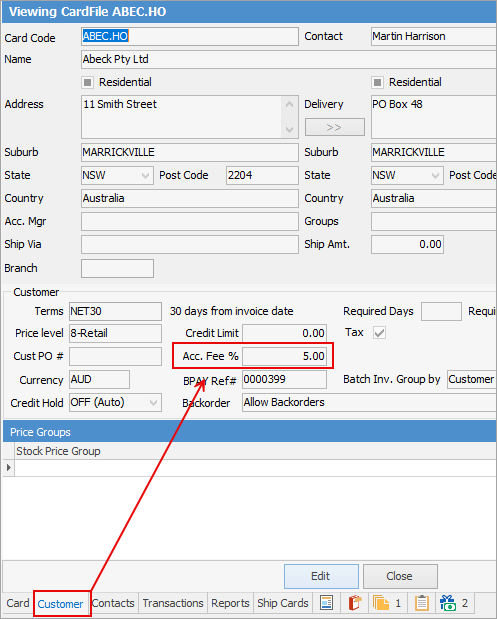
You can also enter an account fee percentage directly on a customer cardfile that differs from what has been set up above. This would be if you wish to charge more for customers who are consistently late paying. This can be entered on the Customer tab. This will override the account fee selected in Payment Terms.
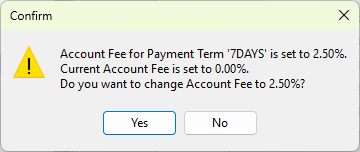
You will receive a confirmation message since the fee is different to what is set up on the Payment Term. Select No to ensure the account fee is what you have entered:
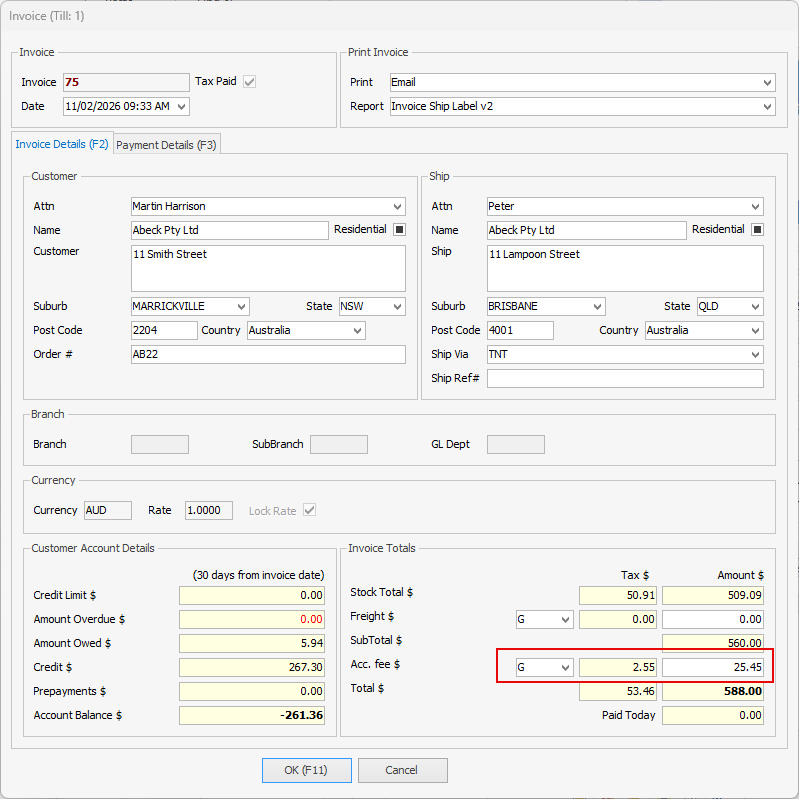
When invoicing this customer, the account fee will be added based on what is on the cardfile:
 |
Further information
Clear the Historical Balancing Account
Enter ATO Reportable Sub-Contractor Payments
Enter Capital into the Business
Enter Government Support Payments
Enter Prepaid Expenses and Amortising Costs
Remove Duplicate Payments in Closed Period
Share Utility Expenses with other Businesses
Suggested End Of Month Procedures
Understanding Debits and Credits