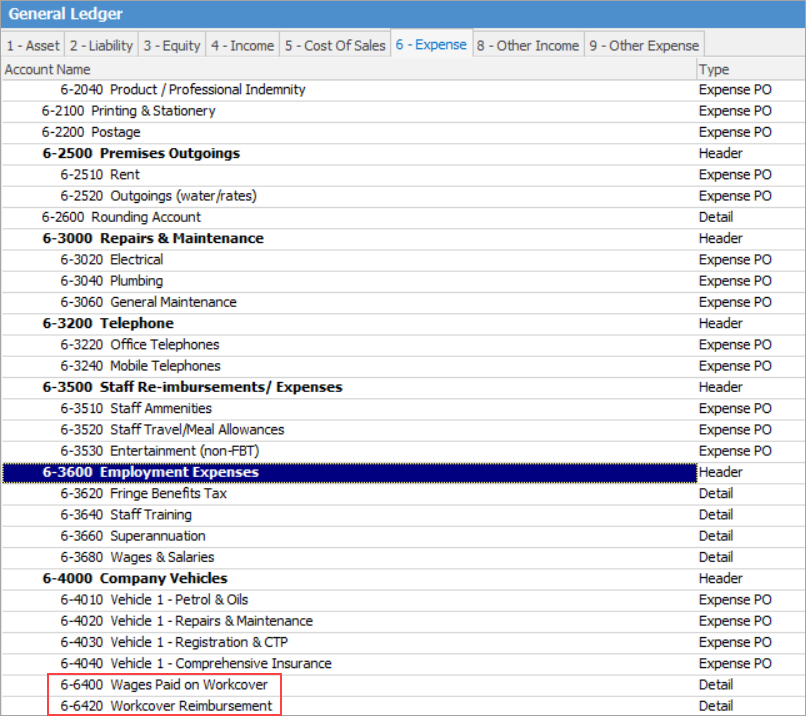
1.Create an Expense GL account called Wages Paid on Workcover, or something similar.
2.Create another Expense GL account called Workcover Reimbursement, or something similar.
3.Create a cardfile for Workcover to allow you to enter reimbursements.
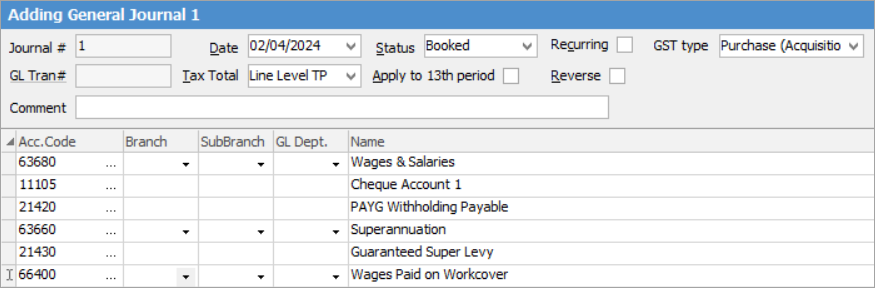
4.When entering the payroll journal, enter the employee's wage against the Wages paid on Workcover GL account.
5.When you are reimbursed for the employee's Workcover payments, you can enter this via the Chequebook function as a deposit.
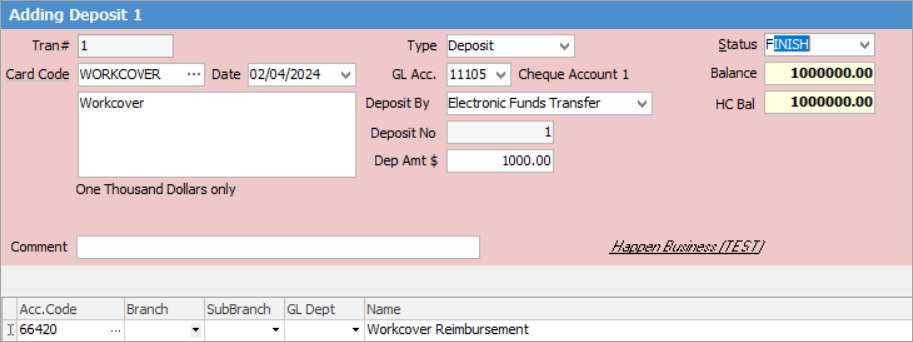
The balances in each of the Workcover GL accounts will be offset against each other. This way, you can clearly see how much in wages have been paid to the employee, and how much you have been reimbursed by Workcover.
Workcover payments/reimbursements are tax free and not reportable, however this also depends on the type of Workcover agreement that is in place.
It is also advisable to check with your external accountant, or have a look at the ATO website.
Further information
Charge a Customer an Account Fee
Clear the Historical Balancing Account
Enter ATO Reportable Sub-Contractor Payments
Enter Capital into the Business
Enter Government Support Payments
Enter Prepaid Expenses and Amortising Costs
Remove Duplicate Payments in Closed Period
Share Utility Expenses with other Businesses
Suggested End Of Month Procedures
Understanding Debits and Credits