Most businesses have a petty cash float to pay for minor expenses. A petty cash account should be set up in the general ledger. If not, it will need to be created. On the ribbon, go to Accounts > General Ledger and click Add. The petty cash account should be set up as a Detail Cheque Account (Postable) type, otherwise it cannot be used in the chequebook or via creditors. The default tax code should be set to X because the GST reporting is on the expense entries.
 |
Note: If the account is already set up, it may be set as Detail Account (Postable). If you wish to use it with the chequebook or creditors, you can delete this account then add it using the Detail Cheque Account (Postable) option. |
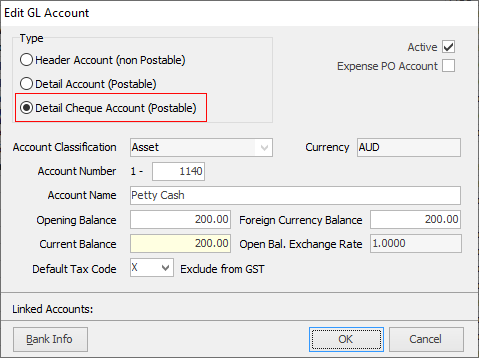
▪The balance in the petty cash account should equal the amount of money have available for minor expenses.
▪The physical amount of money in the petty cash tin should equal the balance in the petty cash general ledger account (1-1140).
▪If it doesn’t, a combination of the physical money and un-entered receipts should equal this balance.
At least on a monthly basis, the petty cash expenses should be entered into Jim2.

There are two ways this can be done. 1.Expenses can be recorded via the chequebook. On the ribbon, go to Accounts > Cheque Book. Use the company cardfile. ▪Click Add. ▪In the Card Code field, select the company card code. ▪In the GL Acc. field select the petty cash account. Ensure that the initial setup of the petty cash account in the general ledger is as a Detail Cheque Account (Postable), otherwise it will not appear in this list. ▪In the Chq Amt $ field, enter a dollar amount. ▪Leave the cheque status on Booked. 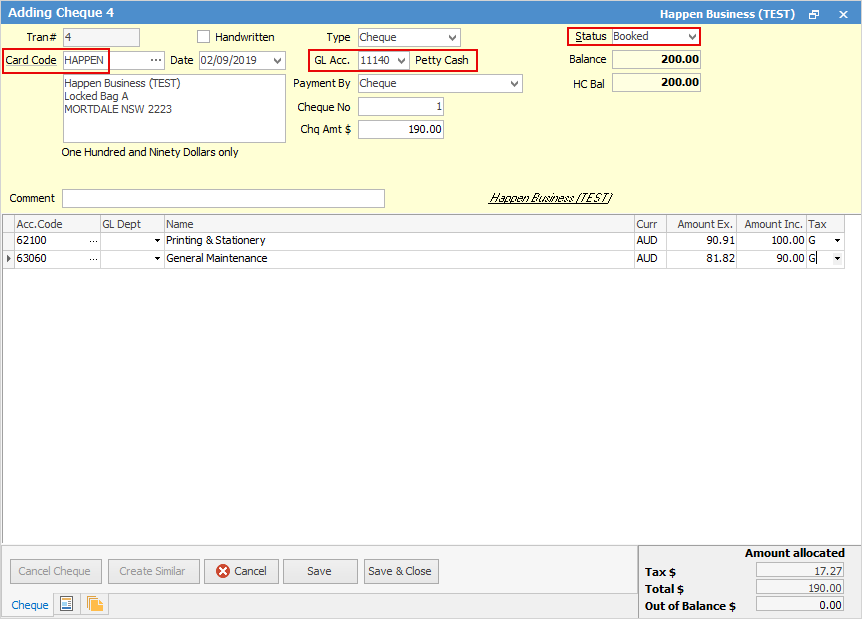
▪Each time a petty cash purchase is made, staff should provide a tax receipt. ▪Record each purchase in this open cheque by selecting an appropriate expense account and tax code. ▪New lines can be added using the down arrow key, or pressing Enter in the Tax column. When the level of petty cash in the float gets low, finish the cheque: ▪open the cheque record ▪adjust date to today’s date ▪adjust cheque total to match the calculated total of all receipts to date ▪By changing the cheque status to Finish, the expenses will be committed to their general ledger accounts and reduce the balance in the petty cash account. 2.Add an expense order (card code is the company cardfile) to list all the expenses, then pay via the Creditor record by cash from the petty cash account. 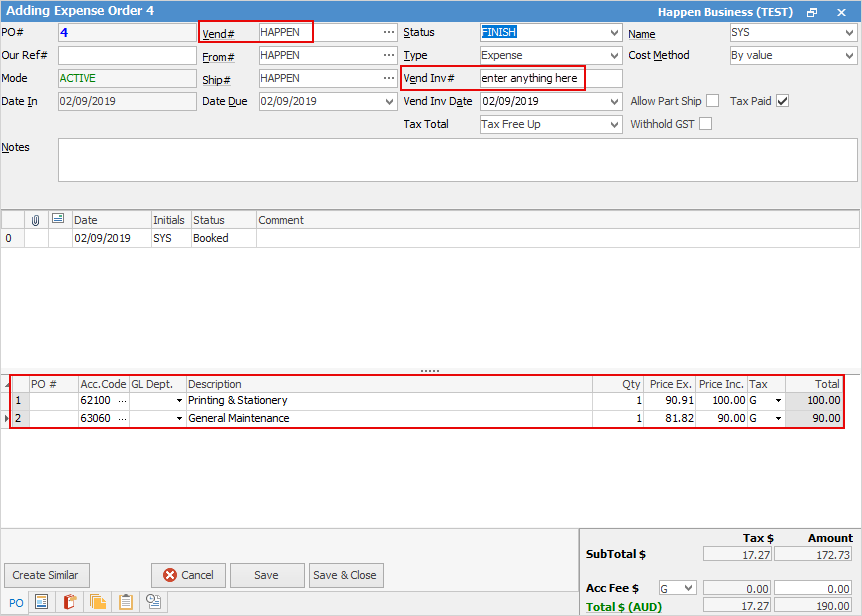 For Vendor Inv# enter any description desired. 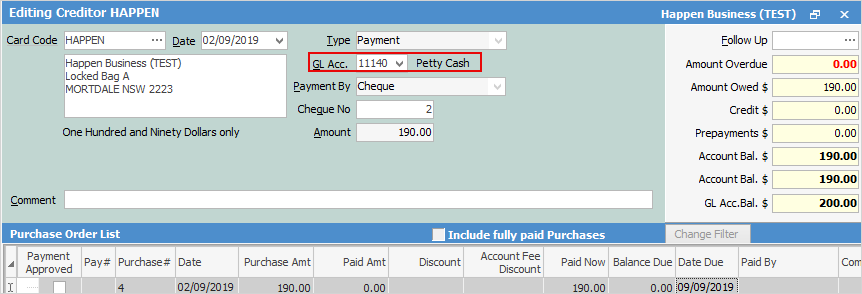 3.Print the expense po and attach all the receipts to it. |

There are two ways top up Petty Cash in Jim2. 1.On the ribbon, go to Accounts > Cheque Book. Add a cheque from the bank account (using the company cardfile) to the petty cash account (using tax code X). Physically cash the cheque at the bank. 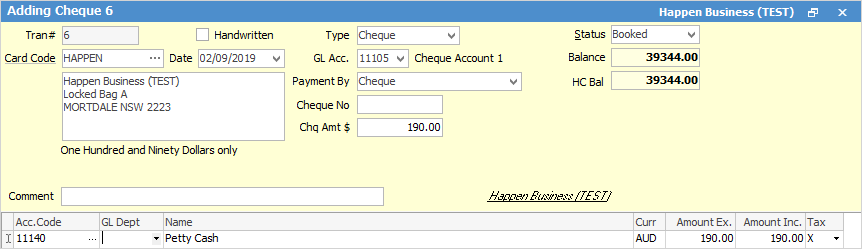 2.If cash payments have been taken and the cash has not been taken to the bank, create a banking session and bank the cash into the petty cash account. |
Further information
Charge a Customer an Account Fee
Clear the Historical Balancing Account
Enter ATO Reportable Sub-Contractor Payments
Enter Capital into the Business
Enter Government Support Payments
Enter Prepaid Expenses and Amortising Costs
Remove Duplicate Payments in Closed Period
Share Utility Expenses with other Businesses
Suggested End Of Month Procedures
Understanding Debits and Credits