Generally, if there is a variance between the Trade Debtors in the Balance Sheet and the Debtors list, it indicates that a manual entry (ie. a general journal) may have been posted directly to the general ledger. Following explains how to check if this is the case.
1.Go to Accounts > Account Inquiry.
1.Select the Trade Debtors GL Account in the Account field.
2.In the Doc.Date fields, choose a broad date range up to the current date (eg. 15/01/1900 to today).
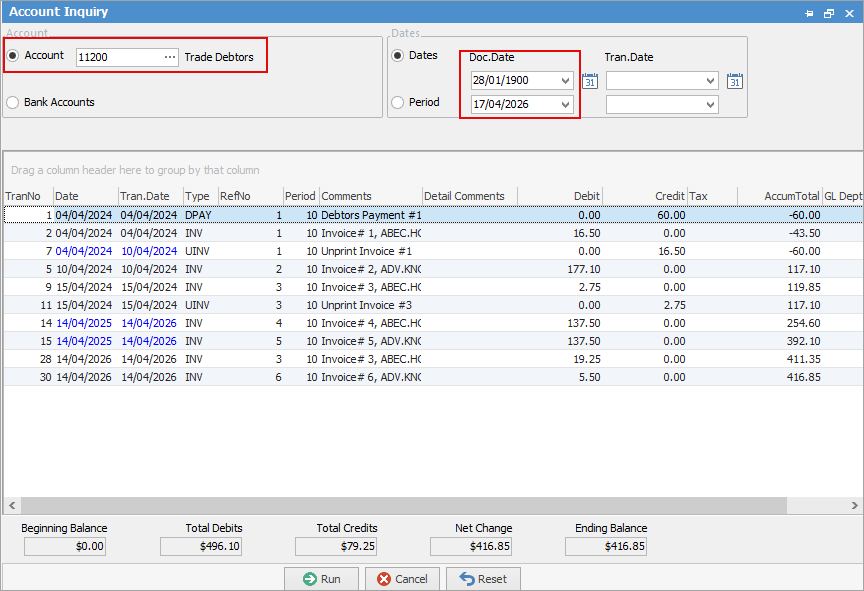 This will display all trade creditors transactions within the selected date range.
4.Group the list by the Type column. This is done by clicking on the Type heading and dragging up above.
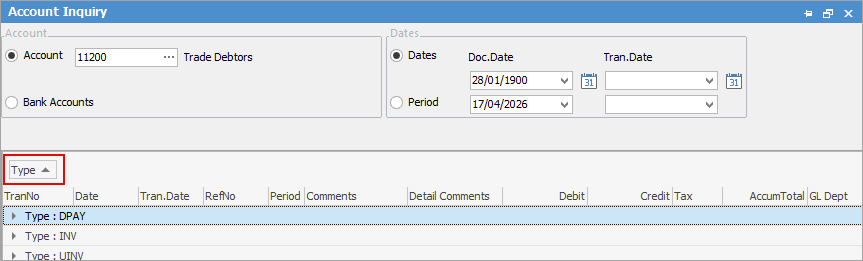
Look for any transactions such as general journals of type GJS or GJP, as these indicate that a manual general journal was posted..
You can then review these and decide how to manage them.
You can also try sorting the Debit and Credit columns to identify any variances.
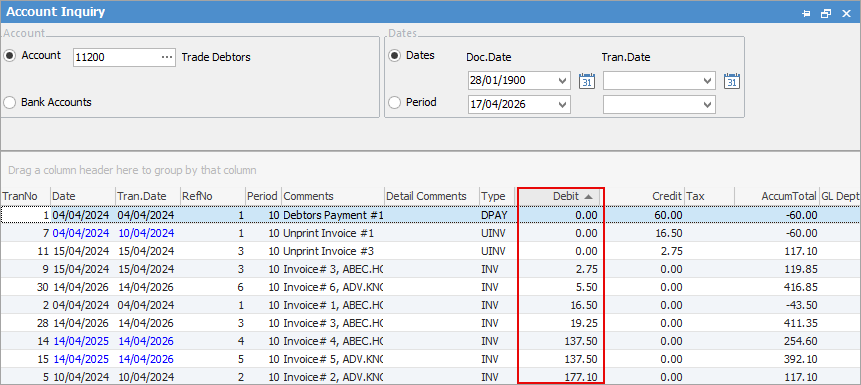
In some cases, you may be able to locate the exact amount of the variance, however, it is also possible that the variance could involve more than one transaction.
Further information
Charge a Customer an Account Fee
Clear the Historical Balancing Account
Enter ATO Reportable Sub-Contractor Payments
Enter Capital into the Business
Enter Government Support Payments
Enter Prepaid Expenses and Amortising Costs
Remove Duplicate Payments in Closed Period
Share Utility Expenses with other Businesses
Suggested End Of Month Procedures
Understanding Debits and Credits