
To add a document to a cardfile, view the cardfile, then drag and drop the file (from the drive/network) directly onto it.
A document added in this way would normally be flagged as Hidden, meaning that it won't be displayed in a document list, unless the Show Hidden icon is selected.
 |
Right click on the document and select copy.
With the cardfile in View or Edit mode, select the Add Document from Clipboard icon in the ribbon:
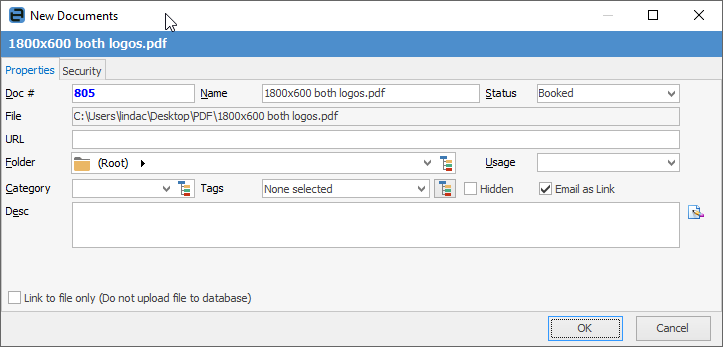
|

Manually add or link to an existing document directly from the cardfile Documents tab, as follows: ▪open the cardfile in Add or Edit mode ▪go to the Documents tab in the footer ▪select Add New, or Link Existing 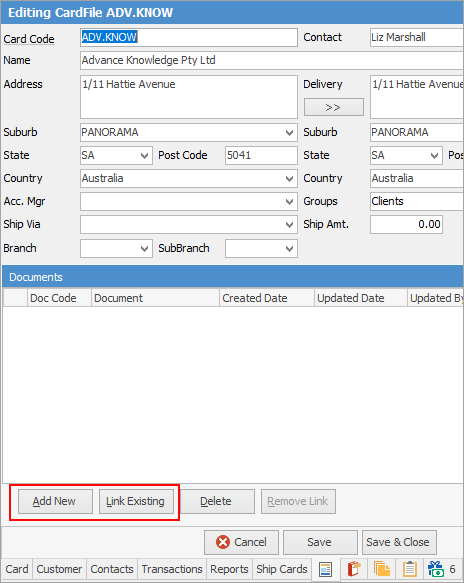 ▪select the document from the list.
See Add or Link Existing Document for more detailed information. |
Unlink a document (ie. remove the link) or delete a document from a cardfile in this manner: ▪open the cardfile in Edit mode ▪go to the Documents tab ▪select the document from the grid ▪select Delete Document or Remove Link. 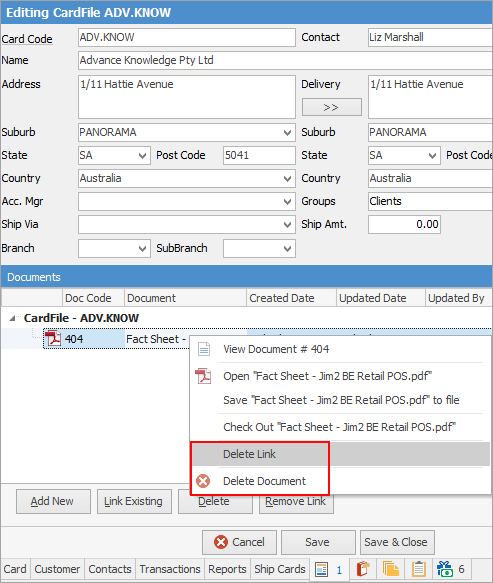
See Add or Link Existing Document for more detailed information.
|

Further information
Bulk Update CardFiles with BPAY Ref
Export a CardFile Report to Spreadsheet