When entering a new cardfile, or editing an existing one, either enter a suburb and have Jim2 automatically fill in the postcode, or enter a postcode and Jim2 will fill in the suburb.
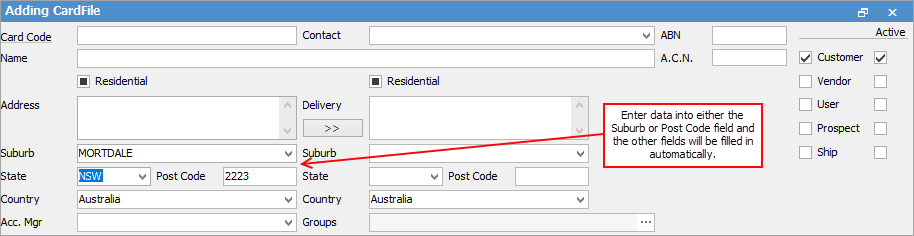
 |
Sometimes entering a known postcode can result in the incorrect suburb being filled in. If this happens, change that suburb to the correct one by selecting the drop down arrow to display all suburbs. Similarly, if entering a suburb rather than a postcode, the first suburb displayed might be located in another state.
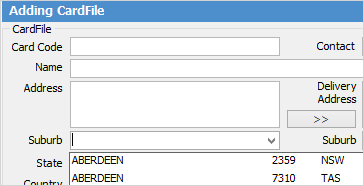
In that case, choose the correct state using the drop down options in the State field. The postcode will change to that of the correct suburb/state. Of course, some suburbs have more than one postcode, ie. a post office in some suburbs has a different postcode to the actual suburb postcode. |
Further information
Bulk Update CardFiles with BPAY Ref
Export a CardFile Report to Spreadsheet