The bulk email function applies to cardfile, project (contract), quote and job lists. This makes it very easy to generate templated outbound emails.
When sending from a list, the emails will be automatically attached to the objects in the list. This is a great feature that allows sending emails to a group based on products purchased, specific project types, and more.
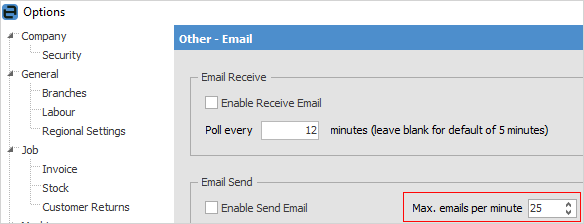
It is advisable to set the Max. emails per minute to no more than 25 to ensure they are not seen as spam. On the ribbon, go to Tools > Options > Email to set this parameter.
 |
Note: Ensure there is an email address entered on the user cardfile:
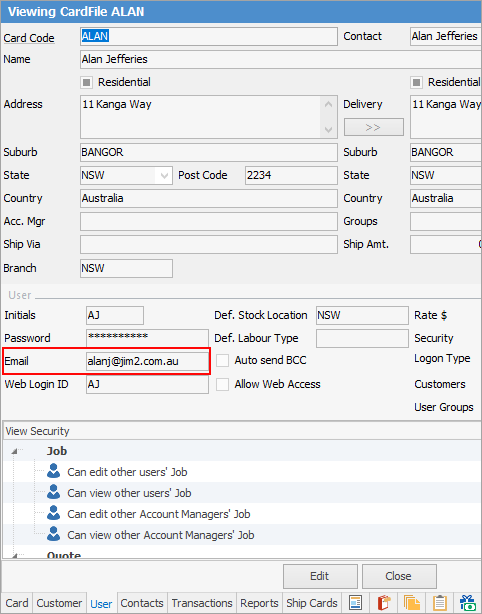
This is required for sending emails from that user. |
Create a new Email Template with information to be sent.
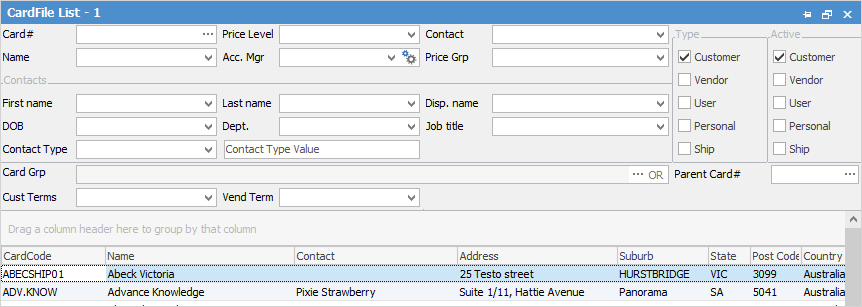
Create a CardFile List of customers, using the appropriate filters.
|
Note: Inactive cardfiles will not be included in emails. |
From the Report menu select the Email from CardFile List report, then select Preview.
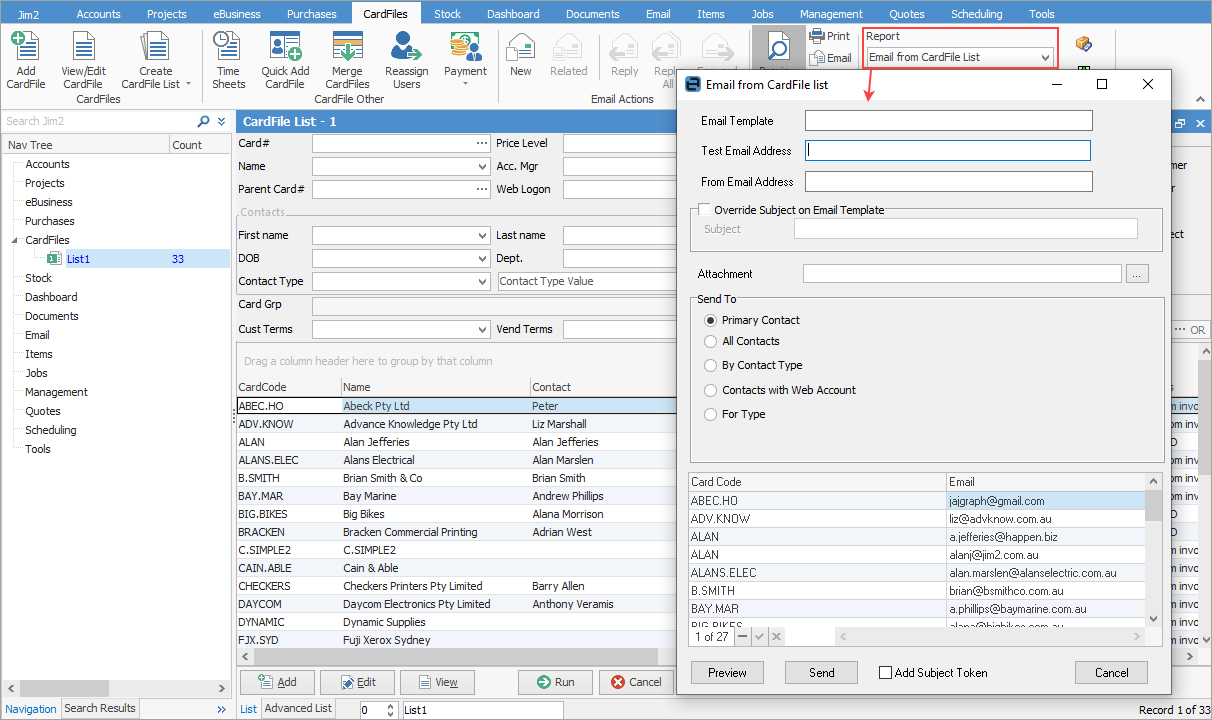
▪Select the email template created earlier.
▪Choose a test address to see what this will look like prior to sending to customers (a preview will appear prior to sending anyway).
▪Select the From address for the email. Responses will go to this address.
Within the Send To section, the following options are available. This filters the CardFile List down to the contacts being sent to.
▪Primary Contact – The primary contact on the cardfile.
▪All Contacts – All contacts within the CardFile List that have an email address.
▪By Contact Type – Filter based on some existing contact types.
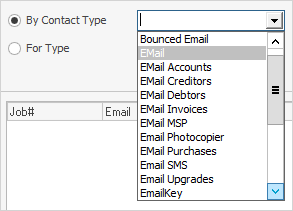
▪Contacts with Web Account – Allows sending to Web Login users.
▪For Type – This is generally used when sending to an alternative email type, ie. Email Accounts vs the standard email contact type. The equals field allows entry of text to further refine, as does the using field.
Once selections have been made, the list of contacts that will be emailed to are displayed in the grid below.
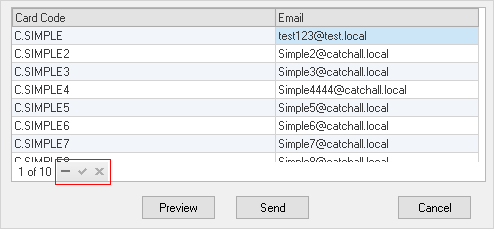
Remove any not to be included by highlighting them, then selecting the minus sign (-).
Last, select Preview to see what it will look like when sent, then select Send to queue all the emails for sending.
Further information
Bulk Update CardFiles with BPAY Ref
Export a CardFile Report to Spreadsheet