|
Note: Until a purchase order is finished, no amounts will show on GST. |

Following is an outline of how the general ledger accounts are affected at each stage of the purchase order process.
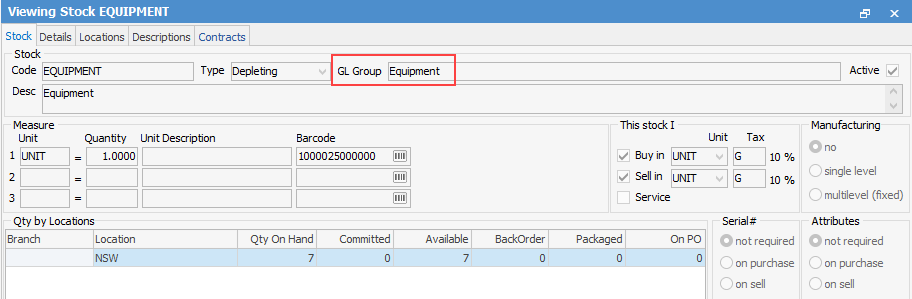
1.The first thing to look at is the Stock GL Group the stock is linked to.
In this example, the stock code EQUIPMENT is linked to a Stock GL Group called Equipment.
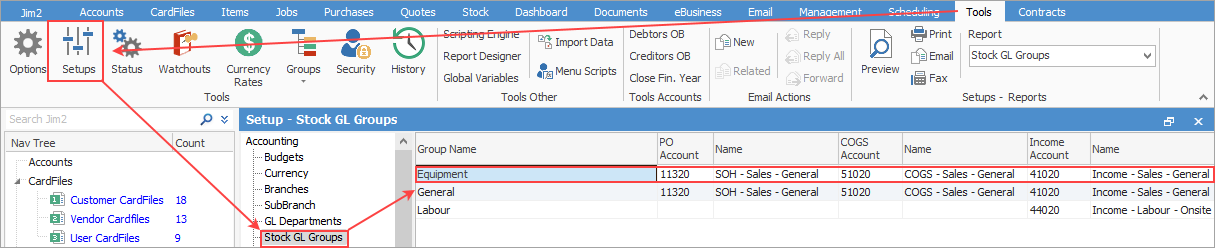
2.Then, go to Tools > Setups > Stock GL Groups > Equipment, to see which GL accounts will be impacted when this stock is used.
3.The status is changed from Booked to Received.
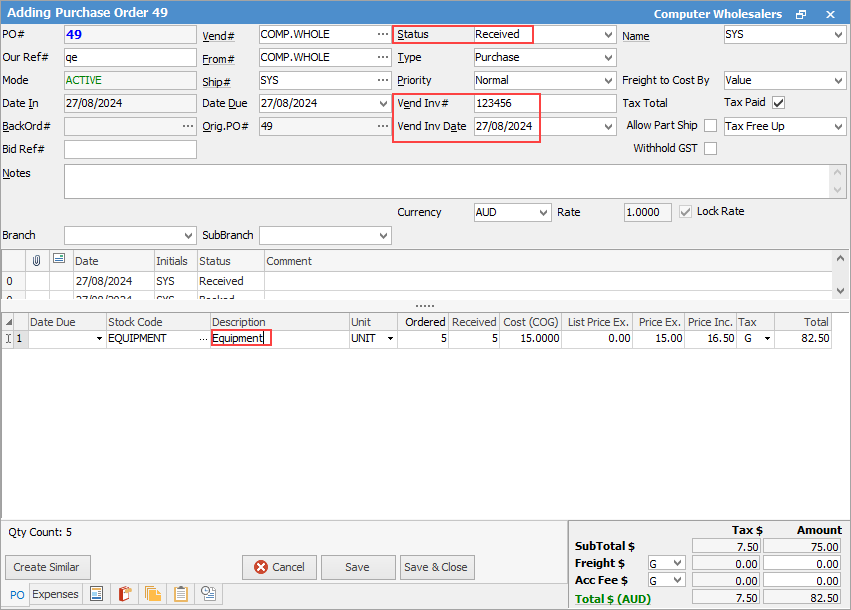
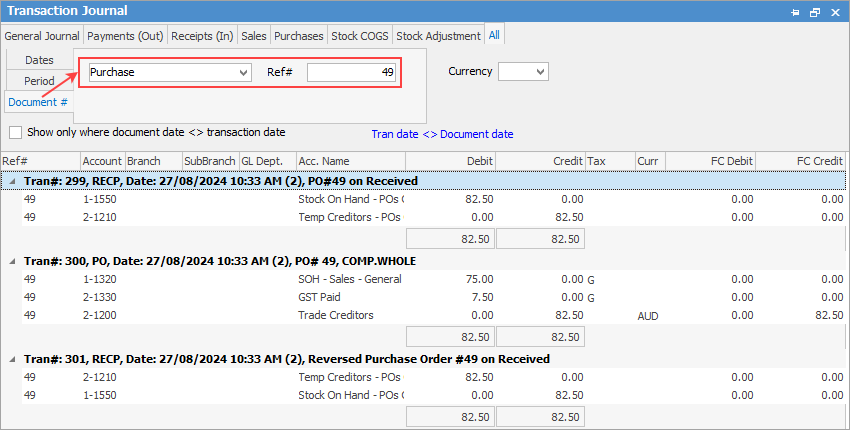
At this point there will be a debit to the temporary stock on hand GL account (Asset 1-XXXX Stock on Hand - POs on Received)and a credit to the temporary creditors GL account. (Liability 2-XXXX Temp Creditors - POs on Received) At this point, stock is counted towards stock on hand and is available to be used/sold.
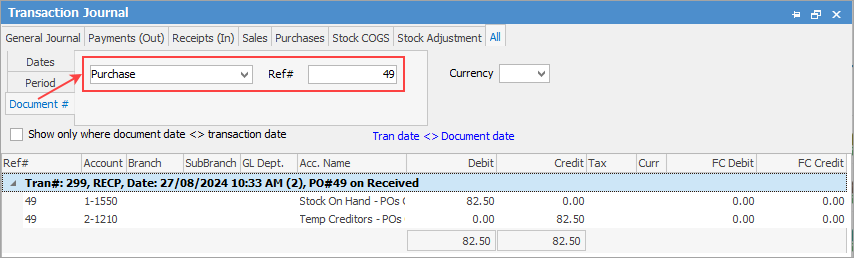
4.Finalise the purchase order.
When you change the status of a PO to Finished, this will move the figures from the temporary GL accounts to the actual stock on hand/trade creditors GL accounts, as shown in Tools > Setups >.Accounting > Stock GL Groups for that group and will count towards stock on hand. This information can be found via Accounts > Transaction Journal.
Further information
Add an Amount to a PO when Finished at $0
Add Comments to a Purchase/Expense Order
Add Freight to a Purchase Order
Enter Progress Payments on Purchase Orders
Export a Purchase Report to Spreadsheet
Fix Incorrect Pricing after PO Finished
Fix Incorrect Vendor on Purchase Order
Handle Employee Reimbursements
Handle a Credit for Freight Charged
Link a Job to a Purchase Order
Link Expenses to a Purchase Order
Print a Purchase/Expense Order
Record One Invoice Number on Multiple POs
Record Overseas Purchases, GST, Import Costs