As a supplier may provide one invoice number for multiple purchase orders, Jim2 allows the entry of the same invoice number on multiple purchase orders. Each purchase order will then be displayed in the Creditors area as an individual entry, displaying the vendor invoice number.
Two important things to consider:
1.The total dollar value of the purchase orders using the same invoice number need to equal the total of the invoice.
2.When paying the vendor invoice via Creditors, it needs to be considered as one invoice even though there are multiple line entries.
After adding the one invoice to multiple purchase orders, ensure the purchase orders are on Received status, then create a list of Received purchase orders, using the Vend Inv # field as a filter.
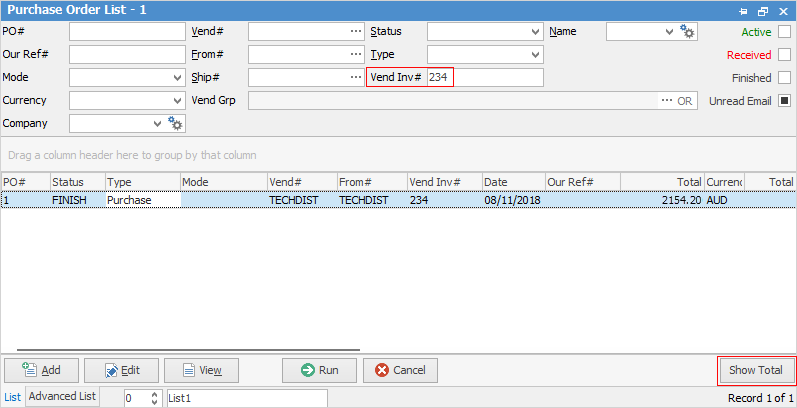
Click Show Total at the bottom of the list to display the total of the list and compare it to the invoice total. If the amounts differ, edit the purchase orders and review. Once the totals match, finish each purchase order.
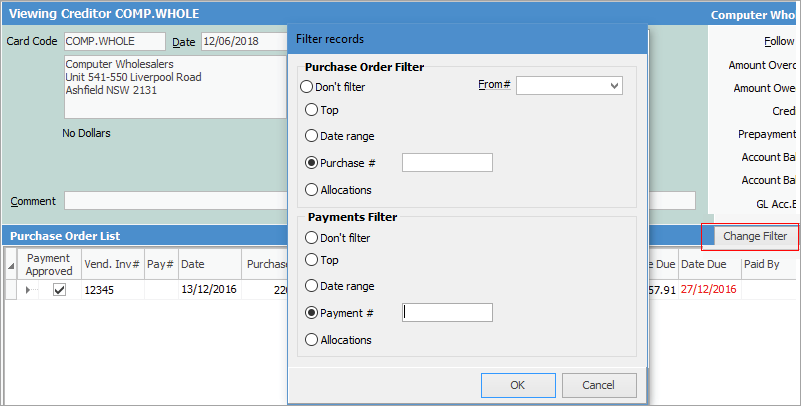
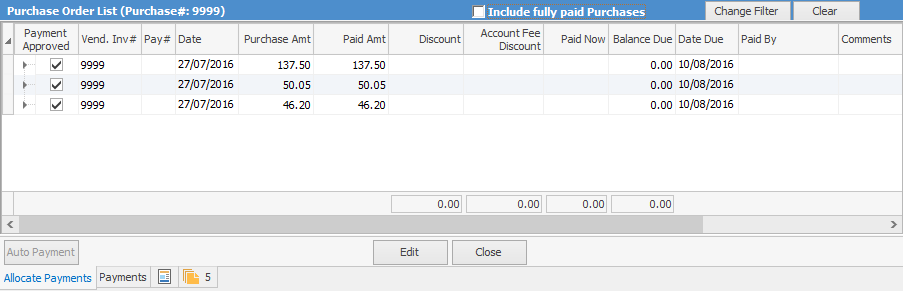
When reviewing the Creditor Account, use Change Filter to select the Purchase #, and Jim2 will display only the transactions associated with that purchase order. Likewise when selecting Payment# will display only transactions associated with that paymet.
Further information
Purchase/Expense Order Footer Tabs
Purchase Order Approval Process
Opening Balance Purchase Order
Add an Amount to a PO when Finished at $0
Add Comments to a Purchase/Expense Order
Add Freight to a Purchase Order
Fix Incorrect Pricing after PO Finished
Handle Employee Reimbursements
Handle a Credit for Freight Charged
Link a Job to a Purchase Order
Link Expenses to a Purchase Order
Print a Purchase/Expense Order
Progress Payments on Purchase Orders
Record Overseas Purchases, GST, Import Costs