At times, employees may purchase things for the company and use their own money to pay for them, ie. claim an expense. The procedure for reimbursing the employee is as follows:
1.Open the employee cardfile and tick Vendor in the top right hand corner.
2.Create an expense order and use the employee cardfile as the Vend#. Enter the supplier in the From# field, and the company card code in Ship#.
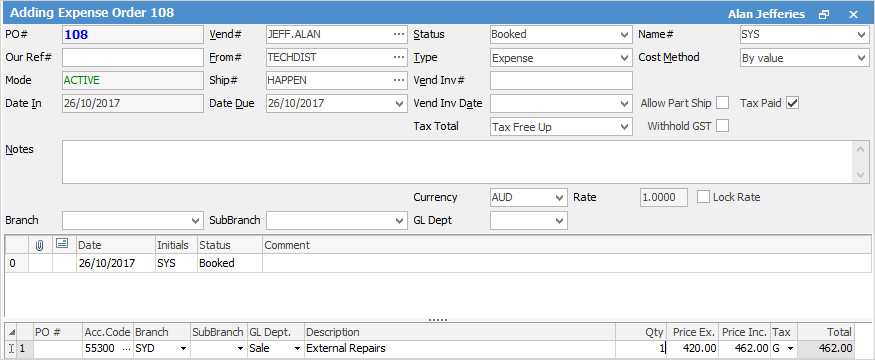
3.Open the vendor account via Creditors and pay the creditor (the employee) as per normal.
|
Some letters in the field names within the header are underlined, eg. Vend#. Using Alt+ the underlined letter will jump to the field beside that heading. |

Further information
Add an Amount to a PO when Finished at $0
Add Comments to a Purchase/Expense Order
Add Freight to a Purchase Order
Enter Progress Payments on Purchase Orders
Export a Purchase Report to Spreadsheet
Fix Incorrect Pricing after PO Finished
Fix Incorrect Vendor on Purchase Order
Handle a Credit for Freight Charged
Link a Job to a Purchase Order
Link Expenses to a Purchase Order
Print a Purchase/Expense Order
Record One Invoice Number on Multiple POs
Record Overseas Purchases, GST, Import Costs