At time of entering a purchase order, you can link this to a job via the purchase order grid.
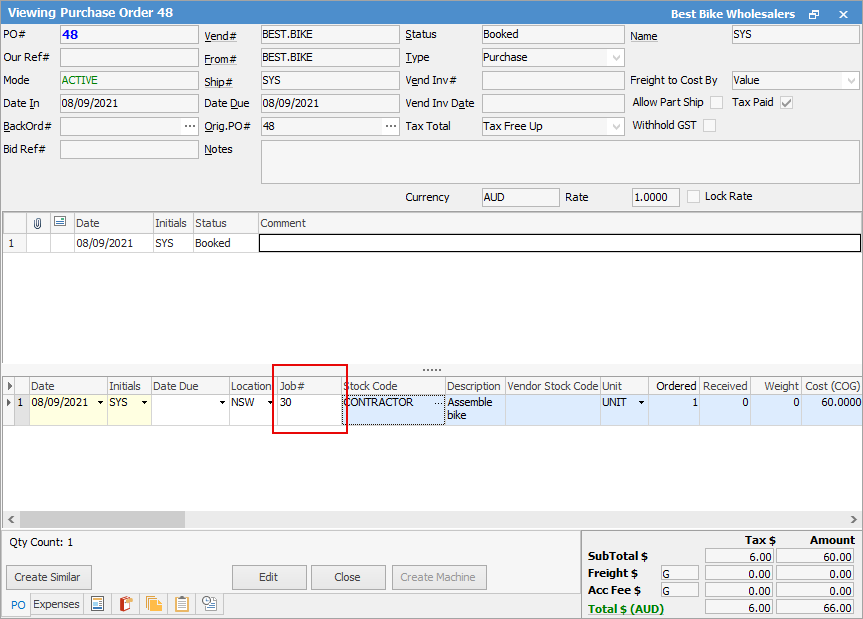
This will add that stock line to the job entered here to add related costs to the job.
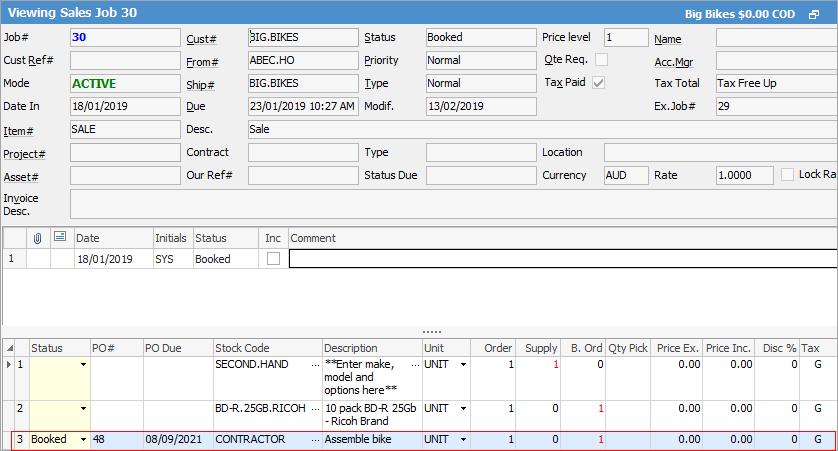
 |
Jim2 automatically adds the stock to the job, so please ensure stock has not already been entered on the job, as this will create a second entry. |
|
If you link an invoiced job to a purchase order at a later time you will need to check Tools > Options > Purchase to ensure that linking invoiced jobs at $0 price is ticked first. |

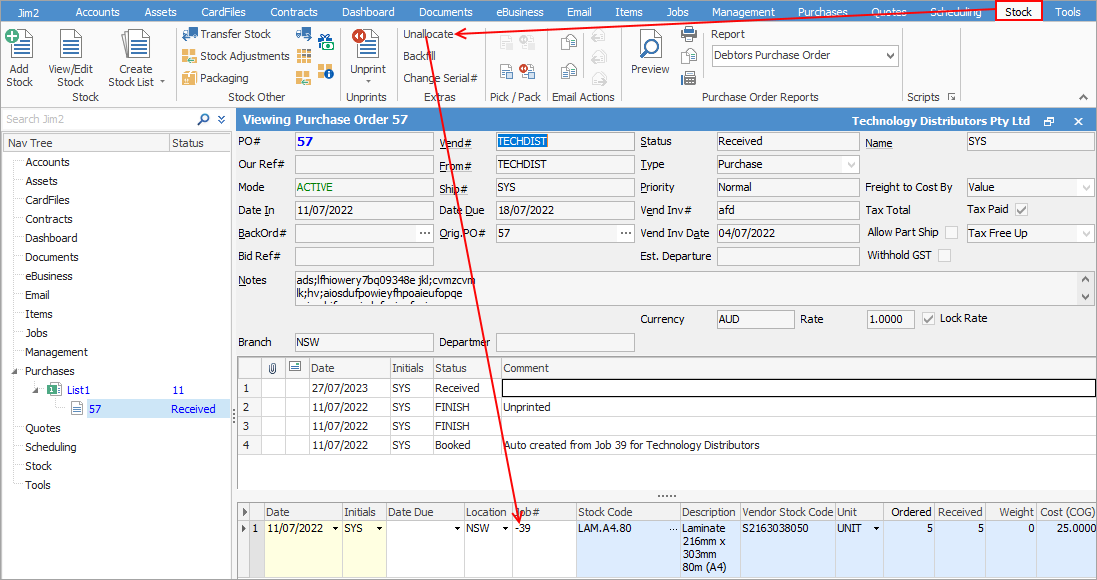
A job that is linked to a purchase order means that the stock line the job is on will show that stock as Committed, even if the Po is is on Booked. If you unlink a job from a purchase order via right clicking on the stock line of the PO and selecting Unallocate Stock, the job number will be removed from the purchase order. The stock will not be removed from the job, however the PO link will disappear.
If you unlink the job from the purchase order using the Stock > Unallocate feature, instead of removing the job number on the purchase order, Jim2 will enter a - prior to the job number.
Further information
Add an Amount to a PO when Finished at $0
Add Comments to a Purchase/Expense Order
Add Freight to a Purchase Order
Enter Progress Payments on Purchase Orders
Export a Purchase Report to Spreadsheet
Fix Incorrect Pricing after PO Finished
Fix Incorrect Vendor on Purchase Order
Handle Employee Reimbursements
Handle a Credit for Freight Charged
Link Expenses to a Purchase Order
Print a Purchase/Expense Order
Record One Invoice Number on Multiple POs
Record Overseas Purchases, GST, Import Costs