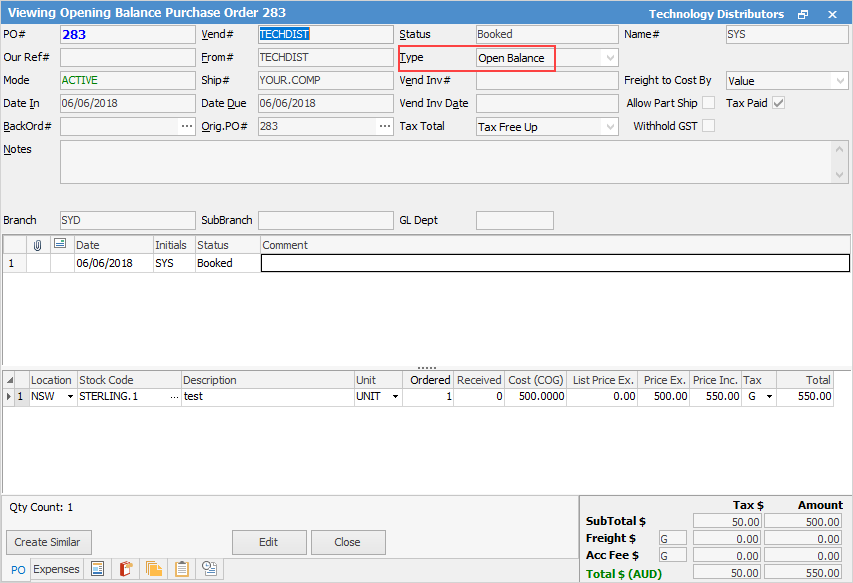
When setting up Jim2 for the first time, to enter opening balance stock quantities and values, add an opening balance purchase order. This purchase order is very similar to a standard purchase order when adding and finishing. The major difference is that no general ledger transactions are created but the values are added to the opening balance of the stock on hand asset and cost of goods sold (non depleting) accounts.
|
Some letters in the field names within the header are underlined, eg. Vend#. Using Alt+ the underlined letter will jump to the field beside that heading. |

This purchase order is different in several ways:
1.Upon finishing this purchase order it will update the general ledger accounts Opening Balance field.
2.It will not adjust creditors figures.
3.It will not adjust taxation accounts.
4.It will not put an entry into the Transaction Journal.

1.Cannot add an account fee amount. 2.Cannot add any freight. 3.Cannot apply an expense. 4.Cannot Create Similar from an opening balance purchase order. |
1.Unprint the opening balance purchase order at any time. There are no period restrictions – as long as no stock is sold. 2.Enter stock adjustments: Qty -, Qty + and COGS for the opening balance purchase order. 3.Enter returns to vendors for opening balance purchase orders. 4.Create back order purchases from an opening balance purchase order. This is useful first using Jim2 and a stocktake is undertaken but the quantities do not equal the actual count at this point in time. |
|
Enter the values as COGS or the incorrect amounts will show in pricing and when transferring amounts to cost of goods sold accounts. |

Further information
Purchase/Expense Order Footer Tabs