|
Stock codes cannot actually be merged. The following is the closest process that keeps stock history. |

If there is no history, deactivate the old stock code and enter the new stock code into the Superseded By field on the Details tab.
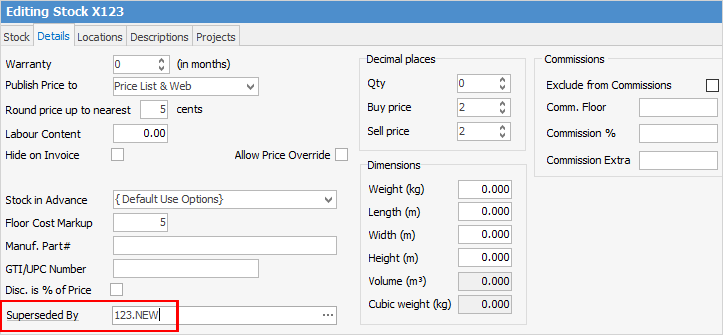
The following outlines the steps to take:
▪Change the old stock code by placing an X or Z in front of it, as per above example. This puts it at the bottom of lists.
▪Transfer stock by Stock Adjust Down on the old part and Stock Adjust Up on the new part.
▪Link the old part to a Non Report group, ie. Old Stock. This makes it easy to find all old stock.
▪Deactivate the old stock code (untick Active on the top right of the Stock tab header field) and go to the Details tab. Record the new stock code in Superseded By.
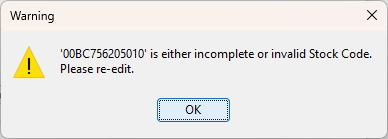
If the stock has been deactivated and it is selected,the following screen will appear:
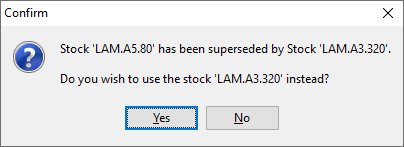
If the old code is used, a Confirm screen will appear with the following message:
Further information
Backfill Stock Sold in Advance
Buy and Sell in Different Measures
Change a Serial Number on a Stock Record
Export a Stock Report to Spreadsheet
Generate Backdated Stock on Hand Report
Move Stock from Depleting to Asset
Report Showing all Vendors on Stock
Stop Users From Giving Discounts
Update Existing Vendor Pricing